Split video into equal parts
If you’ve ever wanted to post long videos to your Instagram Stories or carousel feed, then you know the first step is to divide them into parts. However, this can be problematic, especially if you don’t have access to a PC right now and don’t have the right app on your phone. So, how to split a video file into two parts quickly and easily?
We have a tool just for that! It works completely online on any device, so you can use it without any problem on Mac or Windows (10, 8 and 7) as well as on Android or iPhone. It also supports many popular formats, so you’ll be able to split videos in AVI, MP4, MOV and other formats.
Plus, the tool is simple to use, just follow the steps below!
Upload a video
Open Clideo’s Video Splitter.
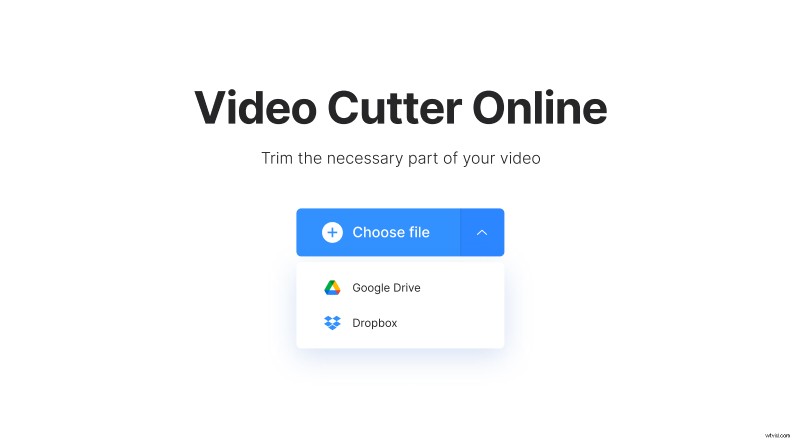
Click "Choose file" to pick a clip from your device or hover over the arrow on the right side to choose a file from your Dropbox or Google Drive account. Note that you can upload a video up to 500 MB for free.
Split the video in half
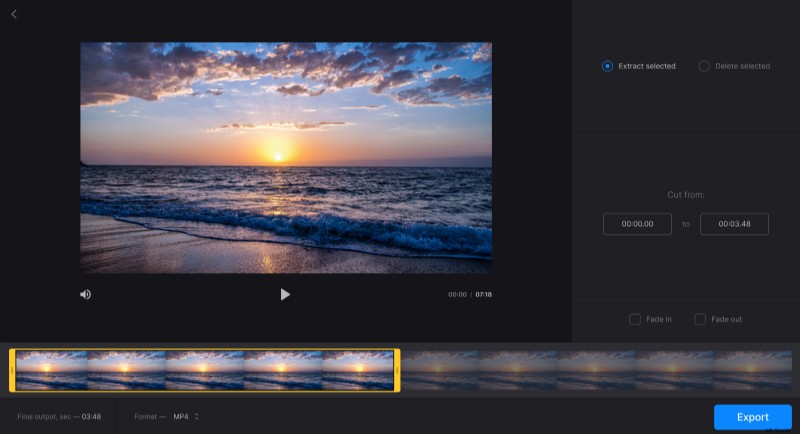
To break the clip into two even parts, firstly, select any half of it. You can do it by manually dragging the markers on the timeline or by writing down the exact time in the boxes under the "Cut from" section. Then, pick "Delete selected".
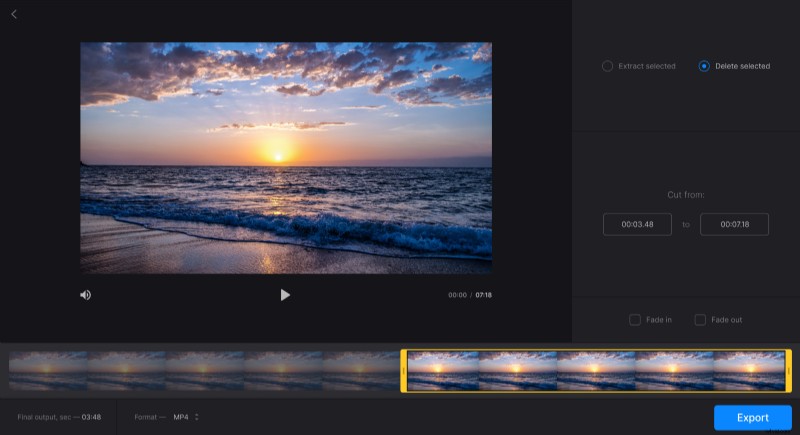
Tick "Fade in" and "Fade out" if you want the video to gradually start out of darkness and gradually disappear in the end.
Click "Format" under the player to change the extension of the video if needed.
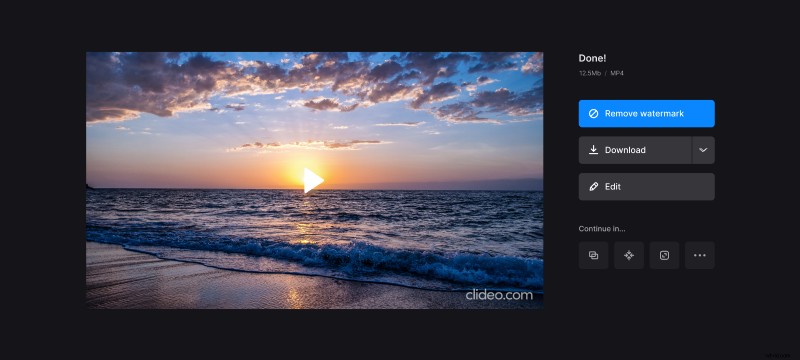
When you finish editing, click "Export".
Download the first part and get the second done
Click "Download" to save the first half of the video to your device or pick your Google Drive or Dropbox account.
To get the second half of the video, simply click "Edit" and, without changing anything else, pick "Extract selected" in the editor. Then, click "Export" again and download this segment as well.