
Burn subtitles into video online in three steps
Adding subtitles doesn’t only expand the global reach of your content, allowing people from other countries that speak other languages to more easily translate your video, but it can also help if there are any type of audio issues and it’s not quite clear what’s being said.
But performing such a task can’t be easy, right? Traditionally, yes - it’d require some sort of professional editing software, which could prove time-consuming, costly, and even sometimes dangerous if you didn’t download it from a trusted source.
However, now things are much more straightforward. You can burn your own subtitles onto a video, online and for free. All you need is a web browser and an internet connection. Here goes!
Upload your clip
To start, open your browser (any browser!) and head over to Clideo’s Video Subtitle Maker. The beauty of this is that it can be accessed from anywhere with an Internet connection - from iPhone or Android devices to Windows or Mac computers.
Now, there are two different ways you can upload a clip to the tool. They are as follows:
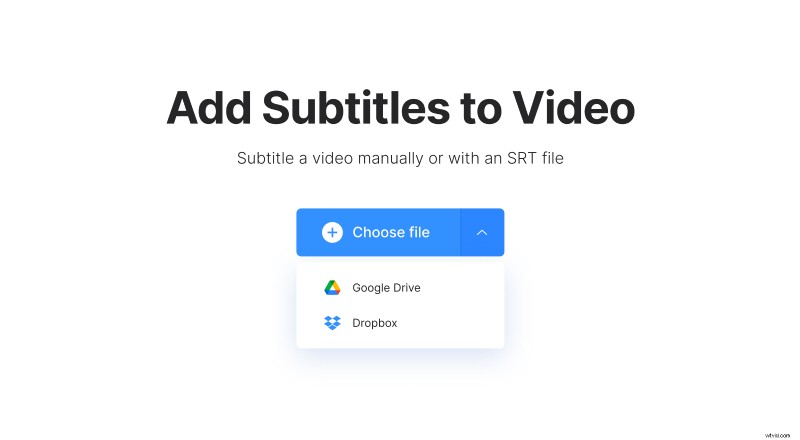
- To upload your clip from your device’s storage drive, simply click the ‘Choose file’ button.
- To upload a video directly from Dropbox or Google Drive cloud storage accounts, tap the down arrow at the side of the ‘Choose file’ button and the option will appear on a drop-down menu.
Burn in subtitles to a video
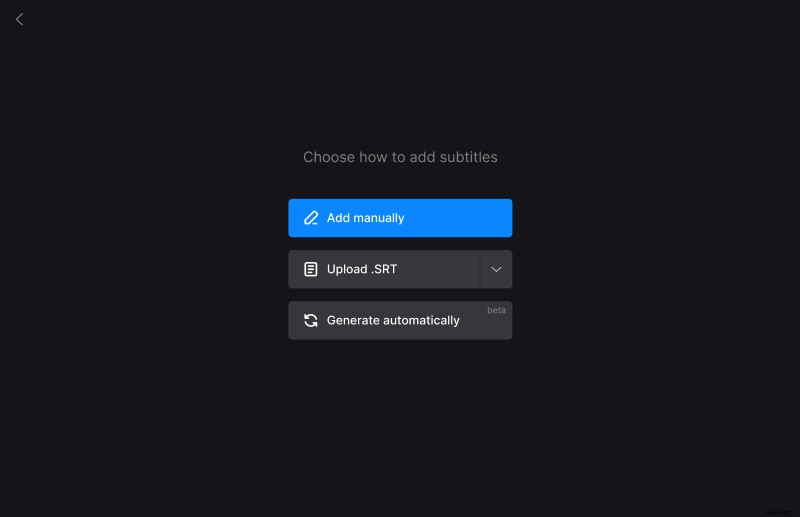
Next, you’ll be presented with the option to input your subtitles as captions or with a subtitle (.SRT) file. The latter is only if you already have subtitles for your video. If you don’t - you can easily add them manually.
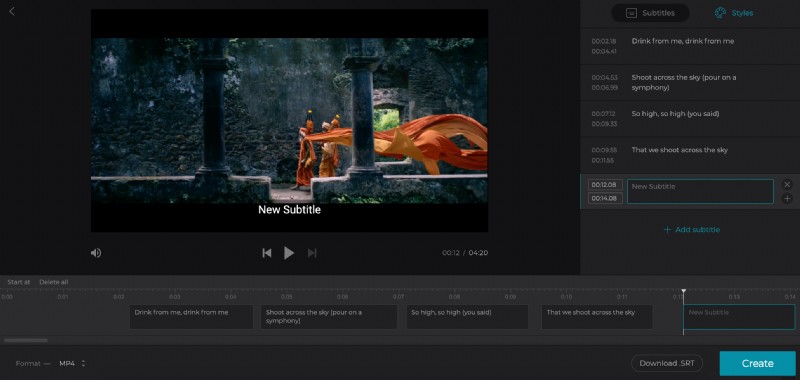
Once that the editor has opened, add your captions and the timing within the clip that you’d like them to be displayed on the frame.
Are you all done writing your subtitles? Just tap on the ‘Styles’ tab to select a font, its color, background, size, and alignment. At the bottom, you’ll see the ‘Download .SRT’ button, which you can use if you want to save your captions as an SRT file separately.
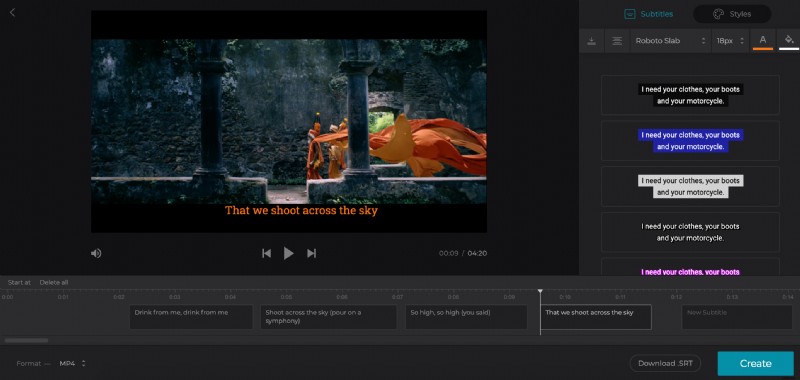
You can choose the video format on the bottom left among MP4, MKV, AVI, MOV, and many others.
Then tap the blue ‘Create’ icon on the bottom right and it will begin burning the subtitles into your video.
Download your subtitled clip
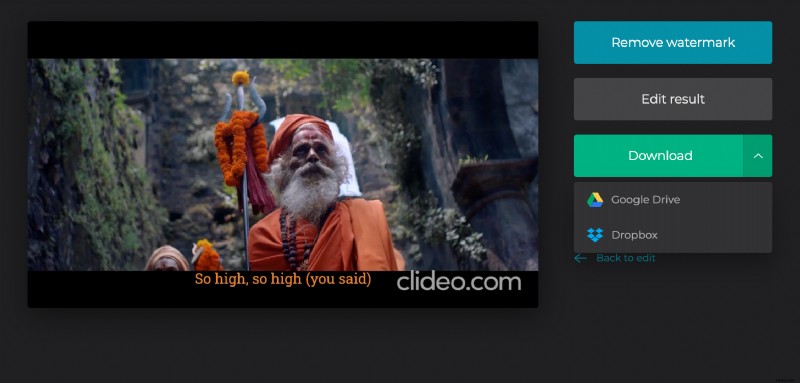
Once you’re all done, you can preview your clip to make sure it's exactly how you want it. If you’re happy, save it to your device by tapping the ‘Download’ button.
As before, you have the option to upload straight to Dropbox or Google Drive via the down arrow.
If you need to make additional edits, simply hit the ‘Back to edit’ button and you’ll be taken back to the editor without having to start from scratch.