
How to make a ringtone easily with Clideo
Rather than paying or hunting the web for the right song length, you can easily make it yourself using files you own: voice clips you’ve recorded, or any other audio you’ve captured, even audio from a video.
Our Online MP3 Cutter allows making custom ringtones from your favorite song, voice memo or video, which can then be exported in multiple formats. It can be used on iPhone and Android phones, Windows or Mac computers.
It can be done in three simple steps that won’t take much time at all.
Selecting file
Open Clideo's ringtone tool first. Then select the file you want to work with by clicking on "Choose file". If you want to select it from Dropbox or Google Drive account where the file exists, tap on the small arrow.
If you’re working on a computer, you can simply drag and drop it onto the page.
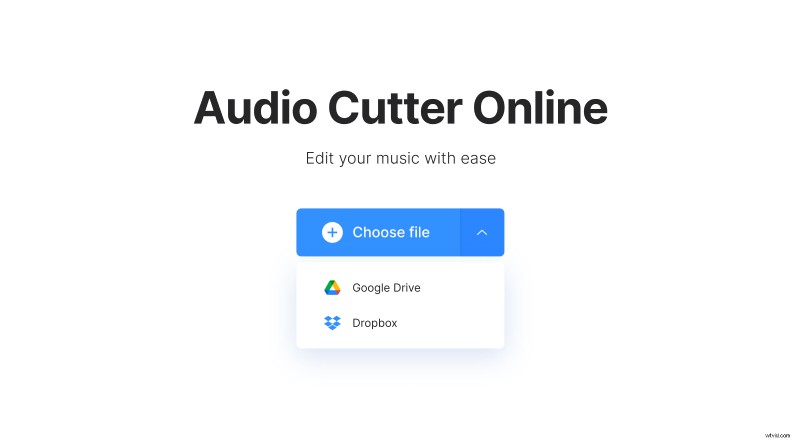
Once the file is selected, a progress bar will appear showing you the status of the upload. Be patient, it could take a few minutes if you’ve selected something very large or don’t have fast upload speeds on your internet connection.
Editing the audio
When you’ll see a representation of the audio along with bars you can slide left or right to choose where to start and where to end the ringtone clip. In addition, you can manually enter time stamps. There are also options you can check to add a “Fade in” or “Fade out” effect.
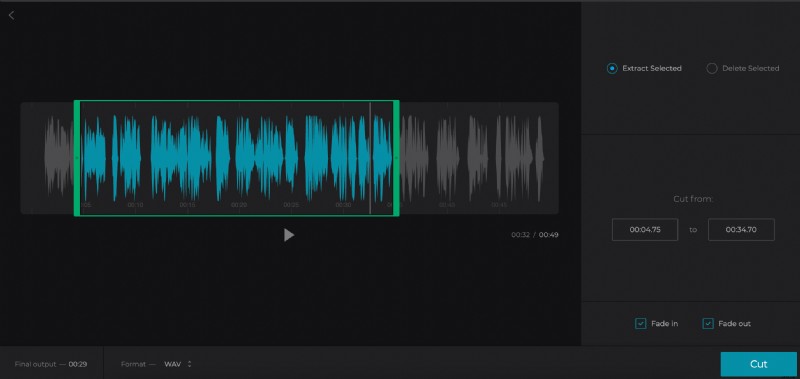
Once you are done cropping the audio, you can choose a file format to export. They include popular audio codecs such as MP3, AAC, AIFF, OGG and WAV. For iPhone devices, it is recommended that you choose AAC for a ringtone. Android is much more accepting of different sound formats, but sticking to MP3 or OGG as export formats is a good idea.
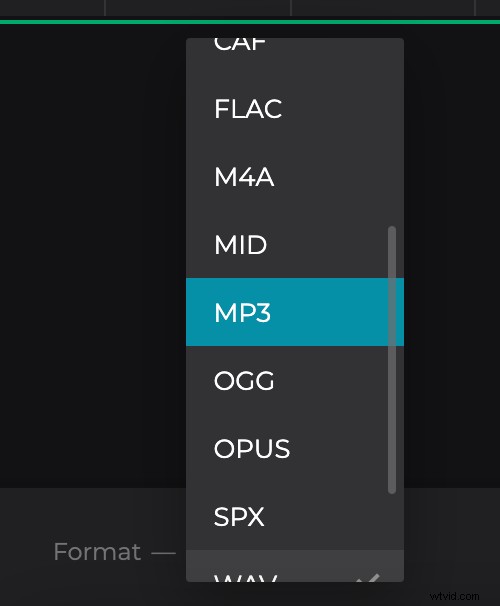
When you are done selecting these options, select “Cut” at the right bottom of the page.
Preview and download your ringtone
Processing the audio may take a few moments depending on the size of the file. Once this is complete, you can press the play button to hear a preview.
You can save directly to your device by selecting “Download.” Alternately, you can add the file to your Dropbox or Google Drive account.
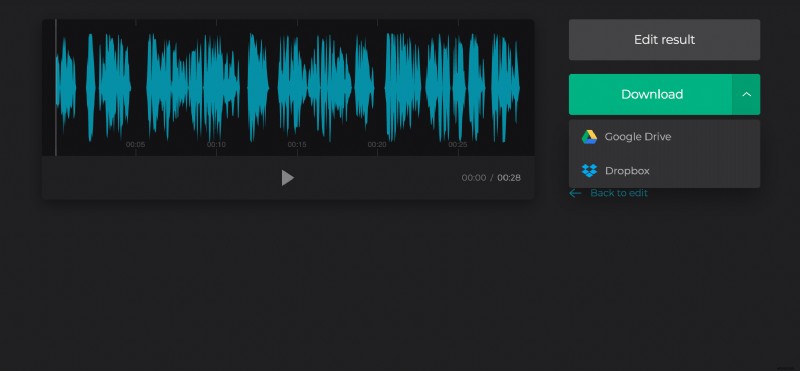
If it needs tweaking or you’d like to edit another piece of audio, go back to the tool.