Meet the Clideo's square video app
The application is free and everyone can get full functionality even without subscribing.
Pay attention: our app for making a video square is available for iOS only. But if you are a lucky owner of an Android device or just got used to working on a computer, you can use the online version of the resizer.
Make yourself comfortable and follow the simple steps below.
Import a video
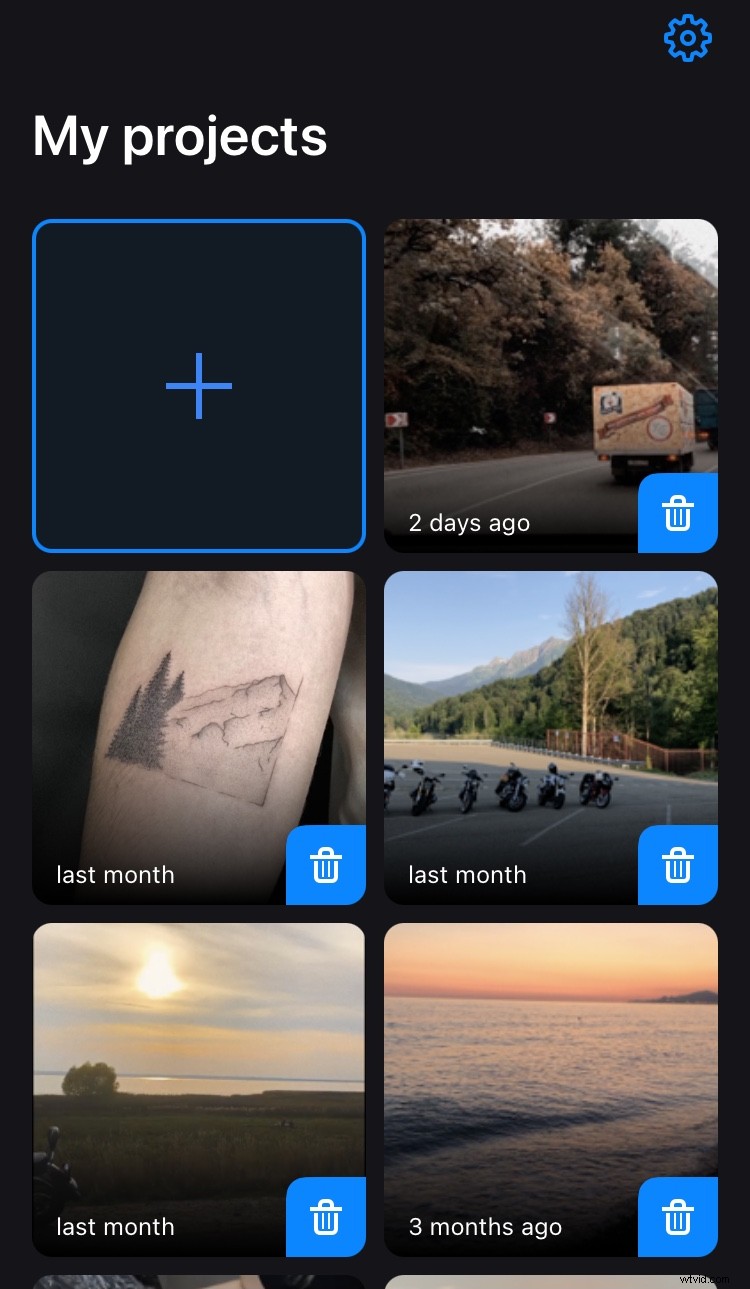
Install Clideo’s Crop Video Square App from App Store. Open it and select a video you want to crop from your camera roll by hitting the Plus sign on the main screen.
Set the square aspect ratio
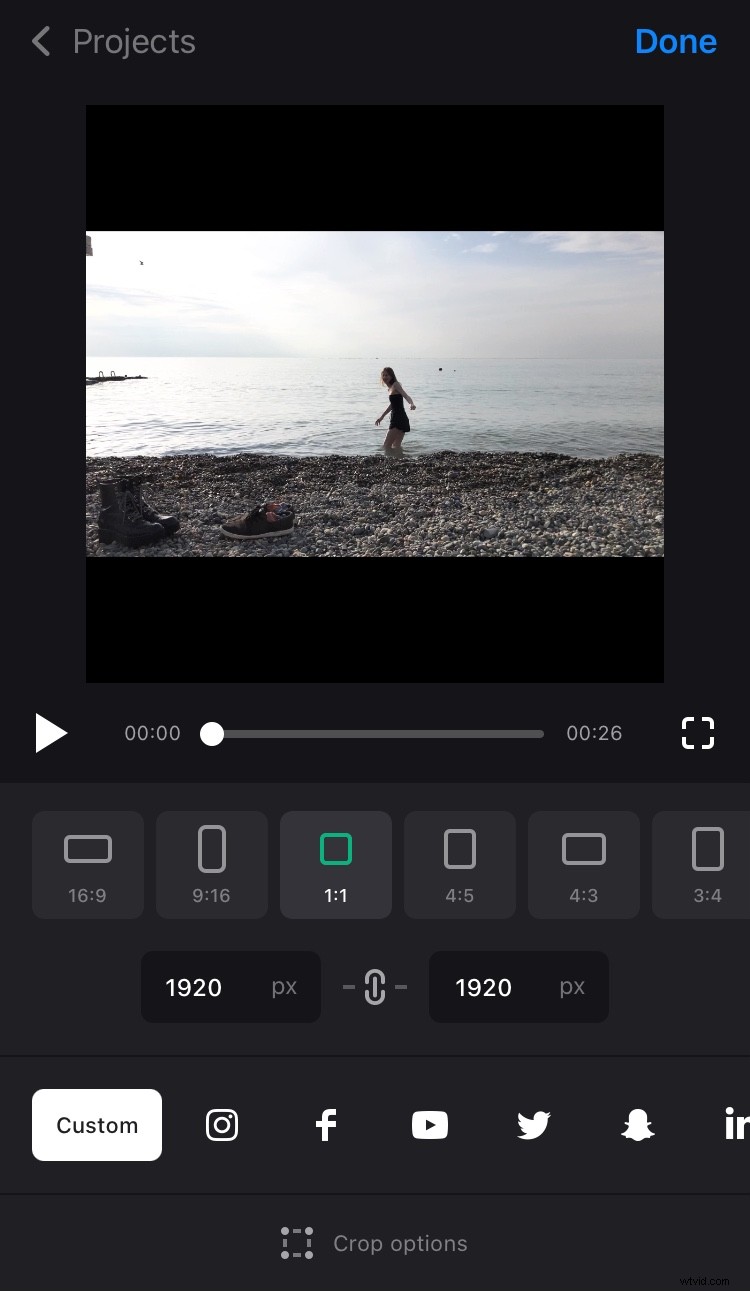
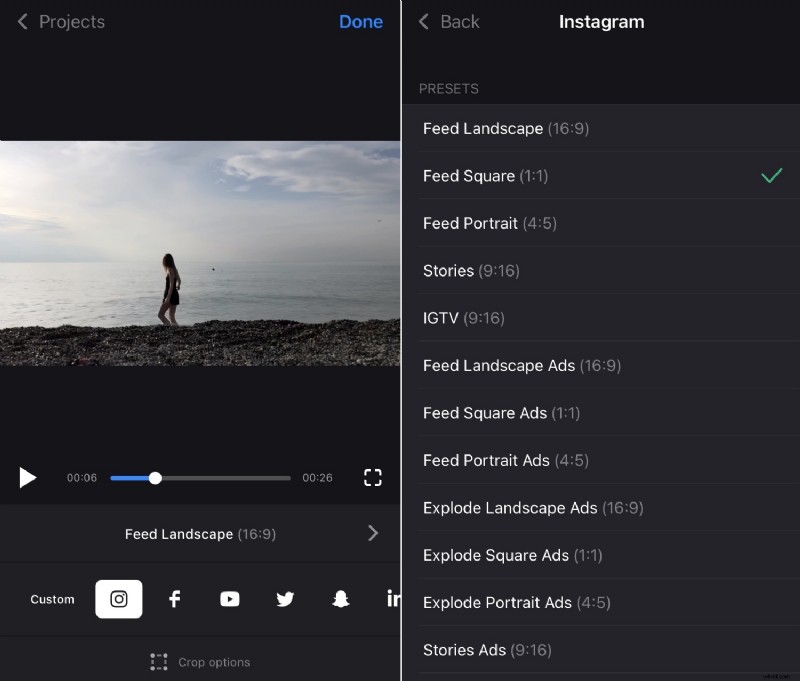
Tap the “Custom” option below the player and select the 1:1 aspect ratio with a square symbol.
If you want, set the exact height or width, and the second parameter will appear automatically. In our case it will be identical with the first one!
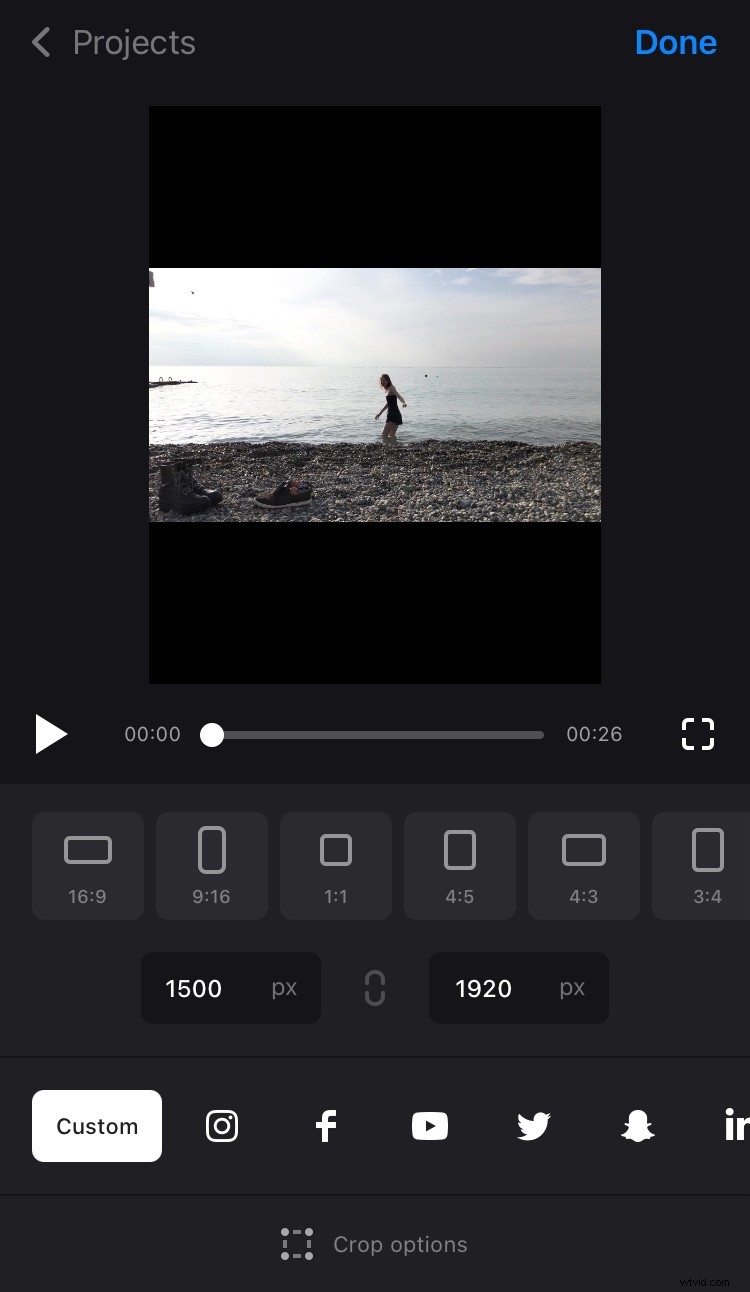
You can also get extremely creative, “untick” the chain symbol between the boxes and invent your own aspect ratio, setting both parameters manually.
If you need to make your visual meet some precise social medium specs, just hit its symbol and decide on the post type.
Crop the video
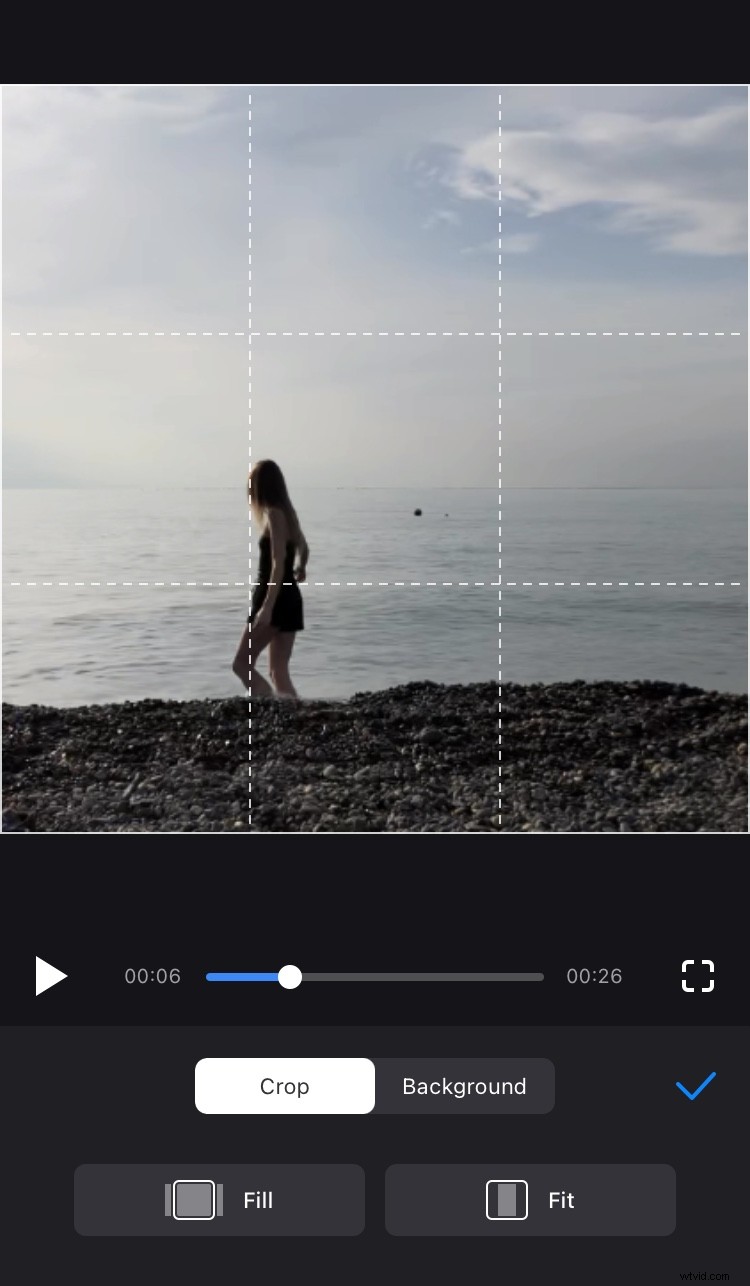
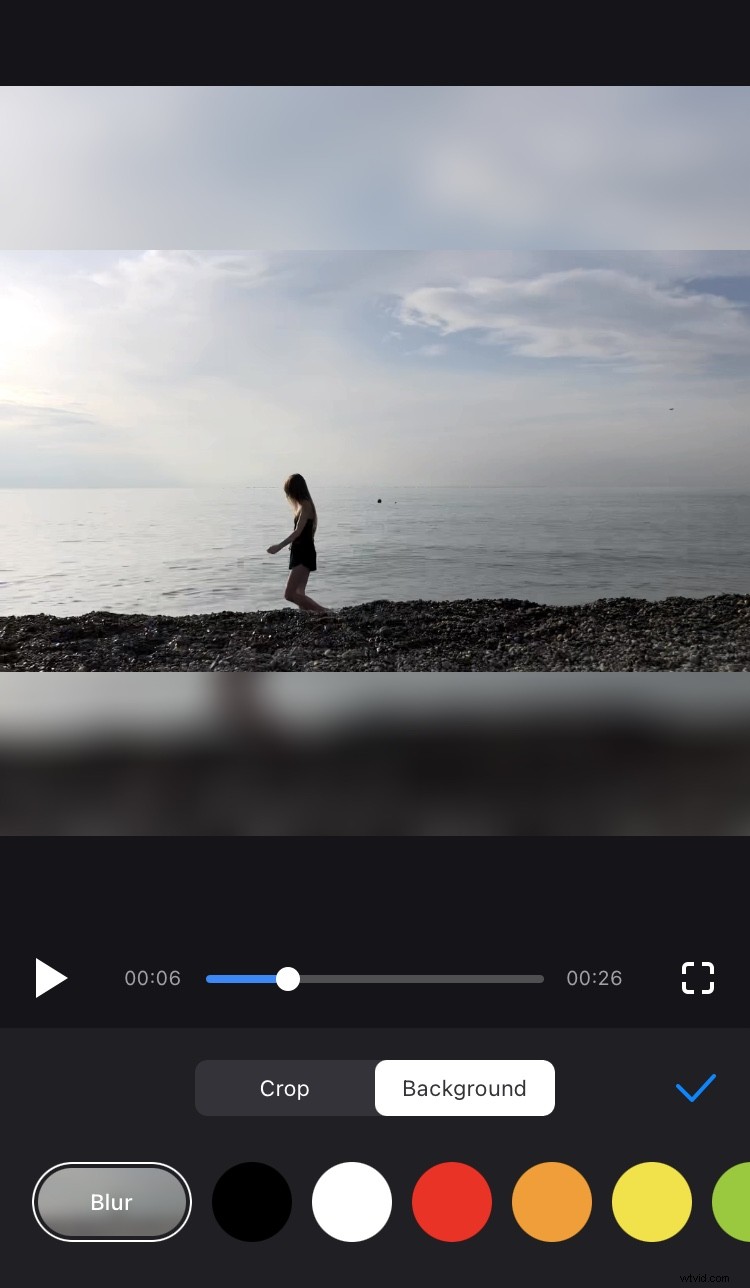
Choose one of two crop options:
- If you want your video to fill the whole frame, tap on “Fill”, and the video will be cropped. You can change its position by dragging it with your finger.
- If you don’t want to crop your video, tap on “Fit”, and the video will be kept completely with the borders remaining. Change their color or blur them.
Hit the Tick sign on the right and tap “Done”.
Save the video to Photos
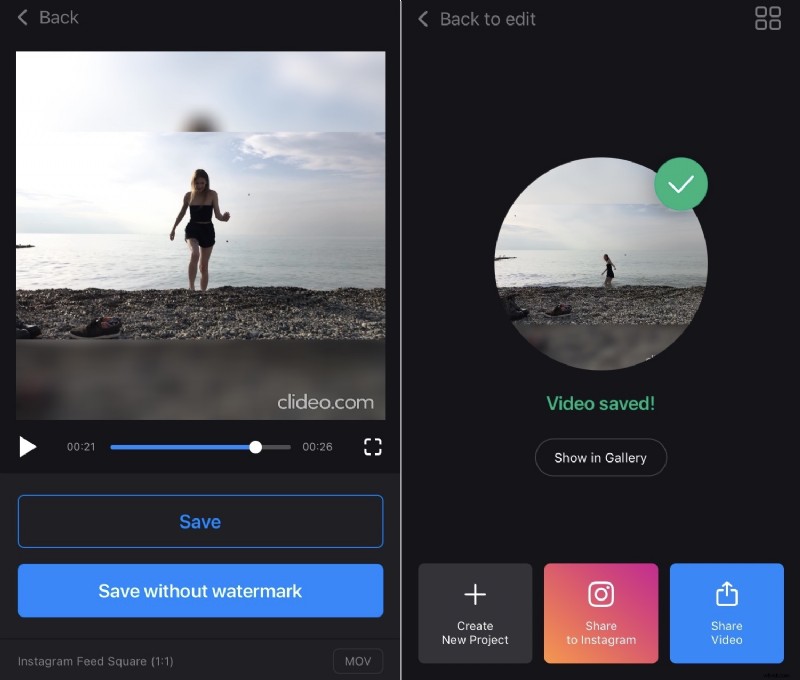
When the project is processed hit “Save”. The recording will be saved both to your iPhone and to the app’s Projects. You can post it to a social network right away.