
REC

Recommended: Video Production, Editing & Gear Maintenance Guide

 WTVID >> WTVID >  >> video >> Video clip

How to Merge Videos on iPhone for Free: Fast & Easy Clipchamp App Guide

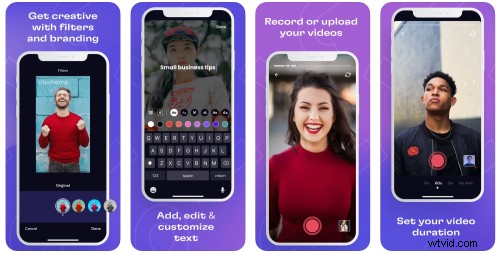
The Clipchamp iOS app gives you the power to merge and combine separate videos into a new single video through a few fast and easy taps on your phone. 
How to Merge Videos on iPhone for Free: Fast & Easy Clipchamp App Guide

Follow this blog to learn how to merge videos on iPhone:

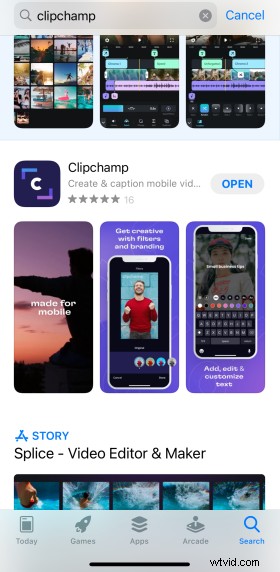
Step 1: Download the Clipchamp App

Search “Clipchamp” on the App store.
How to Merge Videos on iPhone for Free: Fast & Easy Clipchamp App Guide

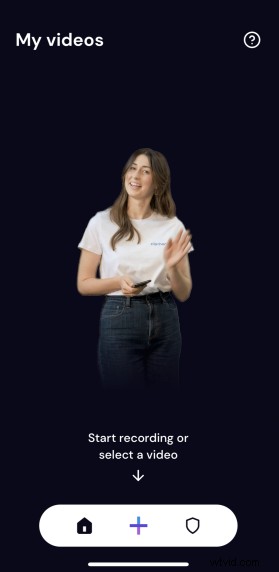
Step 2: Start a new project

Hit the plus button to start your first project. 
How to Merge Videos on iPhone for Free: Fast & Easy Clipchamp App Guide

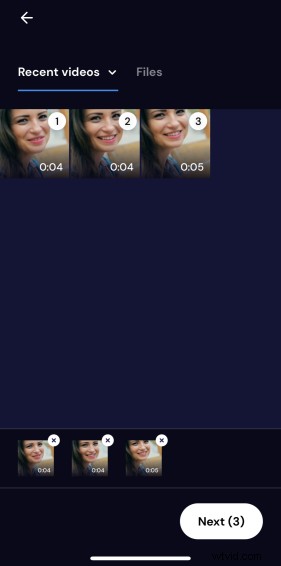
Tap the file selector on the right to start choosing which files you want to merge together into one video.

How to Merge Videos on iPhone for Free: Fast & Easy Clipchamp App Guide

Tap the circle in the corner of each video in the order you want them to appear.
How to Merge Videos on iPhone for Free: Fast & Easy Clipchamp App Guide

Step 4: Merge and combine your video

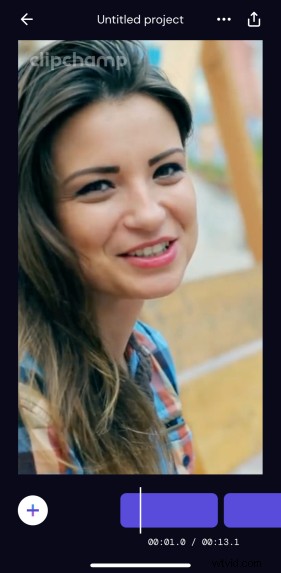
After you’ve chosen your video files, you’ll land in the video editor. Tap your clip in the timeline to split and delete any unwanted parts of your video. You can also add filters here. 
How to Merge Videos on iPhone for Free: Fast & Easy Clipchamp App Guide

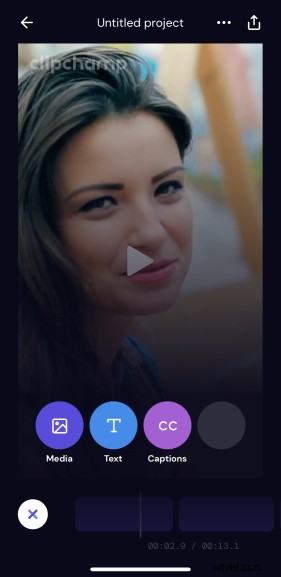
Tapping the plus button brings up options to add more to your video. Add more media, text or even add captions to your video here.
How to Merge Videos on iPhone for Free: Fast & Easy Clipchamp App Guide

Step 5: Export and share 

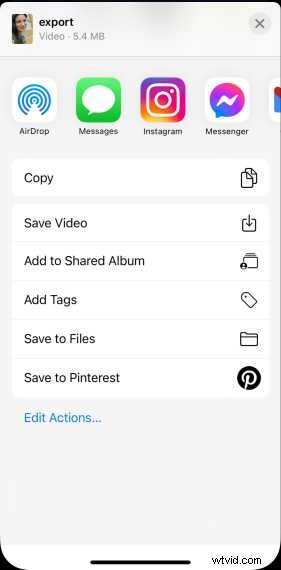
When you’re done editing, tap the export button in the top right corner. You can share directly to any app or save your video to your phone. 
How to Merge Videos on iPhone for Free: Fast & Easy Clipchamp App Guide

Download the Clipchamp iOS app to get started

No matter your skill and experience with making videos, Clipchamp makes it easy to create amazing, professional-looking videos in minutes. 

You can take on easy edits like trimming, splitting and combining videos, adding auto captions, text, your brand logo, fun filters and effects – all from one free app!

Get started with Clipchamp iOS app now. 


  1. How to Merge Videos Seamlessly in Camtasia: Step-by-Step Guide

  2. Ultimate Guide: How to Edit Videos for Instagram Like a Pro

  3. How to Overlay Videos in iMovie: Step-by-Step Guide for Mac and iPhone

  4. How to Create and Edit Videos on Windows 10 Using the Built-in Photos App

  5. Best iPhone Camera Apps for Stunning Photos & Pro Videos

Video clip
  1. Create Stunning Video Montages on Android & iPhone: Easy Step-by-Step Guide

  2. How to Merge Video and Audio Effortlessly with Wondershare Filmora

  3. Top 10 Best Video Calling Apps for Android & iPhone: Stay Connected Effortlessly

  4. How to Add Emojis to Videos for Free: Easy Guide for Windows, Android & iPhone

  5. Master Video Strategies to Boost Sales and Networking Success

  6. How to Download and Trim Vimeo Videos on iPhone: Step-by-Step Guide

  7. Best Video Compressor App for iPhone: Shrink Videos Easily with Clideo

  8. Clideo Square Video Maker: Free iPhone App for Perfect Resizing