REC

Recommended: Video Production, Editing & Gear Maintenance Guide

 WTVID >> WTVID >  >> video >> Video production

How to Reverse Videos Easily Online with Clideo: Free Step-by-Step Guide

How to play video backwards using Clideo

Some of the funniest videos to watch are those that are reversed. However, not all the editing software has a reverse video feature, especially if it’s free and online.

Clideo is one of the easiest applications you can find on the internet. It has many powerful online tools, one of them is for the video reverse effect. You can get it in just 3 quick and easy steps:

  1. Add a file to the tool

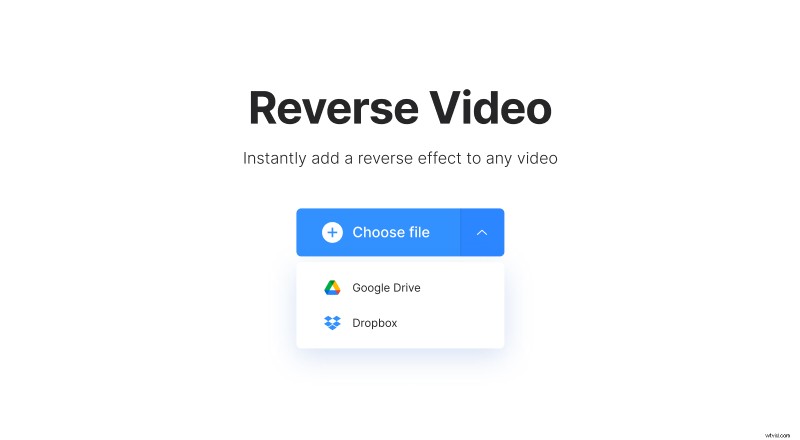
    Open Online Video Reverser by Clideo. Upload a video from your computer or mobile device, the program works with the most popular video formats such as MOV, AVI, MP4 and others.
    How to Reverse Videos Easily Online with Clideo: Free Step-by-Step Guide

    Moreover, you can choose a video from Dropbox or Google Drive.

  2. Adjust speed of the video

    How to Reverse Videos Easily Online with Clideo: Free Step-by-Step Guide

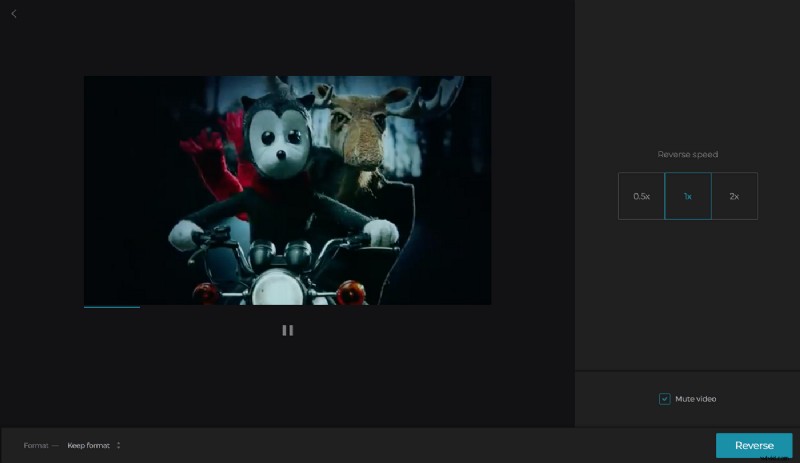
    Once the video is uploaded, change its speed. If you want, you can mute the video. When you’re done with that, click the "Reverse" button.

  3. Save the reversed video

    How to Reverse Videos Easily Online with Clideo: Free Step-by-Step Guide

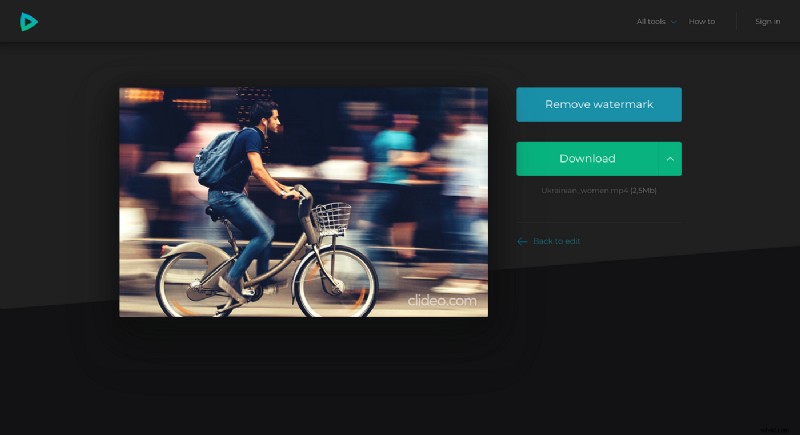
    Download it to your PC or Mac. You can also upload the file and save it back to either Dropbox or Google Drive, so you’ll always have access to your video wherever you are.


  1. How to Create Stunning Lyric Videos Easily with Filmora X

  2. How to Freeze a Frame in Video Editing: Easy Guide with Wondershare Filmora

  3. How to Reverse Videos on TikTok: Easy Step-by-Step Guide

  4. How to Reverse Videos for YouTube: Free Online Guide

  5. Reverse Videos Online Free: Quick & Easy with Clideo Editor

Video production
  1. How to Reverse Videos in iMovie: Easy Step-by-Step Guide

  2. How to Play Videos Backwards on Windows and Mac: Easy Step-by-Step Guide

  3. How to Reverse Videos Effortlessly: Reliable Desktop Software Guide

  4. How to Reverse Videos on Snapchat: 2 Easy Methods

  5. How to Create Engaging Reaction Videos Easily with MiniTool MovieMaker

  6. How to Convert Video to JPG Easily: Free Tools & Step-by-Step Guide

  7. How to Reverse Audio Quickly & Easily: Top Tools Guide

  8. How to Reverse a Video: Top 3 Easy and Effective Methods