
How to mute your video
It’s discouraging when you shoot a great looking video of high quality and later when you replay the video, you find the audio is either of poor quality or maybe the camera captures some unwanted noises from nearby traffic, kids screaming or any other unfavorable noises. It can even be frustrating and irritating while creating video content.
With our video muter, any user from the beginner to experienced one can remove audio from a clip using either a mobile device or computer. It’s completely online-based, so no downloading or installing is required.
The tool is easy-to-use and user-friendly to any videographer of any level, helping you to mute your videos in two simple steps:
Choose a file
First, you need to head over to Clideo's video muter and upload the video you wish to remove the audio from. You can choose it from your iPhone or Android device, and Mac or Windows-based computer.
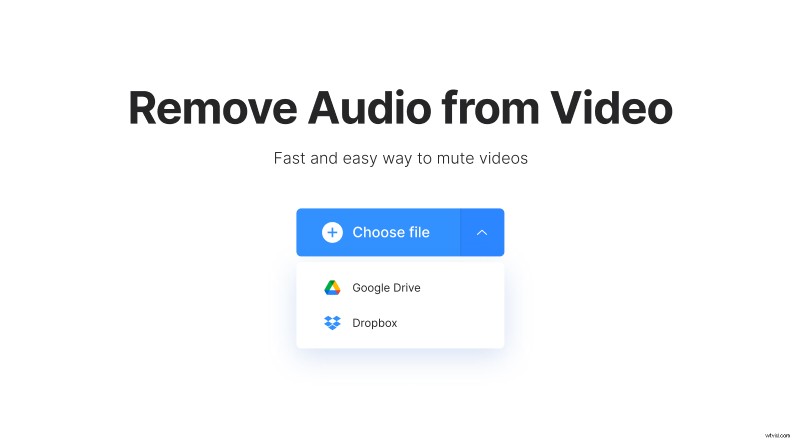
It’s also possible to add it from Google Drive or Dropbox. The tool supports a lot of formats such as WMV, AVI, MP4, etc.
Download the video
Clideo will automatically mute the whole video. Check your clip by watching it in the browser before downloading. You can save the video not only to your device but also to Google Drive or Dropbox.
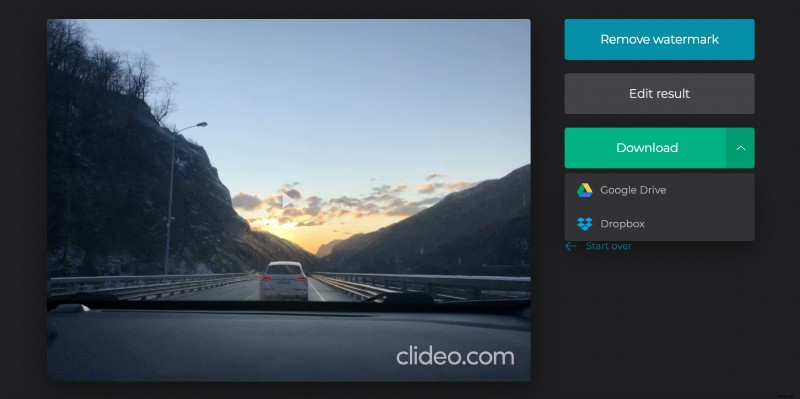
Once you’ve downloaded your edited video, it’ll be removed from our server in 24 hours for security, so no one could watch it.