
Ever wondered how big-budget music videos sync up their footage with the song in post? Check out the process from the perspective of a playback engineer.
If you’ve ever filmed an indie music video before, you probably know the drill: play the song on a speaker, have your subject play along, then sync in post. But when you get to the professional level, it gets a bit more complicated.
Deity Microphones recently sat down with Fletcher Alliston, a music playback engineer who has worked on music videos with artists such as Rob Zombie and Katy Perry, to get a closer look into the work that goes into a successful music video shoot.
What Happens on Set
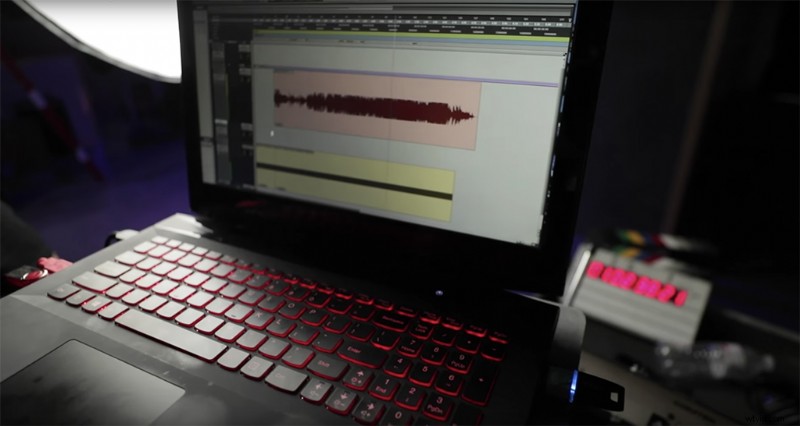
Whenever you’re dealing with tracks from big artists, the record company won’t usually give you the track until the day before or the day of shooting. Fletcher uses a gear cart that houses his laptop and audio equipment that he uses to manipulate the music on set. Once he has the song, he converts the track into mono and adds a timecode for syncing in post-production.
With the track in Pro Tools, he can manipulate and isolate certain parts of the song so the artist can sing along. Next he will add markers to the track so he can split it between verses, choruses, and bridges. This makes it easier to swap between sections of the song during shooting — in case the shot list for that day is not in linear order.
Once everyone is ready to shoot, Fletcher will connect his track’s timecode to a smart slate with a Comtec transmitter, so when they slate, the video will sync with the footage in post without too much hassle. However, he admits that sometimes, when the crew is doing a quick shoot, he will record scratch audio so they can link it later through Pluralize.
Recording Audio During a Club Scene
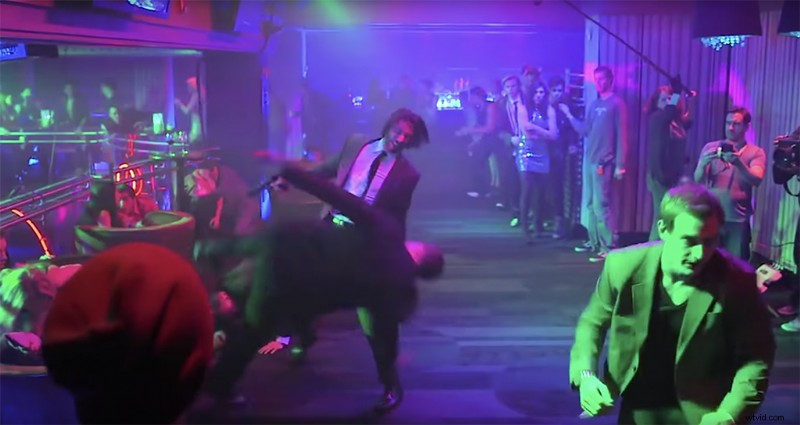
Whenever a production is shooting a scene in a club or dancehall where there will be music playing in the background, typically they will not record with the actual track playing. This would interfere with the audio captured on set. So how do the background actors stay on time with the rhythm of the inserted track? That’s all thanks to a thing called a “Thump Track.”
The Playback engineer will create a track of only very low bass beats that hit at the same rhythm as the real track. That thump track will play during recording on a subwoofer, so that the background actors have a beat to dance to. Once in post, the editor will throw a low-pass filter onto the track that will remove the thump track while maintaining the dialogue track.
And there you have it. Go forth and record!
Cover image by Kit8.net. Additional images via Deity.
Looking more info on video production? Check out these articles.
- DIY Filmmaking: 7 New Hacks to Help Your Shots — and Sanity
- How to Easily Color Match Any Two Cameras in Post-Production
- Learn to Choreograph a Fight Scene with a Hollywood Stunt Coordinator
- How To Create Your Own Foley + 40 Free Sound Effects
- How To Shoot Product Shots: 3 Cheap And Easy Setups
- Exceptional royalty-free music and audio for video projects