
How to delete audio from video in three easy steps
Uploading a movie to YouTube but the sound’s getting in the way? Or perhaps you’ve created a video reel and want to silence your clips to overlay with music? It might sound like tricky work but deleting audio from video is much easier than you think - and it doesn’t require buying any expensive applications. With the right tool, muting a video can be done in a matter of seconds.
And so here’s how to delete sound from video clips with the click of a button and best of all: for free. It’s all done from the comfort of your web browser meaning there’s no need to download any external software. Read how to do it below in three super simple steps using Clideo’s Mute Video tool.
Upload your noisy clip
As muting your video can be done from any web browser, it should come as no surprise that the first thing to do is...open up your browser. Here, simply navigate your way to Clideo’s Audio Remover tool like you would any other website and you’ll be welcomed by the tool’s uploader page.
You should note that it is compatible with any device with internet access, including iOS devices like the iPhone as well as Android phones and Windows and Mac computers.
Once you’re on the homepage, there’ll be no escaping the big blue ‘Choose file’ button. As you probably already guessed, hit this and a pop-up box will give you the option to upload your video of choice to eradicate the audio from.
Alternatively, you can tap the downwards-facing arrow on the right-hand side of the button, which will display a drop-down menu. Here you can upload directly from your cloud storage services such as Google Drive and Dropbox.
Another thing to note is: Clideo’s video muting tool works with most moving image formats including MP4, AVI, MPG, VOB, WMV, MOV and many more, so you don’t need to worry about your video not being supported.
Play the (very short) waiting game
Once your video has been selected – be it from your system or cloud storage - it will automatically upload and begin processing and removing the sound. A progress bar will let you know where it’s at and how long there’s left to go. This will depend on how long your video/how big your file is, but don’t worry; it won’t take long!
Save your new, muted video
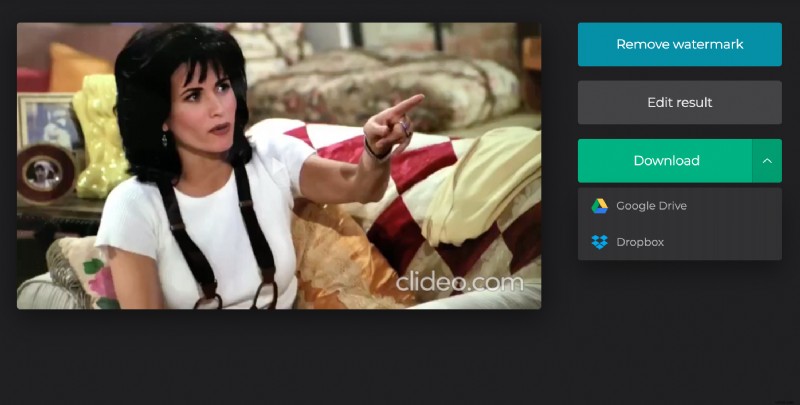
Once the bar has hit the 100 percent mark, you’ll be presented with a preview of your video where you can playback the muted clip and ensure the sound has been successfully removed. If it’s to your satisfaction, you can download the new clip back to your device or cloud storage. If you want to delete audio from another movie, simply click the ‘Back to Editor’ link and you can start again.
And if you’re worried at all about privacy, you don’t have to. We use the latest in online security to ensure that your video files are protected at all times. Enjoy!