
When you want to extract MP3 from MP4 videos, there are a handful of ways to do it in under a minute. You can always use tools such as FilmForth to do it offline, while several internet tools require you to upload the video. Oftentimes we come across a song, piece of music in a video, short clip, or movie that moves us. You want to listen to it over and over till you start hating it.
That’s completely normal, but sometimes it is not available on Spotify. You get creative and want to extract the MP3 from the video. There are many ways to do it but let’s start with the easier one.
How to Extract MP3 from MP4 with Ease
Now let’s meet FilmForth, a video editor that is too good to be free. It strips audio from a video or a video from audio with great ease and you can have it covered. As a moviemaker, FilmForth can do more than that’s a conversation for another day. Some great features you need to meet with FilmForth.
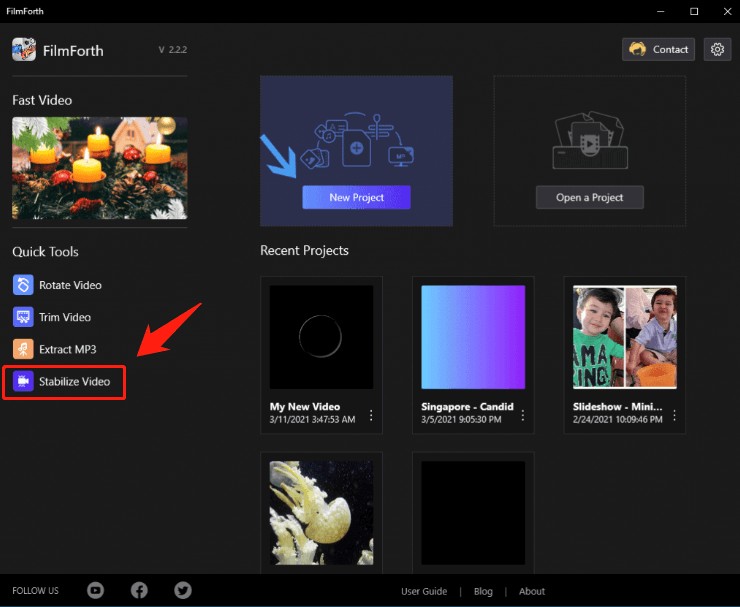
- Extract audio with 1-click – All you need is the single-click on the Extract Audio button, and the audio is extracted from the video.
- Remove and Replace audio – Don’t like the audio, background music of a video? No problem, remove it and replace it with the audio of your choice. You can also take advantage of the in-built audio library that is available in the editor.
- Add voiceover to the video – Narrations are a great way of storytelling. Enhance your video content by adding a voice that adds gravitas, a relevant undertone, and relevant, valuable information to the viewers.
- Calibrate the speed of the audio – Increase or reduce the speed of the audio in the video after creating a different feed for it in the timeline.
- Split and Trim the audio – Trim the unnecessary audio that feels out of place. On top of that, split the audio into different parts for use in the project.
- Duplicate the Audio – Make several copies of the audio after detaching it from the video. Edit them and use multiple channels of audio in the video.
Steps to Extract Audio from a Video Using FilmForth
Here is how you extract audio from a video using the FilmForth editor. Keep your video ready to follow the tutorial along with us.
Step1. Download FilmForth, install, and launch it.

Step 2. Click on the Extract MP3 button, given on the left side of the editor’s main window.
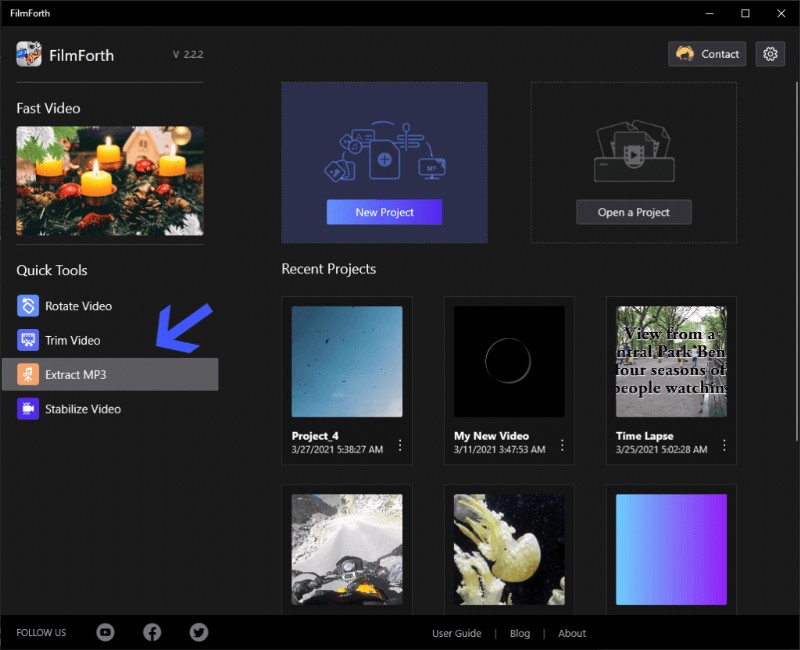
Click the “Extract MP3” Button
Step 3. In the popup box, click on the Select a Video File button.
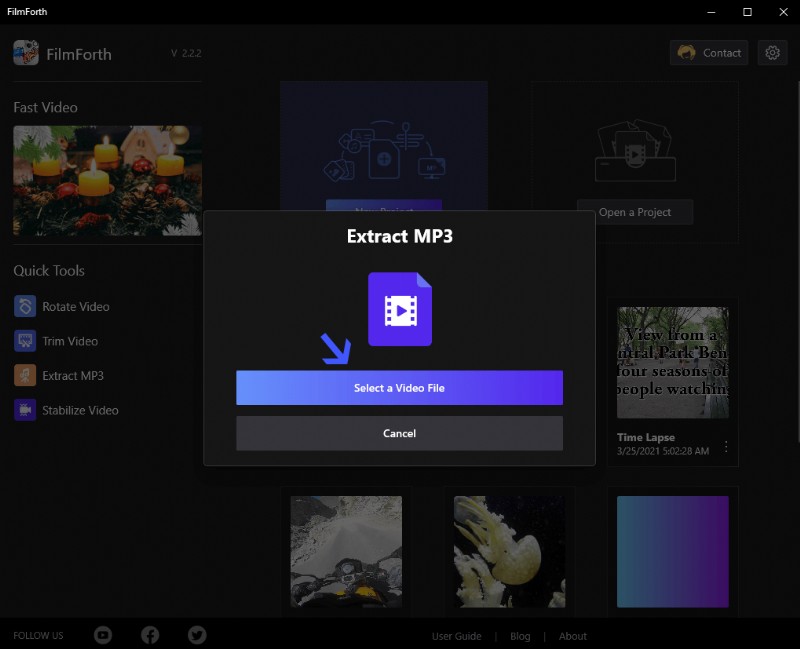
Select a Video File
Step 4. Select the video from which you want to extract the audio.
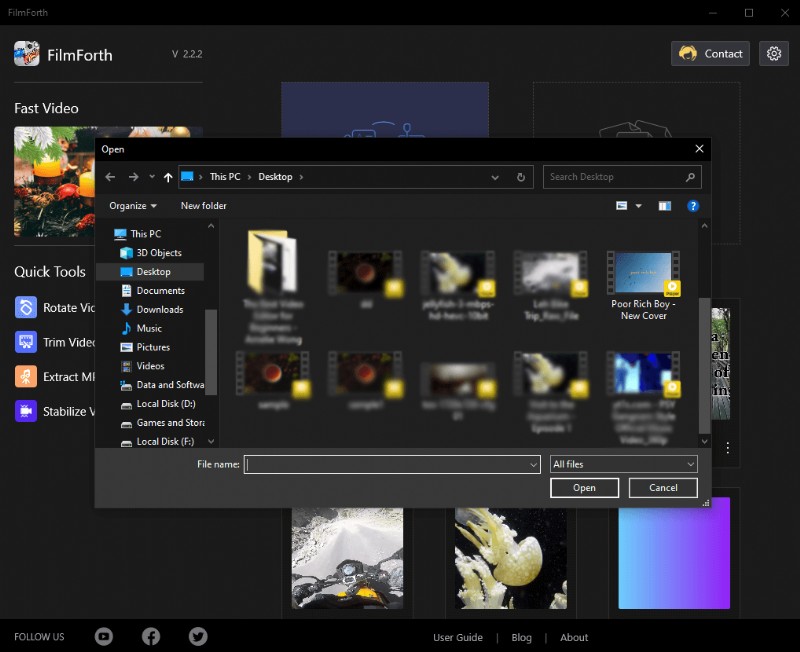
Select the Video
Step 5. Give your MP3 file a name, select the output location, and then click on the Save button.
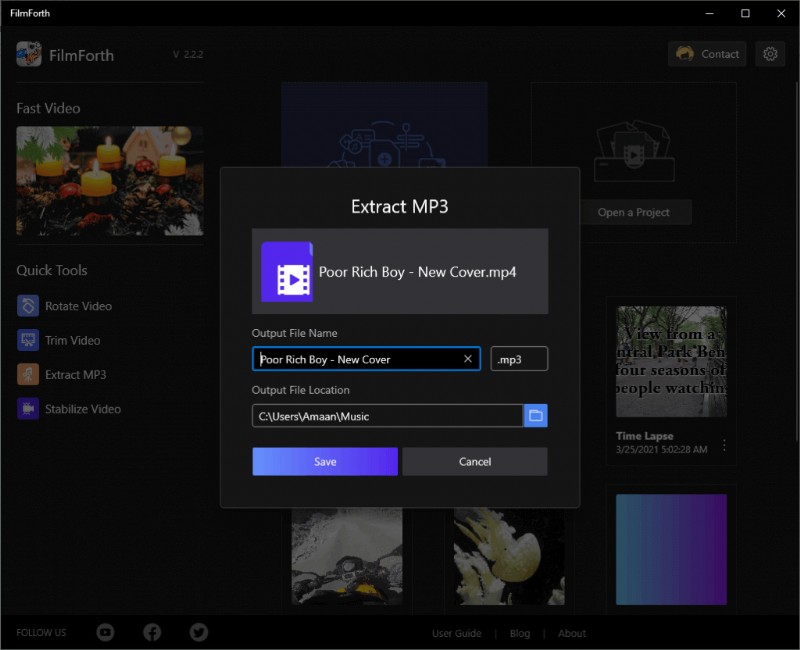
Name and Save the Video
The conversion will take a couple of seconds to complete.
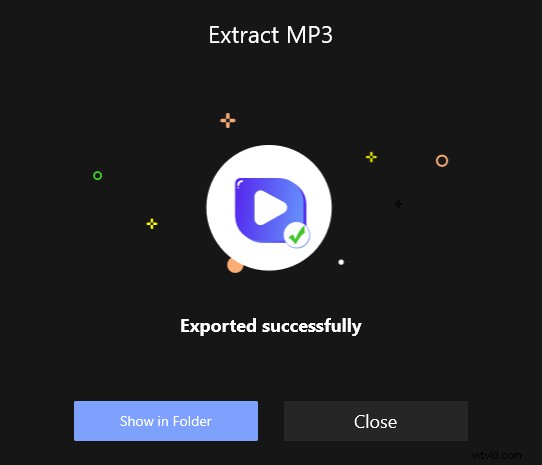
Extract MP3 Successfully
How to Extract Audio from MP4 Online
There are times when you don’t want to go through the process of installing an application. No worries there, as you can also use online tools to extract audio from an MP4.
Audio Extractor Dot Net
An audio extractor is an online tool that keeps it simple and swift. You upload a video, select the audio format, and hit the convert button. The audio is extracted in a matter of a few seconds. There are no hidden charges, surveys that interfere in your conversion process. You will see two ad blocks, which are non-intrusive, so that should not be a problem.
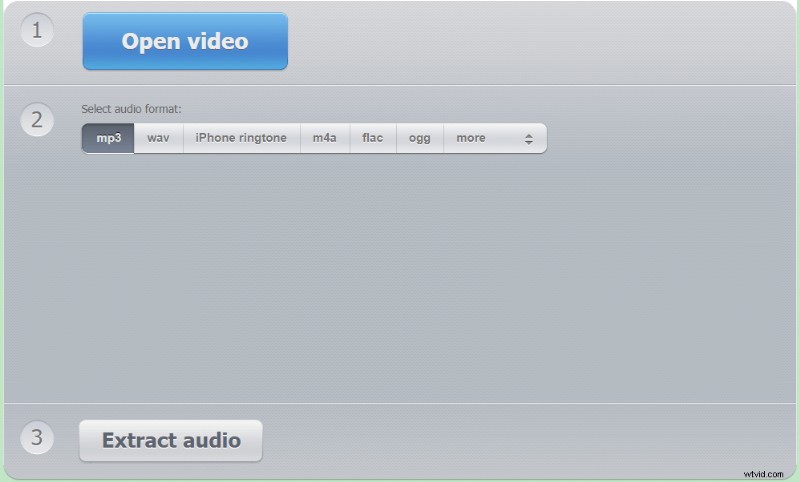
Audio Extractor Dot Net
- Cross-platform – Use the tool from anywhere using any smart device, platform. As long as you a working Internet connection along with a modern web browser, you are good to go.
- Convert into multiple Audio formats – Apart from Mp3, there are many audio formats such as FLAC, Ogg, and wave.
- Large range input formats – We tried formats such as WebM, H.264, amongst others, and the tool accepted all of them without a hiccup.
Converting Video to Audio
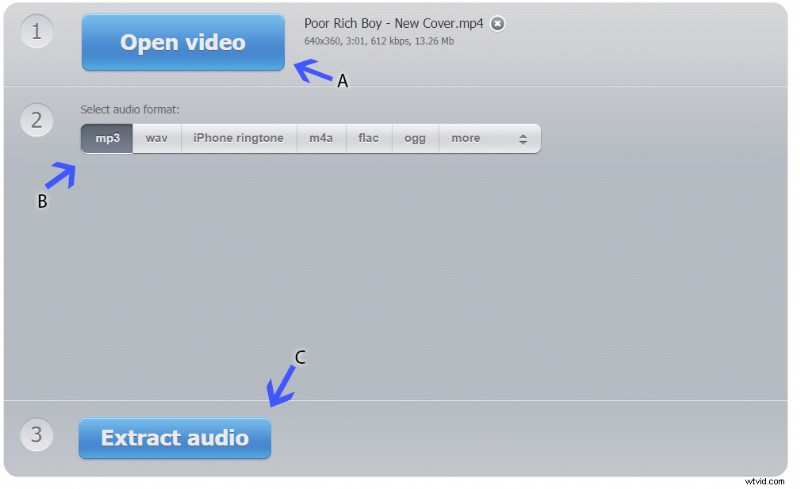
Step 1. Visit the Audio Extractor tool. Upload a video by clicking the Open Video button, as denoted by the arrow A. After that, select the format, which will be MP3 in this case. It is denoted by the arrow B.
Converting Video to Audio
Step 2. Now click on the Extract Audio button, as denoted by the arrow C. The extraction will take a couple of seconds, and the download button will appear. Then click on the Download button, and it will be saved to your browser’s download folder.
Download and Save the Audio
Step 3. Return to the home page for converting another file by clicking on the convert another file link-based button.
Conclusion
Ensure high-quality audio in a video file while downloading or borrowing from someone you know. It will help in extracting high-quality Mp3 from the audio using utilities like FilmForth and different online tools.