
Facebook is a good place to watch videos. When watching videos on Facebook, you may want to extract audio from the Facebook video you like so you can listen to it offline. This post introduces 4 methods to download audio from Facebook video. (Try MiniTool MovieMaker to extract MP3 from any video for free!)
How to Directly Download Audio from Facebook Video
The fast way to download audio from Facebook video is to use a Facebook audio downloader. Here are two Facebook downloaders that support ripping audio from a Facebook video: Getvid and F2mp.com.
#1. Getvid
Getvid is a free online Facebook downloader that can be sued to download Facebook videos to MP4 or MP3. This tool also can help you download private Facebook videos.
Take the following steps to download audio from Facebook video.
Step 1. Copy the URL of the Facebook video you want to save in MP3.
Step 2. Go to the Getvid website and enter the copied link in the box. Click Download.
Step 3. Then click the Audio Only button.
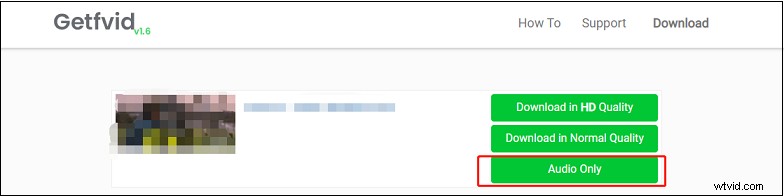
Step 4. It will open the audio file in a new tab. Click the three dots and select Download to save the Facebook audio file.
#2. F2mp.com
This is another online service you can use to download audio from Facebook video. It also supports downloading videos from Instagram and Twitter.
Here’s a quick guide.
Step 1. Visit the F2mp.com website.
Step 2. Paste the copied link of the target Facebook video into the box.
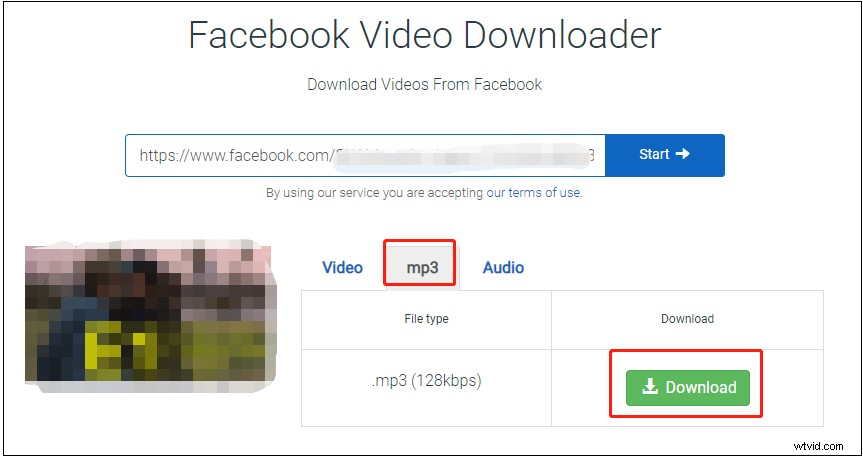
Step 3. Click the Start button to analyze the URL.
Step 4. To download the Facebook video in MP3, click on mp3 and click Download.
How to Extract Audio from Facebook Video
If you downloaded a Facebook video and want to extract audio from it, you can use MiniTool MovieMaker. It's a video editor used for editing videos, extracting MP3 from video, converting video to GIF, etc.
Follow the steps below to learn how to extract audio from Facebook video.
Step 1. Download, install and launch MiniTool MovieMaker.
Step 2. Click on Import Media Files to add the Facebook video and drag and drop it to the timeline.
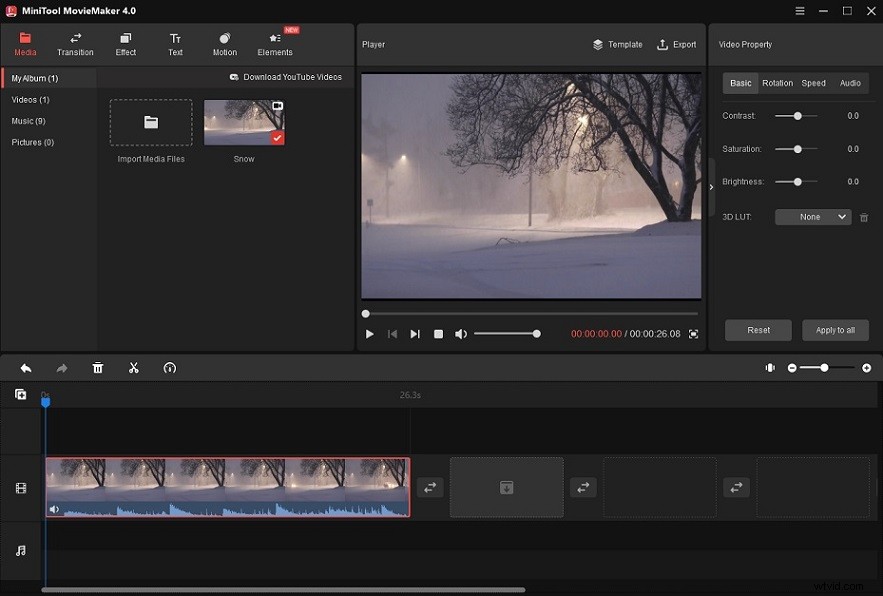
Step 3. Edit the video as required. After that, click on Export.
Step 4. Then select MP3 as the output format and select a folder to save the audio file.
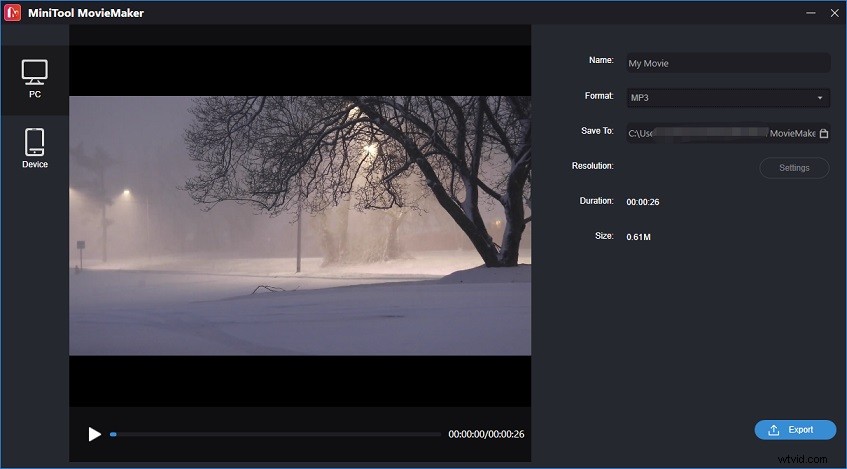
Step 5. Click the Export button to rip audio from the Facebook video.
How to Record Audio from Facebook Video
If you can’t download audio from Facebook video, you can use an audio recorder like Apowersoft Online Audio Recorder. It lets you record audio from the computer or microphone in high quality.
You can also use MiniTool Video Converter to record audio from Facebook video free without watermarks. Here’s how:
Step 1. Open MiniTool Video Converter after you install it.
Step 2. Click on Screen record and click the camera icon.
Step 3. Enable the system audio and disable the microphone. Click the Record button.
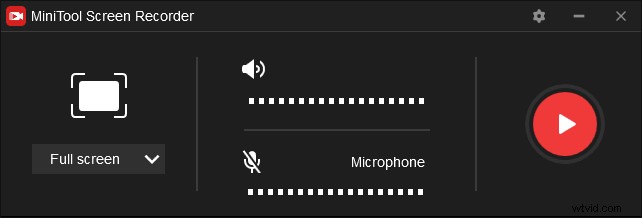
Step 4. Play the Facebook video.
Step 5. After the video finishes playing, click the F6 key.
Step 6. Then exit MiniTool Screen Recorder and click on Video Convert.
Step 7. Add the recording and click the diagonal icon. Select MP3.
Step 8. Click Convert to convert the Facebook to MP3.
Conclusion
Now, try the above methods to download audio from Facebook video effortlessly.