
You can easily cut a video clip and choose the start and end time for it. Are you struggling to find a good software to cut videos on Windows 10? Don’t miss this post, here is a list of 8 free download video cutters for you.
Have you shot a video that has a lot of noise? Have you downloaded a video and want to retain only a part? There are several video cutters that you would find extremely effective in helping you cut the video. Let us explore a few of the outstanding tools that would help you cut a large video and into a smaller one with ease.
8 Free Video Cutter for Windows
Let us check out a few of the video cutters for Windows and how effective they can be in providing you with a powerful performance.
# 1. Film Forth
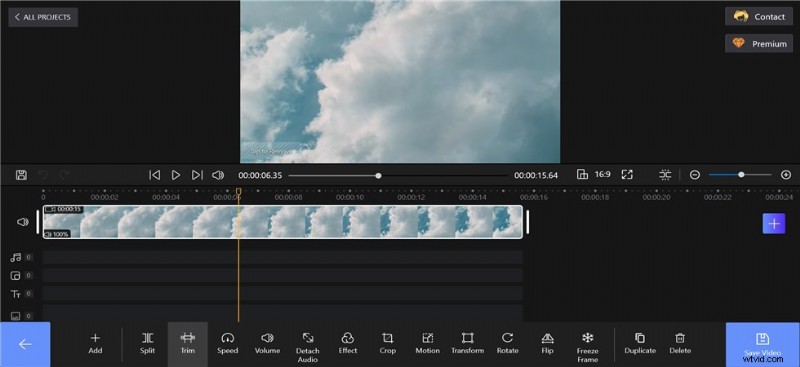
The free yet full-featured video cutter should definitely make it a great option in the long run. The FilmForth tool does not require you to have any extra skills in creating your outstanding videos. The video cutter in its paid version comes with no watermark, which should further make it one of the unique options. It is one of the powerful choices for the video cutter free download for Windows 10.
FilmForth Video Cutter
The features
- Picture-in-picture functionality
- Multiple filters and effects
- The tool does help you in effective background removal
- Rotating and muting video
- Changing the video speed
Best for – Newbies who do not have a good skill set in editing videos
# 2. Photos App
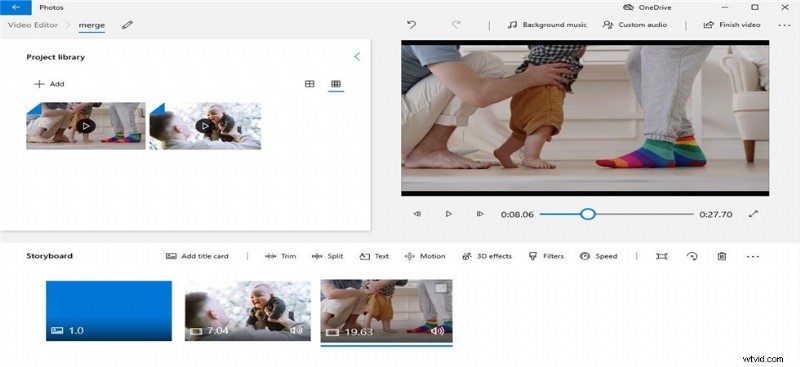
Photos is a preinstalled app that comes with Windows and works as the perfect video cutter free download for Windows 10. If you are on Windows 10, this one should be the best video cutter that you can opt for. As a simple tool, it doubles up as a powerful choice for a free video cutter. The tool also comes with a built-in media player.
Photos Video Cutter
The features
- Completely free video editor tool for Windows
- Simple and uncluttered interface
- It offers a few essential editing tools
- Pre-designed animations
- Quicker and easier video cutting feature
Best for – Slide shows
# 3. Movavi Video Editor
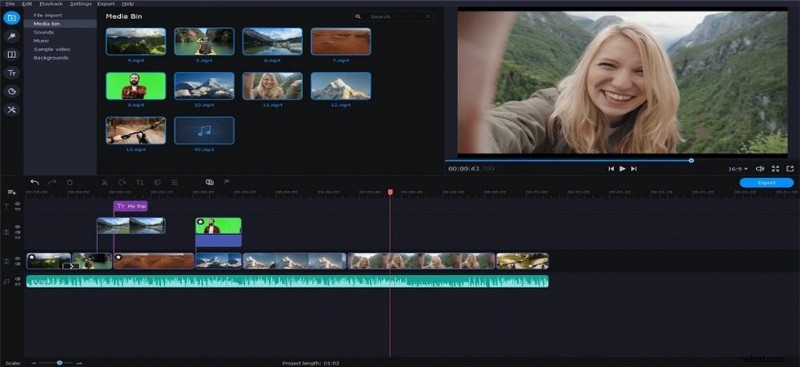
Movavi is one of the unique video cutters for enjoying a great experience in terms of video cutters. It has been known to be a powerful experience for social media sites. The ease of use offered by the video cutter can definitely be one of the exciting options. The built-in training module is what makes the tool a great option.
Movavi Video Cutter
The features
- It does come with a steep learning curve
- A highly user-friendly user interface
- A great collection of filters, titles, and effects
- It supports practically every video format
- Quicker and faster output
Best for – Vlogging enthusiasts
# 4. Bandicut Video Editor
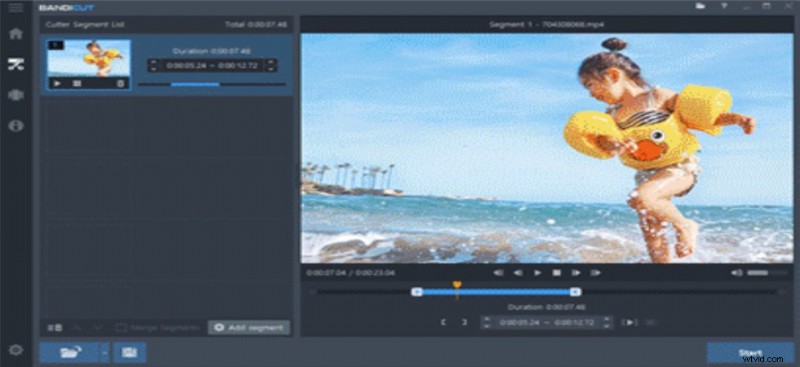
Bandicut Video editor is one of the excellent options for helping you enjoy one of the most unique options in helping you as a great video cutter. It can be one of the great options to help you remove unwanted parts of the video. It can be a great choice for video cutter free download for Windows 7, 10, or even 11.
Bandicut Video Cutter
The features
- You can also extract MP3 from the video
- Support for AVI, MP4, MOV, M4V, MKV, FLV, and many more file formats and resolutions
- The tool also lets you upload the videos onto several services
- An intuitive user interface
Best for – An all-in-one video editing tool
# 5. Free Video Cutter Joiner
The Free Video Cutter cum Joiner is one of the excellent options available on the Microsoft Store. It is one of the most accessible video cutters that you would find quite impressive and powerful. The completely free tool works as a great option for achieving efficient performance.
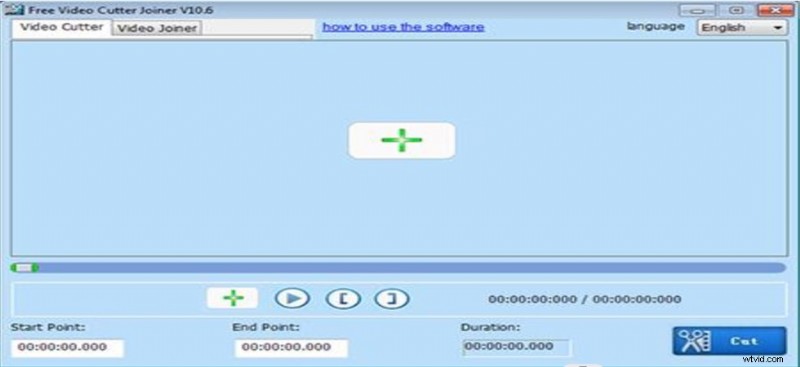
Free Video Cutter Joiner
The features
- Support for multiple formats such as MP4, RM, F4V, MPG, MOV, WMV, AVI, 3GP, ASF, VOB, MKV, RMVB, etc.
- Options to choose multiple parameters such as quality, size, sample rate, frame rate, and more
- Effortless cutting and merging of your favorite videos with ease
- Multiple modes for merging your videos
Best for – An easy-to-use interface and performance
# 6. Video Cutter Editor
The Video Cutter Editor is what would provide you access to a full-fledged and enhanced experience in enjoying a practical video cutting experience ever. Offering support for multiple audio and video formats, it should be what would provide you with complete ease of use in handling all your needs in video editing. It is your one-stop solution for the free video cutter for Windows 10.
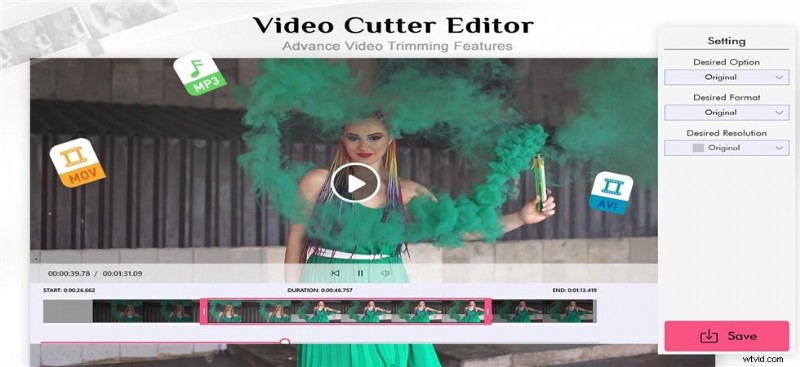
Video Cutter Editor
The features
- Faster and easy-to-use functionality
- Extremely lightweight app
- Ease of sharing your edited videos
- Support for multiple formats that include MOV, MP4, AVI, WMV, AV, MPEG, MP3, RVL, FLV, VOB, OGG, MKV, AMV, 3GP, M4P, MPG, MP2, MPE, M2V, M4V, 3G2, and many more.
Best for – Anyone looking for a simple-to-use tool.
# 7. Camtasia
Camtasia has been known for one of the powerful choices in providing you with one of the most powerful video-cutting experiences. The tool is known for recording your screen and assisting you in creating professional-looking videos both on Windows and Mac. A super-fast functionality can definitely make it stand apart from the rest.
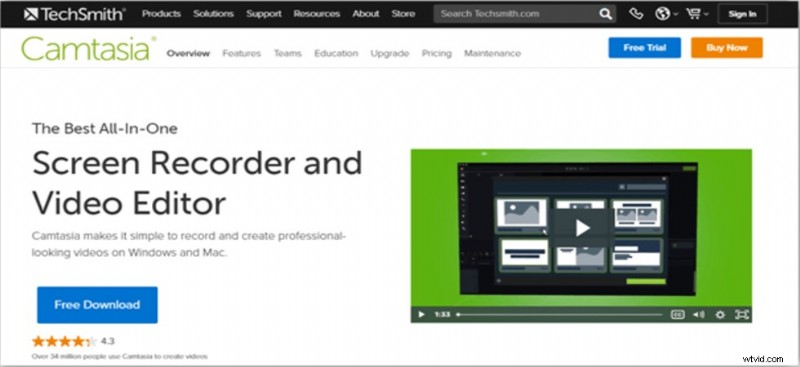
Camtasia Video Cutter
The features
- Powerful tool with easy-to-use features
- Audio recording capability
- PowerPoint integration
- Multiple features such as pan animation and zooming features
Best for – Screen capturing capabilities.
# 8. Gihosoft Free Video Cutter
The Gihosoft Free Video Cutter is one of the powerful video cutters that you would find extremely important and effective. The ability to handle a host of video formats would ideally make it one of the effective tools in the long run. It can handle a variety of file formats that include AVI, MPEG, VOB, WMV, MKV, FLC, and MP4.
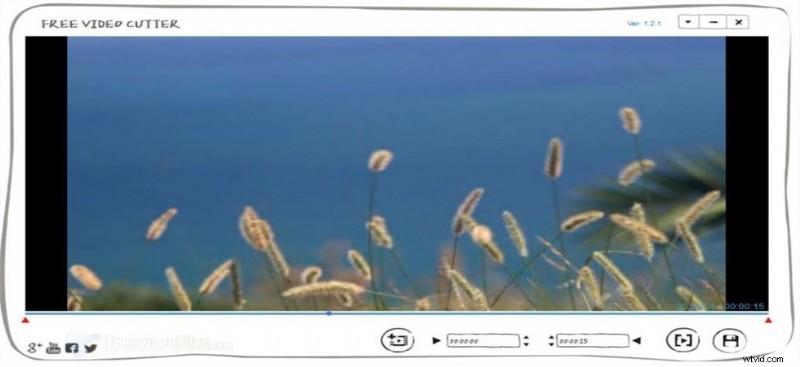
Gihosoft Video Cutter
The features
- You can cut the video without any sort of quality loss
- A simple step-by-step option to cut your videos efficiently
- Support for HD video cutting
- A very user-friendly interface
- Ease of use
Best for – An efficient option to cut videos without any quality loss
How to Cut the Video Simply
If you are looking for an easy-to-use and simple video cutter for your video editing needs, Film Forth should double up as an excellent choice. Let us learn the easy-to-use tutorial on how to cut the video using Film Forth.
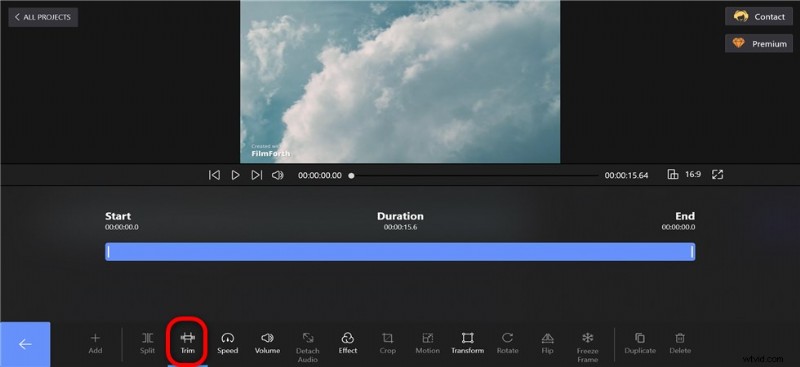
Cut Video with FilmForth
Step 1. Download and Install FilmForth
You can download Film Forth from the Microsoft Store. Download it as you would download any other software and follow the instructions to install it.
Step 2. Open A New Project
Add a new project to the software. You need to click on New Project and add it using the add files option. The video will appear in the timeline once added successfully
Step 3. Trim the video
Click on the option Trim at the bottom and use the interface to trim the video as per your preferences. You can move the indicator on the timeline to set the Start and the End of the target video. Once you have decided on the part of the video to be trimmed, click on Trim on the bottom bar.
Step 4. Save the New video
Once you have performed your editing and are happy with the final copy, you can save the video. To do this, you can simply click on Save Video.
To Sum Up
The task of video cutting is one of the most important of all video editing tools. It can be quite helpful in letting you cut the video as per your preferences. The task can be handled easily if you pick the right video cutter for free downloads.
We would assume that the list of the best video cutter options outlined here should be indeed helpful in providing you with good functionality in this context. Pick the right tool and find how it redefines your experience.