
123movies is a great website to watch movies, TV shows, cartoons, and many more. In order to watch these videos without an internet connection, you need a 123movies downloader. Here are 3 best free 123movies downloaders for you.
Videos keep buffering when streaming content on 123movies? To solve this, you can download 123movies videos from later viewing. In this post, I’ll offer 3 best free 123movies downloaders for you. (To edit 123movies videos, try MiniTool MovieMaker.)
Note: We do not advocate downloading copyright content from 123movies. This article is only for personal fair use.Video DownloadHelper
Video DownloadHelper is a chrome video downloader for 123movies, Dailymotion, Facebook, Twitter, Vimeo, and other websites. It can download and convert videos to MP4, AVI, WMV, MPEG, MOV, MP3, and more. With it, most embedded videos can be downloaded to your computer.
Here’s how to download 123movies videos.
Step 1. Go to Chrome web store and search for “Video DownloadHelper”.
Step 2. Download and install this chrome extension.
Step 3. Open the 123movies website and find the video you want to download.
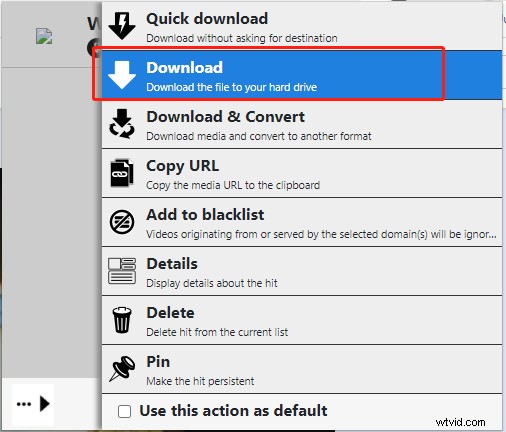
Step 4. Play the video and click the extension icon. Then click the three dots and choose Download to save the video.
ODM – PRO online video and media downloader
Another 123movies downloader is Online Downloader Manager (ODM). It lets you download images, docs, music, videos from the most popular video sites and supports MP4, MOV, FLV, AVI, WEBM, ASF, MPG, etc. If you have no enough storage space to store downloaded videos, you can save 123movies videos to Google Drive or Dropbox directly. ODM offers a 7day free trial.
Here’s a quick guide.
Step 1. Go to Chrome web store and add ODM to your Chrome browser.
Step 2. After installing the extension, play the desired 123movies video and click this extension icon.
Step 3. Switch to the Video tab and it will detect the video on this page.
Step 4. Click the down arrow icon below the video you want to download and you will see the download icon. Click it to save the video from the 123movies website.
TubeOffline
TubeOffline is a free online 123movies video downloader. It can download videos from various sources and save videos in MP4, FLV, AVI, WMV, and MP3. It’s easy to use without any extra software.
Here’s how:
Step 1. Visit the TubeOffline website.
Step 2. Copy the URL of the 123movies video and paste it into the video URL box. Click GET video to go on.
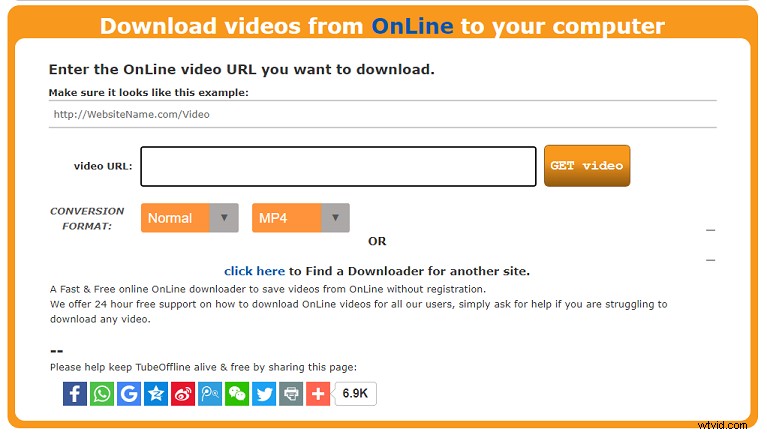
Step 3. When the process is done, download the 123movies video to the computer.
How to Edit the Downloaded 123movies Video
After downloading the video from 123movies, you may want to edit the downloaded video. Here recommend MiniTool MovieMaker. It’s a free video editor that can split, trim, cut, reverse videos, etc.
Here’s how:
Step 1. Download and install MiniTool MovieMaker.
Step 2. Import the downloaded video from your PC and add it to the timeline.
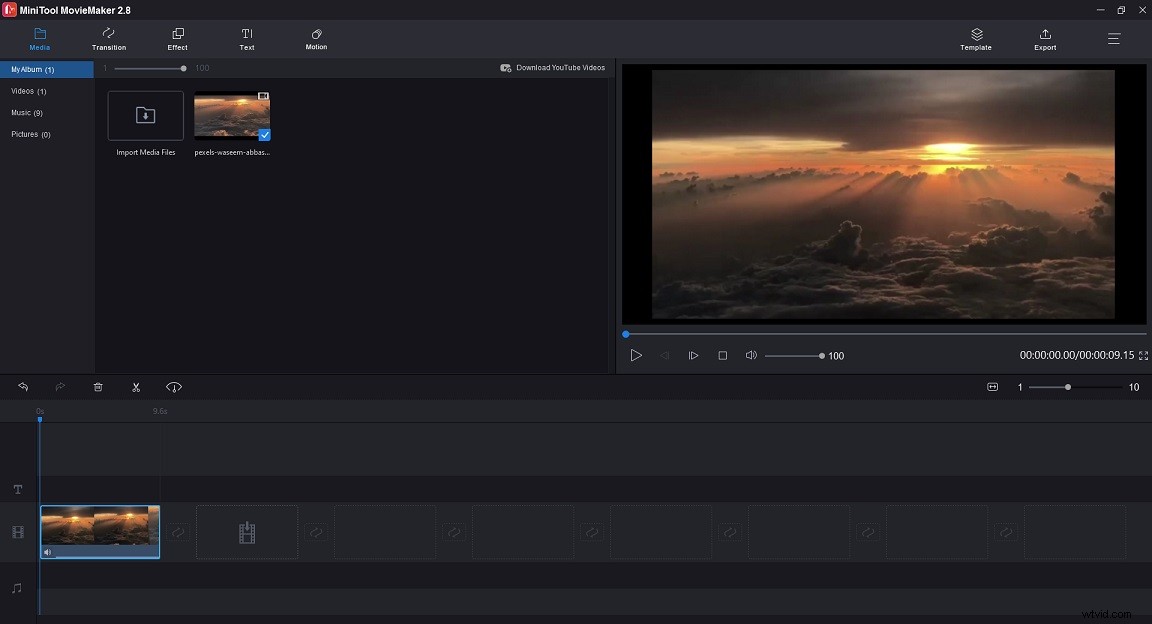
Step 3. Then you can edit the video as you like or create a GIF from the video.
Step 4. Tap on Export to adjust the export settings. Once done, hit the Export button.
Conclusion
The above-mentioned 123movies downloaders can grab videos from 123movies easily. If these 123movies downloaders don’t work for you, you can use MiniTool Video Converter to record 123movies videos.