
Don’t know how to download CapCut? Then you’ve come to the right place. There are step-by-step steps on how to download CapCut App, and this post also presents three of the best alternatives to CapCut as bonus tips.
When it comes to the best video editor apps, CapCut has been one of the most preferred options, thanks to the powerful and user-friendly features that it packs in. If you are wondering how to install CapCut on a PC and laptop and looking for the best and easy-to-use options, we provide you with the right choices in the right direction. And
What is CapCut – An Overview
Before we can move on to how to install CapCut on PC and laptops, we will try to find out what CapCut is all about. That way, we would get a good insight into the tool’s capabilities.
CapCut, previously known as ViaMaker, is one of the widely used and highly popular video editing tools. The app is designed to work with both Android and iOS devices. The huge user base has been attributed mainly to its easy-to-use interface. The extensive range of video editing features on the tool would make it stand apart from the rest.
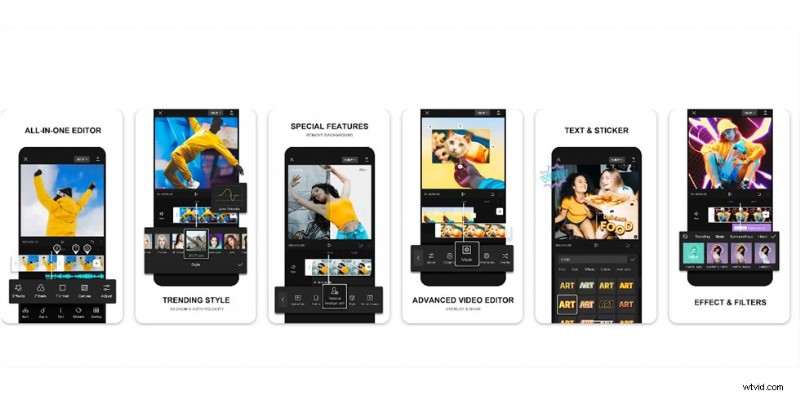
CapCut APK
Some of the features that you would find quite impressive can include.
- It offers you a very superb and easy-to-use interface
- Speed control options let you choose a preset speed in tune with the original speed.
- The music library that forms part of the tool library provides you with a massive collection of royalty-free music that can be added to your video
- An enviable list of effects, transitions, and filters.
- Optimization options for the magical effects.
If you want to konw the10 best CapCut templates that are popular for most users recently, check the video below.
How to Download CapCut on PC
If you are looking to enjoy CapCut functionalities on a PC and looking for the best CapCut download options, unfortunately, the tool is not available for Windows. There is an official release available in the Chinese language, but you do not have one in the English language. The good news is that CapCut was introduced on Windows in August 2022, and there is an English language version available.
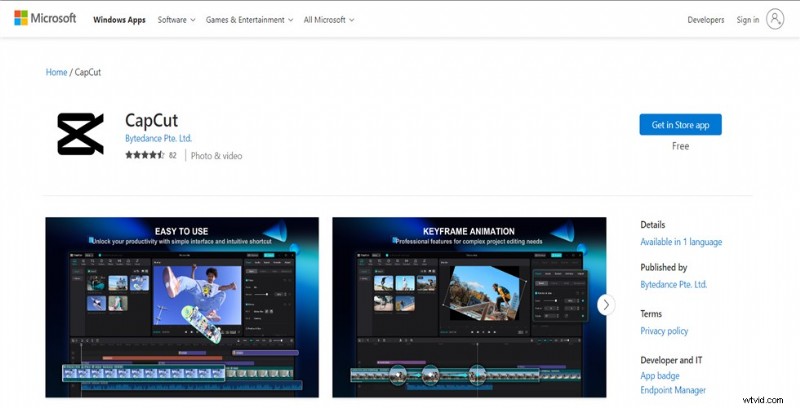
Download CapCut in Microsoft Store
The steps involved in CapCut download for PC are quite simple and easy to follow.
Step 1. Locate the App in the Microsoft Store
CapCut app for PC is available on Microsoft Store. Simply go to this link to download and install the app.
Step 2. Install CapCut on the PC
Click on the option Get just below the title of the app. This will begin the installation process right away. Wait patiently until the app is downloaded and installed on your device.
The app does not seem to have been released to every region. If the app is not yet made available for your region, you may need to go with the non-English version or use an Android emulator.
How to Download CapCut APK on Laptop
If you are not comfortable downloading the non-English version of the CapCut download or no English language version is yet available for you, there is an alternative to help you download the CapCut app on your laptop.

Download CapCut in BlueStacks
Here are the steps involved in how to download and install CapCut on a PC.
Step 1. Download and install BlueStacks
You can simply download and install BlueStacks Android Emulator on your device. This is a prerequisite to help you download CapCut on your device.
Step 2. Search for CapCut on your Blue Stacks Emulator
Launch the BlueStacks emulator and search for the CapCut video editor app. Once you find it, you should be able to install it just as you would install it on your device.
Step 3. Complete your Google sign-in and other requirements
You need to sign in to your Google account and complete the Google sign-in process.
Step 4. Complete Installation
You can simply install the app by following the easy-to-use functionality.
Best CapCut Alternatives for PC
If you are yet to get the official CapCut app on Windows or not comfortable with the Android emulator option, you can look for capable alternatives for CapCut. Let us check out a few of the best CapCut alternatives you find impressive.
# 1. FilmForth
FilmForth is an all-capable CapCut alternative, and you would find it offering you a full-fledged and feature-rich performance. It makes your video editing tasks more accessible than ever before. Available for Windows from Microsoft Store, the app provides you with a powerful video editing capability.
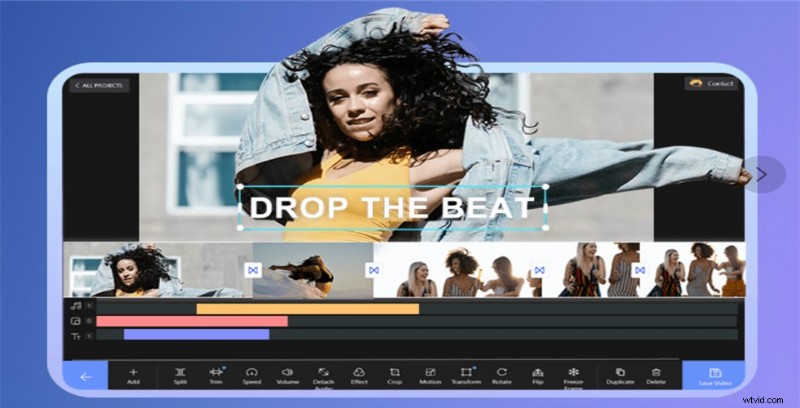
FilmForth Video Editor
A few features offered by the tool would include
- A feature-rich video editor for editing your videos with no skills
- No complicated timelines and other tracks that can get confusing
- Options to remove video background
- Multiple filters and effects
- Meme making options
# 2. OpenShot
OpenShot is a powerful cross-platform video editor that is specifically launched for Windows, Mac, and Linux. The tool is designed specifically for small businesses. It can be a great option to edit and share videos online with ease.
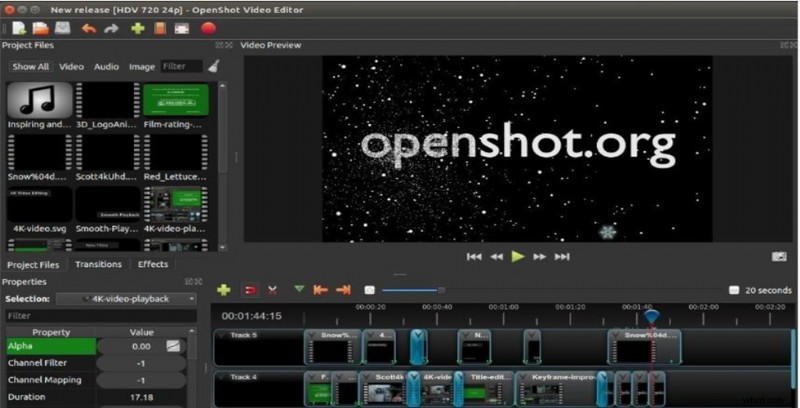
OpenShot Video Editor
Some of the features that you would find impressive on the tool can include
- Curve-based keyframe animation options
- An unlimited tracks and layers option.
- 2D animated and 3D animation options.
- Audio mixing and editing capabilities
- Non-linear editing options
- No watermarks
# 3. Blender
Blender is yet another powerful video editor and a great alternative to CapCut. It is an open-source, free 3D creation tool for a wide range of video editing functionalities. The tool has been used extensively in animated movies and video games.
Blender Video Editor
Some salient features that you would find impressive on the video editor would include
- Efficient options for 3D modeling
- 2D and 3D animation capabilities
- Inbuilt video sequencing editor
- Motion tracking and game creation
- Completely free software
To Sum it Up
CapCut for PC has really been a great option on multiple counts. It has been known for providing you a full-fledged video editing efficiency. The pretty intuitive interface would further make it a genuinely formidable option for achieving a great degree of performance.
The tips shared above for the efficient CapCut app download should prove to be effective in many ways. If you have any issues with downloading or installing CapCut or looking for an alternative, there are plenty of options available that should provide you with an equally outstanding performance ever.