
Reasons for movie audio tracks download are quite a lot. Some people like watching movies in their native language, others like listening to movie audio tracks. Read this post to learn how to download audio track from movies, rip audio tracks from movies (with MiniTool MovieMaker), and play movies with another audio track.
4 Best Websites to Download Audio Tracks for Movies
Here are the 4 best websites that you can use to download audio tracks for movies.
Audio-Track
Website: http://www.audio-track.com/en
This movie audio tracks download website holds thousands of audio tracks for movies. Movie audio tracks are available in different languages such as English, French, Russian, German, Ukrainian, Italian, Spanish, Hindi, Tamil, and Portuguese. You can search for English audio tracks for movies using the search bar.
Note:
We do not advocate any copyright infringements. This article is only for personal fair use.
Movies Audio 4Free
Website: https://moviesaudio4free.blogspot.com/
Movie Audio 4Free is another place to download audio tracks for movies. It offers Hindi audio tracks, Tamil audio tracks, Telugu audio tracks, and English audio tracks for movies.
All these audio tracks can be easily downloaded from Google Drive for free.
YouTube
Website: https://www.youtube.com/
There are many public domain movies on YouTube. Most of them are available in English. To download copyright-free movie audio tracks from YouTube, you can subscribe to YouTube Premium, download the movie and convert it to MP3.
Or you can use MiniTool Video Converter to download or record video in MP3.
Internet Archive
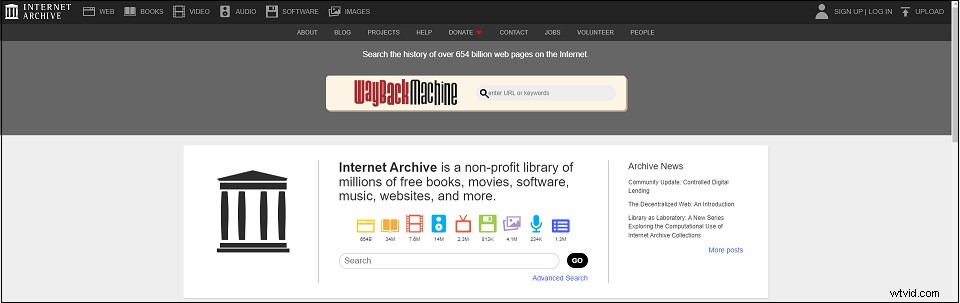
Website: https://archive.org/
Internet Archive is a digital library with a large collection of free movies, books, audio files, images, etc. You can also find movie audio tracks in this website or download movies in MP3 format. To find the movie audio track, type the movie title in the search field, open it and click MP3 under the DOWNLOAD OPTIONS.
How to Extract Audio Track from Movies
If you want to convert a movie to an audio track, you can use MiniTool MovieMaker. It’s an audio extractor used to extract an MP3 audio track from a movie in any popular format.
It’s also a great video editor with a wide range of effects, transitions, animated text templates, etc. Additionally, MiniTool MovieMaker lets you replace audio in video or add audio to video.
Here’s how to extract an audio track from a movie.
Step 1. Download and install MiniTool MovieMaker. Open the program and enter its interface by closing the popup window.
Step 2. Click on Import Media Files to add the movie you want to extract audio from. Then drag and drop it to the timeline.
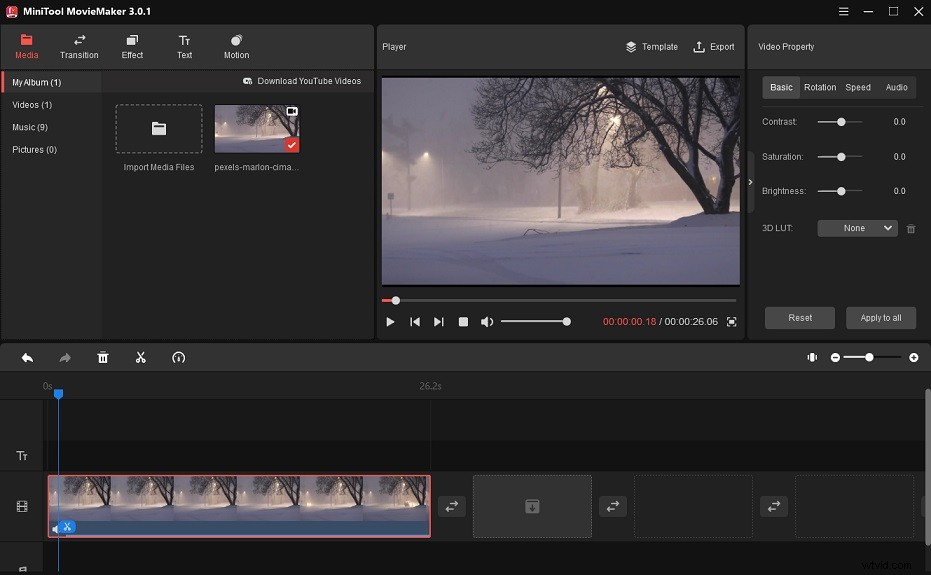
Step 3. Click Export and select MP3 from the output format list. Then export the movie audio track.
How to Play a Movie with an External Audio Track
After downloading the movie audio track, you may want to play the track for your movie.
Take the steps below to play a movie with an external movie audio track.
Step 1. Open VLC media player.
Step 2. Go to Media > Open Multiple Files.
Step 3. Click Add to load the movie and then tick the Show more options box. Check the Play another media synchronously (extra audio file, …).
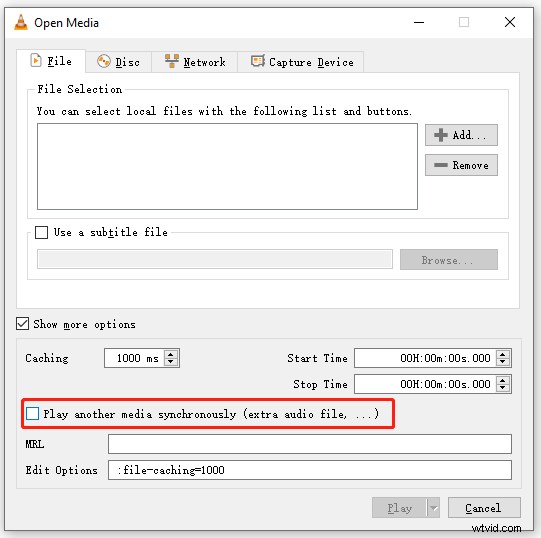
Step 4. Click Browse to add the downloaded audio track. Click Select.
Step 5. Click the Play button to play the movie with the downloaded audio track.
Conclusion
Do you know any other website to download audio tracks for movies? Share them in the comments section!