

Capturing a slow motion video with the iPhone camera is great, and it’s a wonderful effect for many events and scenes you’re recording, unless of course you didn’t mean to record the video in slow motion in the first place. Additionally, sometimes you may have changed your mind after recording a slow motion video and want to change the movie back to regular speed. Whatever the case, converting anything captured in slow motion back to a regular speed video on the iPhone is quite easy.
This works with all slow motion recorded video regardless of the capture speed. Once you have converted the video, if you share the newly regular speed movie it can not be made into a slow motion video again unless the original file is modified.
Converting Slow Motion Video to Regular Speed Video in iOS
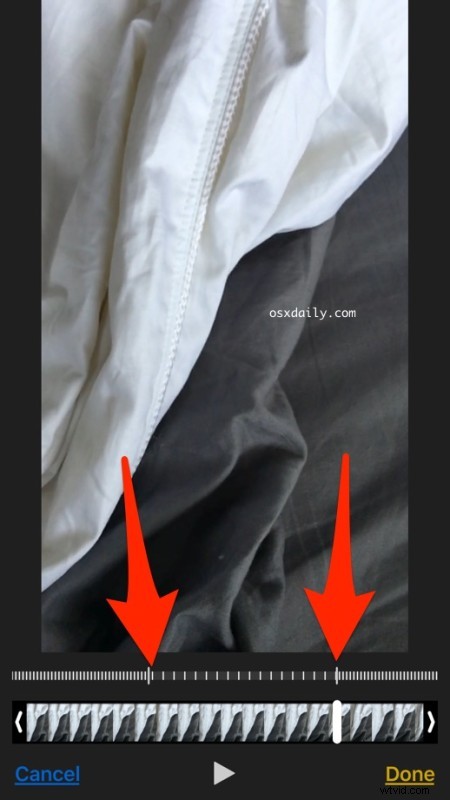
Using the same adjustment tool to change the portion of video that is maintained in slow motion you can also remove the slow motion effects, effectively converting a video back to regular speed:
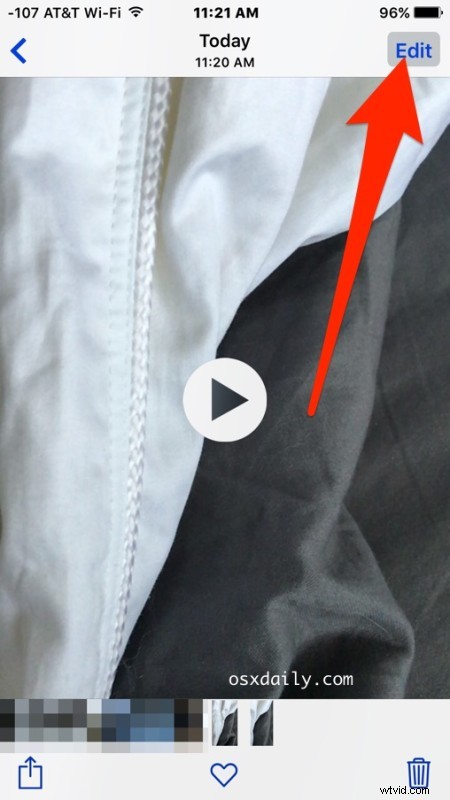
- Open the Photos app if you haven’t done so already and locate and tap on the slow motion video you want to convert to regular speed
- Tap on the “Edit” button
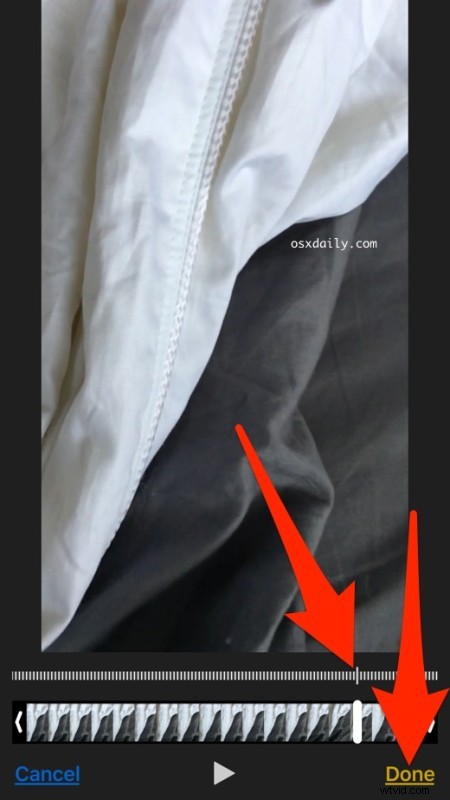
- Use the two little sliders in the slow motion timeline to shrink the slow motion portion of the timeline until they join into one, eliminating all slow motion from the video
- Tap on “Done” to save the changes and convert the video to regular speed
Now that the video is saved at regular speed you can share it, upload it to social media, or just keep it on your iPhone as a normal speed movie.
There are other ways of converting slow motion video as well, including using iMovie and uploading to various services, but using the built-in Photos app movie adjustment tool is by far the simplest way and it requires no additional apps or downloads. This does require a modern version of iOS however, and earlier versions of iPhone and iPad without the proper camera support won’t have the feature as part of iOS at all.