Put two songs together with a crossfade effect
Sometimes you may need to combine several songs together. It may be because listening to connected tracks is more convenient, because you want to make your own playlists, or simply because you felt like it. Whatever the reason, in this situation it will be handy to use a crossfade effect, meaning a smoother transition between tracks.
If you’re looking for a way to blend songs together, our tool does exactly that! It works completely online, so you can use it on any device as long as you have an internet connection. Plus, it’s compatible with a wide variety of audio formats and allows you to add tracks with different formats.
It’s also very easy to use, just take a look at the instructions below!
-
Upload audio
Open Clideo’s Audio Joiner.

Click "Choose files" to add songs from your device or hover over the arrow on the right side to pick files from your Dropbox or Google Drive account. Note that you can add multiple files at once and each file can be up to 500 MB to use our service for free.
-
Combine tracks
In the editor, add more files if you need to by clicking the "Add more" option on the right side or via the timeline. The order of the tracks can be changed — just drag them on the timeline under the player however you want.
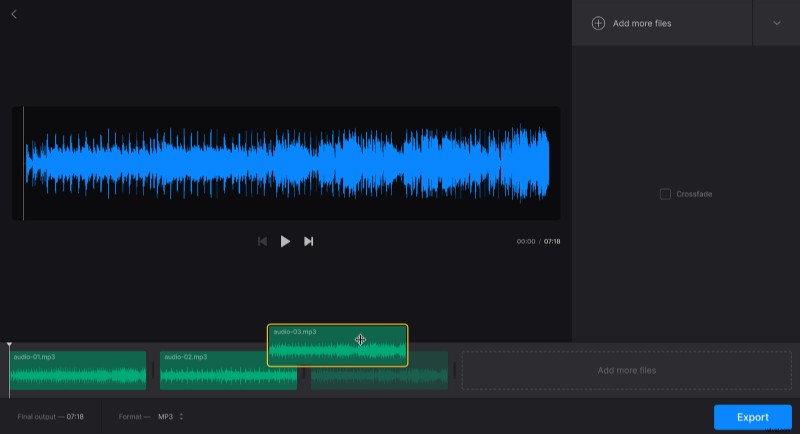
To get songs crossfaded, simply tick "Crossfade" in the right pane.
Change the format using the option under the player; by default, the chosen format is MP3.
When you finish editing, click "Export".
-
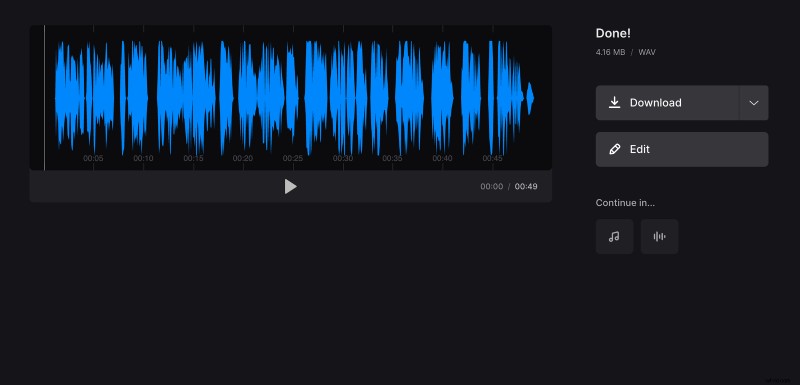
Download the result
Listen to the joined audio to make sure it sounds like you wanted. Any changes required? Then click "Edit". Otherwise, save the file to your device or to your Dropbox or Google Drive account.