How to rotate a video on Samsung Galaxy S7 or another device
Clideo presents a full range of different video editing tools, each of them works online and doesn’t require any app installation and setting up. It’s compatible with all the operating systems and works equally efficiently on all the browsers.
You don’t have to provide any personal info in order to use our service, and we don’t share your uploaded files with third parties. Moreover, we don’t store them. If you register before editing, you’ll have an account where you’ll have access to your edited projects for 24 hours only during which you’ll be able to edit them and save to your other devices.
And the cherry on top – all our tools are free and there are no annoying ads.
If you want to rotate a video on Samsung S8, S6, S7 or any other device, just follow these short steps.
Upload a video to rotate
Open our Samsung Rotate Video Tool and hit the “Choose file” button to upload clips from your personal device.
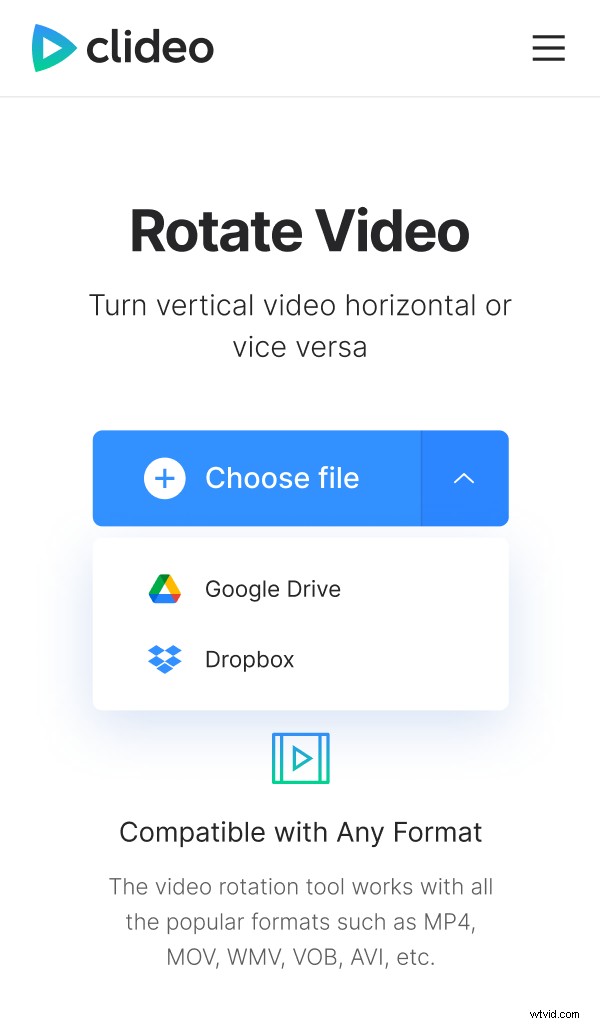
Tap the small arrow on the right side of the blue pane and call a drop-down menu. Here you can import files from your Google Drive or Dropbox accounts.
Rotate your video on Samsung
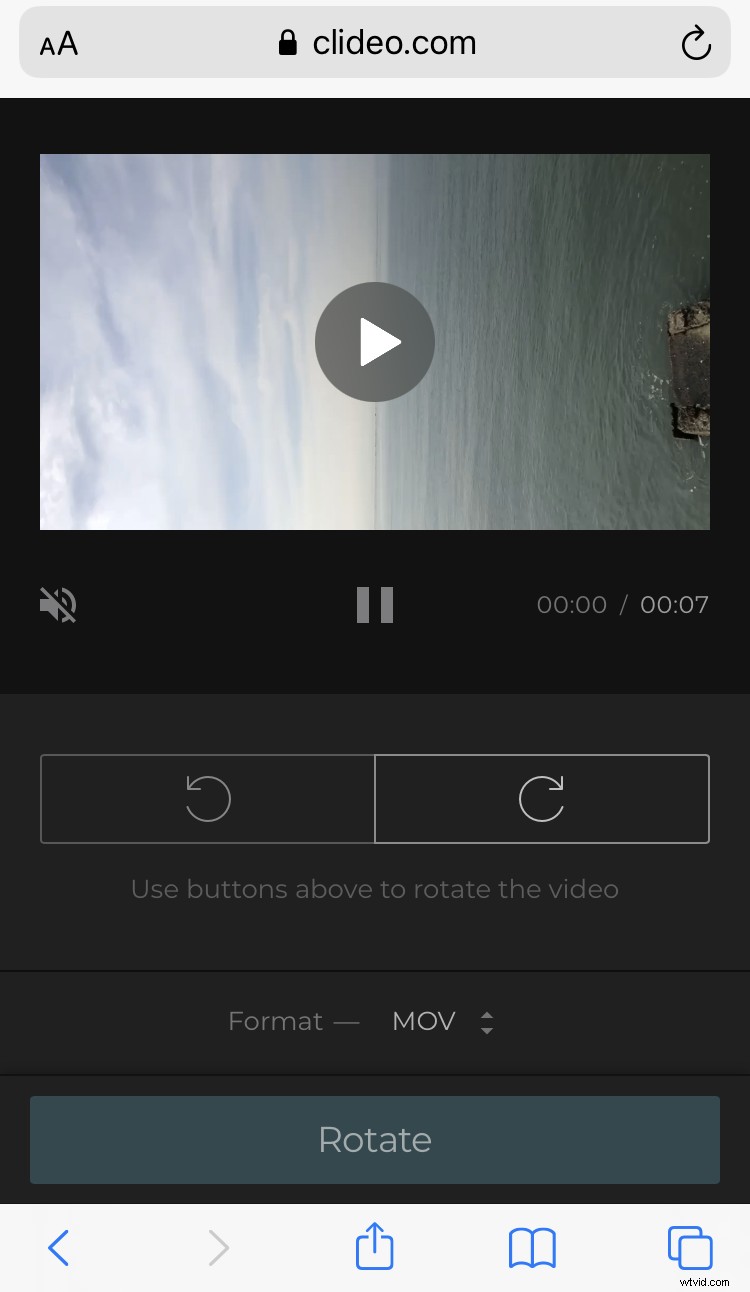
Use buttons below the player to turn the image clockwise or counterclockwise. Each click rotates the video 90 degrees.
Scroll down to convert the clip to another format. If you are going to share it on social media, pick MP4 or MOV, but you can also select among lots of other extensions, such as MXF, OGV, AVI etc.
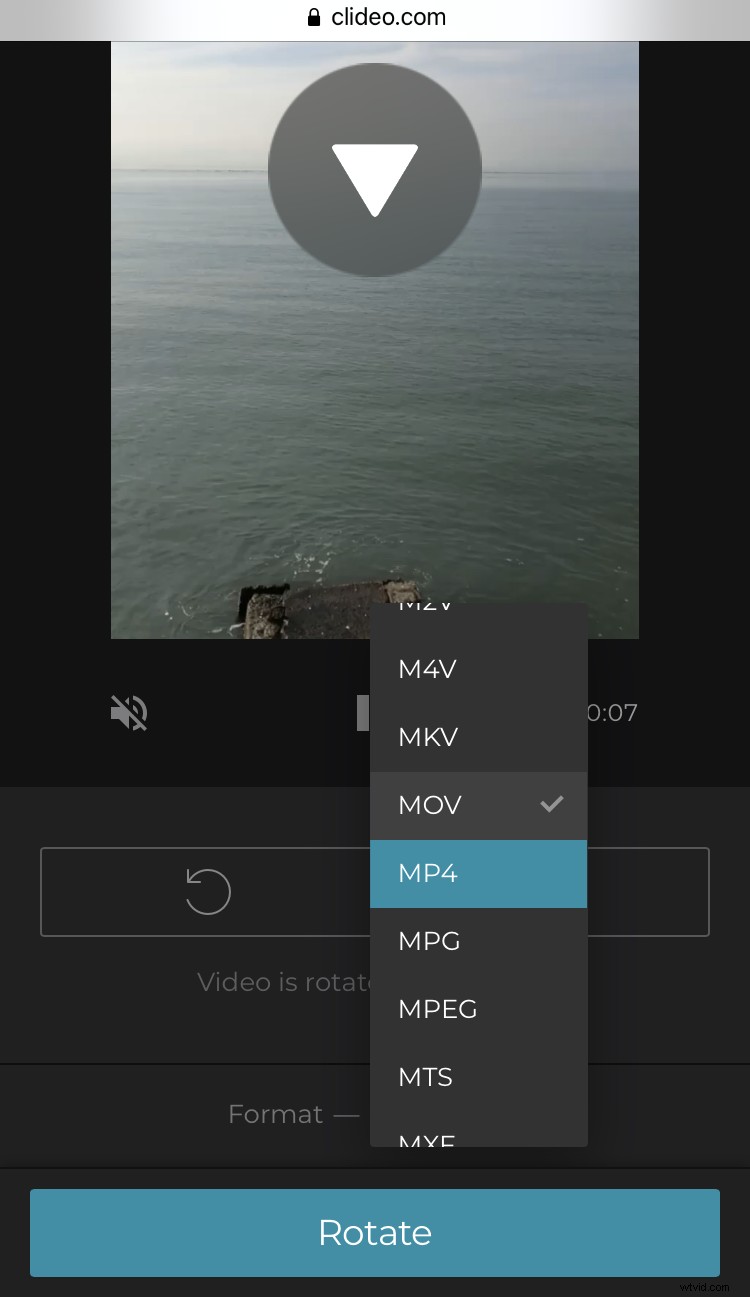
When you are done, click on “Rotate” and wait a little bit (it depends on your Internet speed and the file size).
Save the rotated video
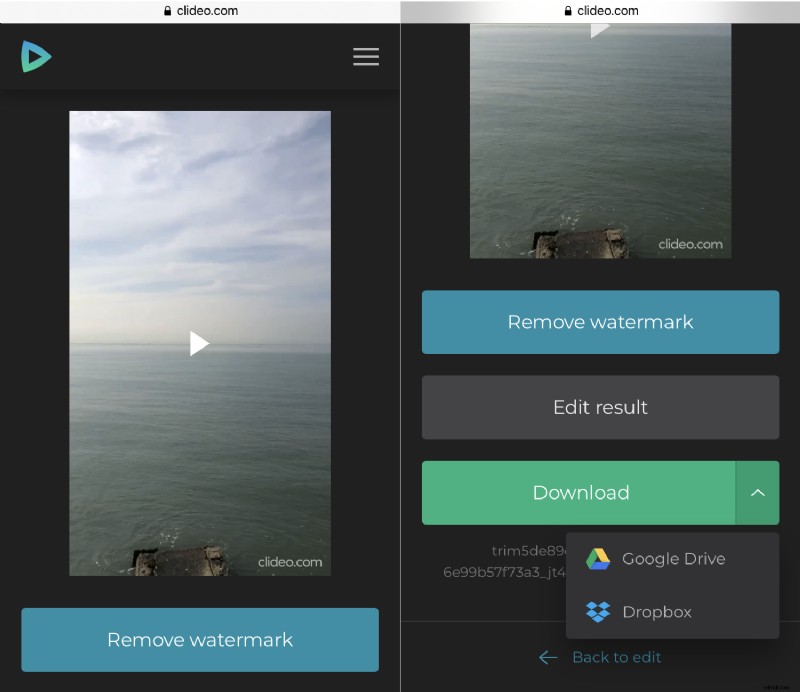
Save the recording to your personal device or upload it to your cloud account. If you’ve made a mistake and, for example, turned the video to the wrong direction, hit “Back to edit” and correct it without starting from scratch.