How to cut videos for Twitter
Twitter was created for exchanging short and witty posts – “twits”. But recordings keep replacing traditional texts, and if you want to share any video on Twitter, you might need to make it shorter, and you’ll need a special tool.
Like the one we have developed in Clideo.
It’s not an app, designed for a specific operating system. Our tool works online, and it is equally efficient for a PC or Mac computer, iPhone or Android phone.
Another advantage – our service is free and safe: your projects are stored for no more than 24 hours and are never shared with other users.
Read on and get to know how to clip a video for Twitter in three easy steps.
Upload the video
Open Video Cutter by Clideo in any browser: Mozilla Firefox, Google Chrome, Opera, etc.
Click the "Choose file" button to import files from your laptop or another personal device. Or call the drop-down menu on the right side of the big blue pane to upload from Google Drive or Dropbox. Uploading will start automatically, and you’ll be transferred to the editor.

Cut the video if needed
Now you may cut the recording.
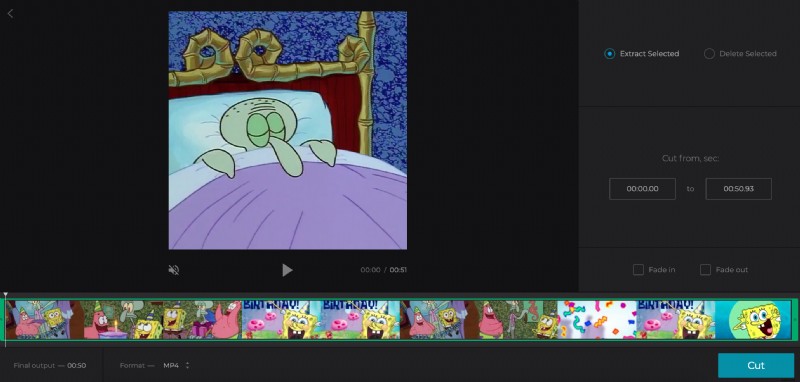
Set the timing manually in the boxes on the right side of the player or move the sliders. Then choose one of the options:
- Extract selected – the rest will be chopped off. Tick the boxes “Fade in” and “Fade out” to make your visual a little bit more spectacular: the clip will start with a dark frame gradually turning into an actual image and will end slowly turning back into darkness.
- Delete selected – two remaining parts will be merged. Tick the box “Crossfade” to hide the transition “seal”.
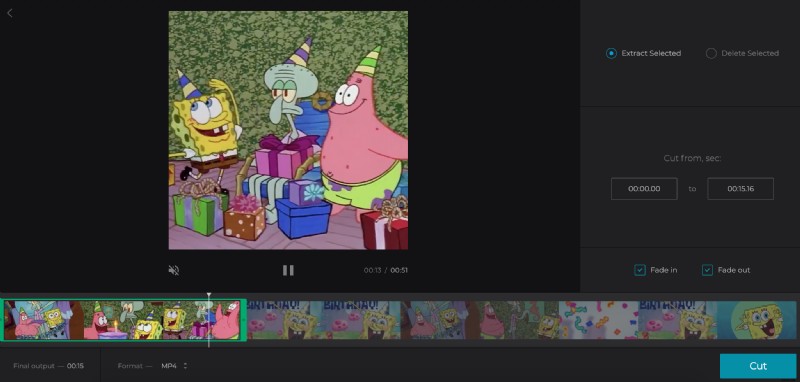
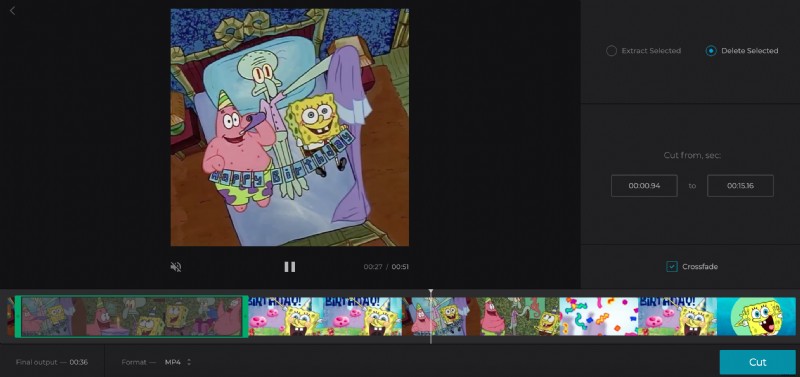
Choose an output format. The best choice is MP4, as it is compatible with all the social media, but our tool offers a wide range of extensions, including WMV, MOV, AVI and others.
When you are done, click “Cut”.
Save the new video for Twitter
Download the result to your camera roll or a desktop folder. You can also upload it to your cloud storage account. If you feel the result might be better, click “Back to edit” and start over.