
How to cut video for iPhone in just three simple steps
Sometimes, videos you’ve taken on your iPhone are just a little too long, especially if you plan to share them online. In that case, you need to trim them down a little.
Achieving something simple like this isn’t always as easy as it sounds. Often, finding software that is not only simple to use but also doesn’t cost the earth is near impossible. And even then, it has to be downloaded and used on a desktop machine, which is never convenient - especially if it was shot on your mobile or if you want to edit while on the go.
Thankfully, there’s a way you can cut video length from the comfort of a web browser, meaning you can do it from any device! This tool is called Cut Video by Clideo, and it’s the ideal bit of kit if you want to trim video on iPhone in preparation for publishing a host of platforms, such as YouTube, Instagram, Facebook and more. Better yet, it’s super straight-forward to use and can be mastered in three simple steps.
Read on to find out how to cut video on iPhone.
Upload your video file
The beauty of trimming your videos online is that you do not need to download or install anything on your device, this makes the whole editing process not only faster but also more secure.
To get started, head over to the Clideo’s cutting tool and you’ll be welcomed by the home screen and a blue Choose file button. Tap this to upload your video of choice, or you can just drag and drop your file onto the page to upload if you’re working from a desktop computer.
Alternatively, hit the downwards-facing arrow on the right side of the button to upload your clip directly from Dropbox or Google Drive.
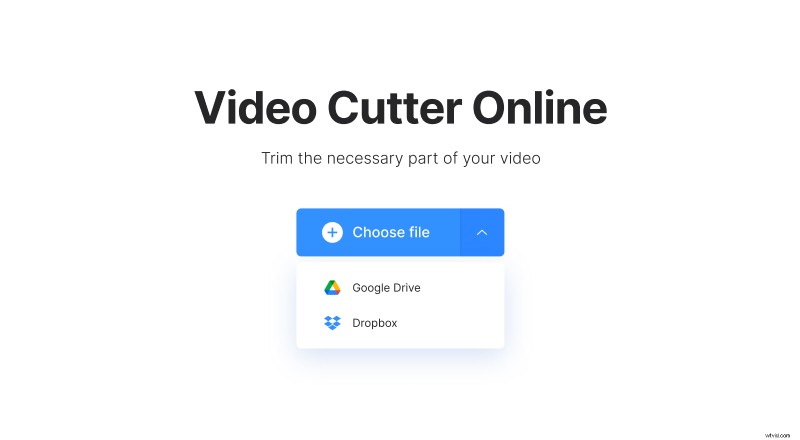
The video cutter tool works with all of the popular video formats such as AVI, MP4, VOB, MPG, and MOV and is supported by all major operating systems, including Android, iOS, Windows and Mac. You can edit any video for free - just make sure it’s less than 500MB in file size.
Snip snip!
Once your video has been added, it’s time to get snipping. Simply choose the beginning and end of your new video using the green sliders under the preview panel. You can press play/pause to preview your clip as well as select the markers in exact time elapsed if you want to be more precise.
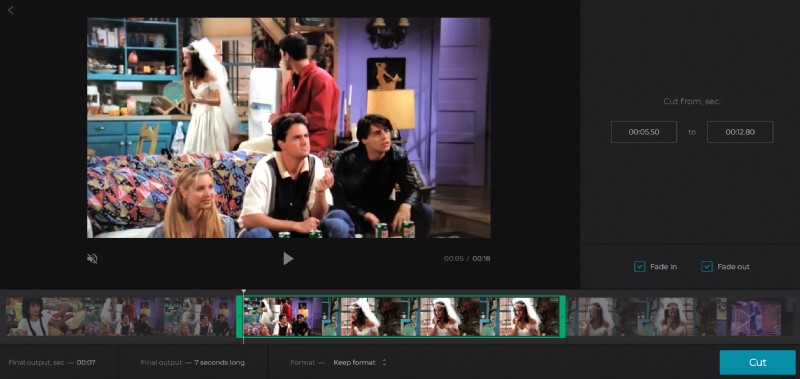
If you’d like to add a fade effect to the beginning or end of your clip, simply check the Fade in or Fade out options on the right of the editing tool and be sure to select your ideal output format from the options at the bottom.
Once it’s ready to go, hit the Cut button. The tool will then take you to a processing page where your new video will be created and made ready for download.
Download and enjoy
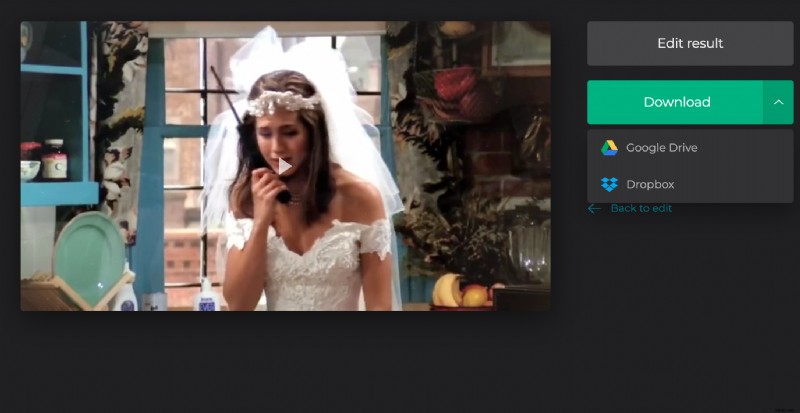
Once your video is processed, you can save it to your device or back to Google Drive or Dropbox by tapping the download button on the right of the video preview pane. Not happy with the result? Simply hit the Edit result option to go back to the editing page where you can make more changes.
So, if you’re wanting to cut video on iPhone, why wait? Clideo’s tool is the easiest and fastest way possible to trim the length of your favourite clips before you share them with the world.