
How to cut video without installing any video editing software on the computer? Here collects several of the best free online video cutters and details on how to use them to cut a video. If you need an offline video cutter with more advanced features, MiniTool MovieMaker is recommended here.
How to cut video online? This article will detail 3 different online video cutters and their operating instructions. Read on for more details.
How to Cut Video Online Free
1. Clideo
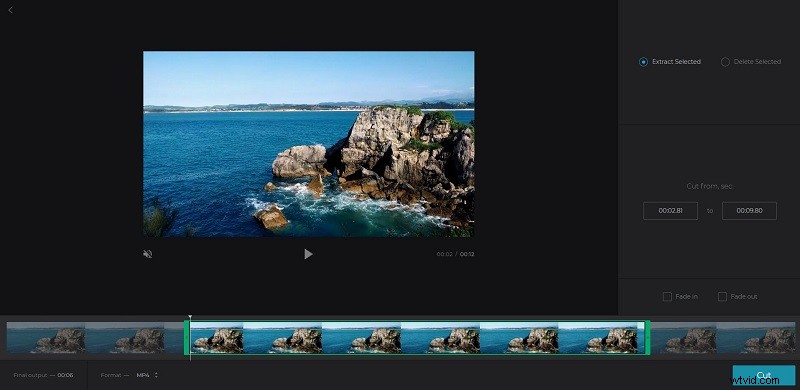
Clideo is the first online video cutter we’d like to introduce. Even if you have never edited a video yourself, you can use this online video cutter, since the program allows you to move the markers to select the desired beginning and end of the video.
With this tool, you can not only cut video online but also change its format and add apply fade in/out effects. Better yet, it supports almost all popular video formats such as AVI, MP4, VOB, MPG, MOV, etc.
- Select the Cut tool from the homepage of Clideo.
- Click Choose file to import a video from your local computer or directly drag & drop it on the upload area. You can also add it from Dropbox or Google Drive, or by pasting a URL.
- Select a certain part of the video using the markers, and then choose Extract Selected or Delete Selected.
- If needed, apply fade in/out effects and change the output format.
- Click the Cut button at the bottom right.
- Once finished, click Download to save it to your device.
Note: The free version of Clideo will watermark all output videos.
2. Online Video Cutter
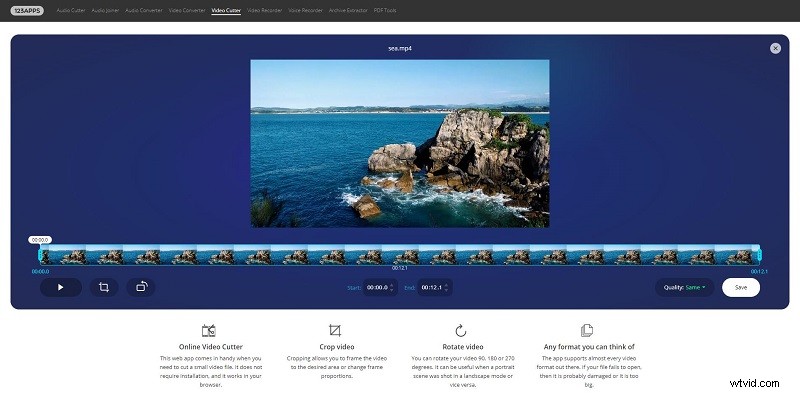
Online Video Cutter is a free online video editor created by 123Apps that allows you to easily cut videos within 3 steps. It does not require you to download any software as it works seamlessly in your browser.
This web app comes in handy when you need to cut a small video file that does not exceed 500 MB. In addition to cutting video online, there are many basic video-editing features, such as crop video, rotate video, change video quality, etc.
- Click Choose file to import your video file, or you can choose to open your file either from Dropbox, Google Drive, or a URL.
- Set the starting point and ending point of the video that you want to keep.
- Click the Play icon to preview the video you cut.
- If you’re happy with the result, click Save to process it.
- Wait a moment and then tap on Download.
How to Cut YouTube Video Online
YouTube Video Editor
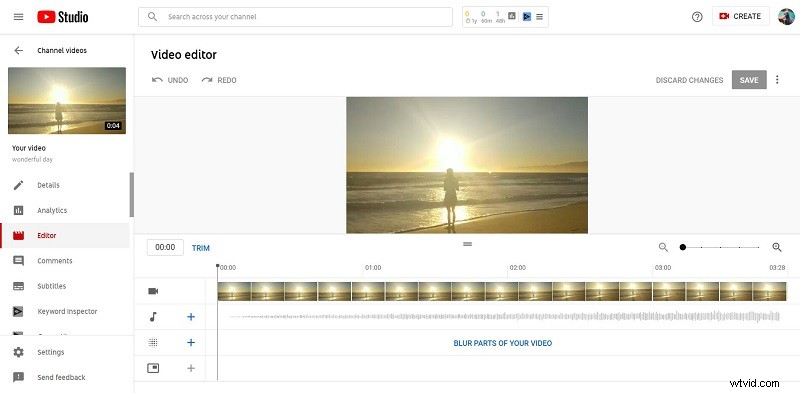
Do you know how to cut YouTube videos online? In fact, YouTube has a built-in video editor, YouTube Video Editor that can be used to easily trim any part of the video. In addition to trimming, you can also use it to add audio to video, blur parts of your video, and add an end screen.
Please kind in mind that YouTube Video Editor can only do very simple cut, but if your video requires more editing, turn to more professional video editors.
- Go to the YouTube homepage, and click your profile picture to select YouTube Studio.
- Select Videos from the left menu and all your uploaded videos will appear.
- Click the thumbnail of the video that you’d like to cut.
- Select Editor from the left panel and then click Trim to get a blue box.
- Click and drag the sides of the blue box and stop when the box is covering the portion of the video that you’d like to keep. Anything not in the box will be removed from the video.
- Tap on the Preview button at the bottom of the screen to check your edits.
- Click the SAVE button to apply your changes.
Bottom Line
Cutting video online is not as difficult as you thought before, right? If you have any questions or suggestions about it, please let us know via admin@wtvid.com or share them in the comments section below.