
Cut videos from Reddit in three steps
If there’s one thing the social news aggregation site Reddit is known for, it’s the array of amazing user-generated content. From funny memes to viral YouTube videos, Reddit has it all.
What if there’s a part of your Reddit clip you want to keep on your device, either for playing offline or for sending to your friends on Whatsapp?
Luckily there’s an easy tool that allows you to cut a Reddit video. And best of all, it doesn’t require downloading any pricey software or dodgy apps. It works online, from any browser and across most platforms, whether that’s Windows, Mac, iPhone, or Android.
Read our steps below to find out how to cut any video, quickly and easily.
Add a video for Reddit
Head to Clideo’s Video Cutter. On the welcome page, you’ll find a big blue ‘Choose file’ button. Click it to upload your video from your device or tap the arrow on the right-hand side and a drop-down box will appear. There you can add a file that is stored in your Google Drive or Dropbox account. It will automatically begin uploading from the source.
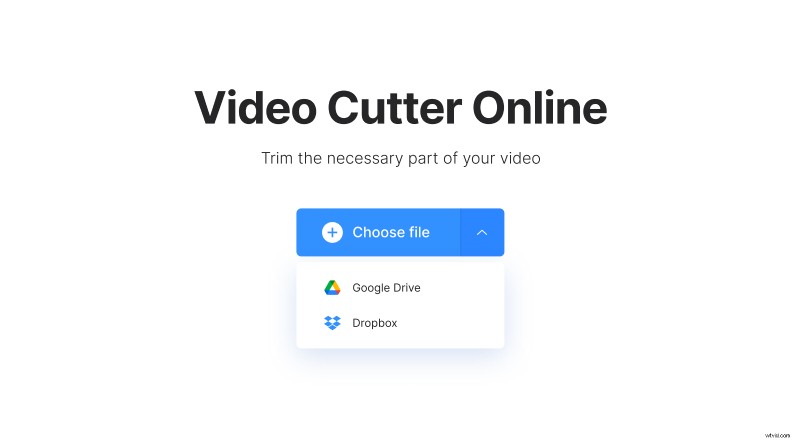
It’s worth noting here that the tool allows you to upload videos up to 500 MB in size, free of charge.
Cut the Reddit video if needed
Once your video has been added, you’ll be taken to the editor where you can have a play around with it. Manually move the sliders on the preview reel at the bottom to the beginning and end of the video.
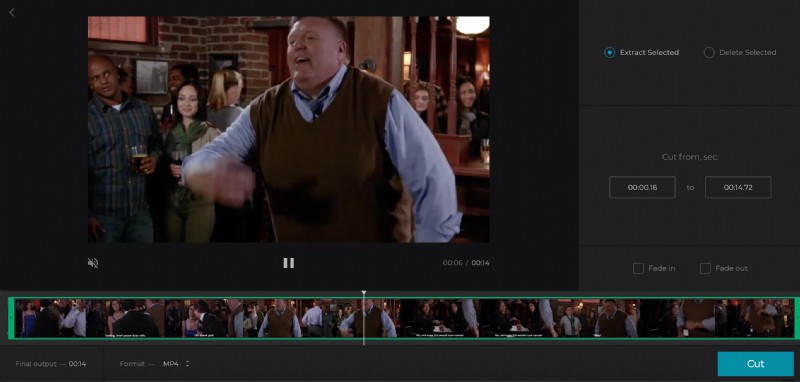
To make the clip shorter, simply adjust the sliders, choosing the needed part. Then, select to extract or delete the part.
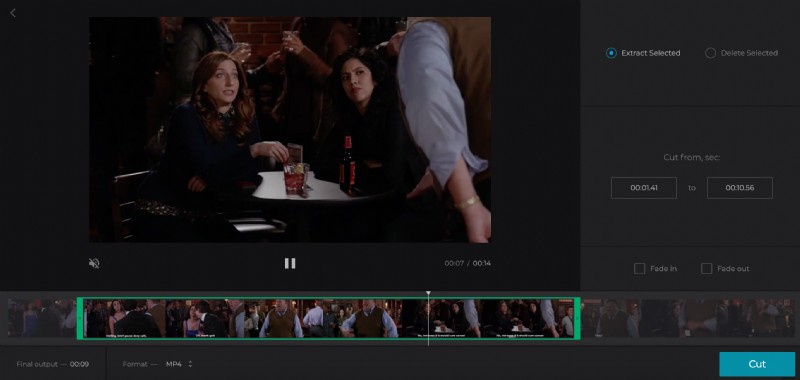
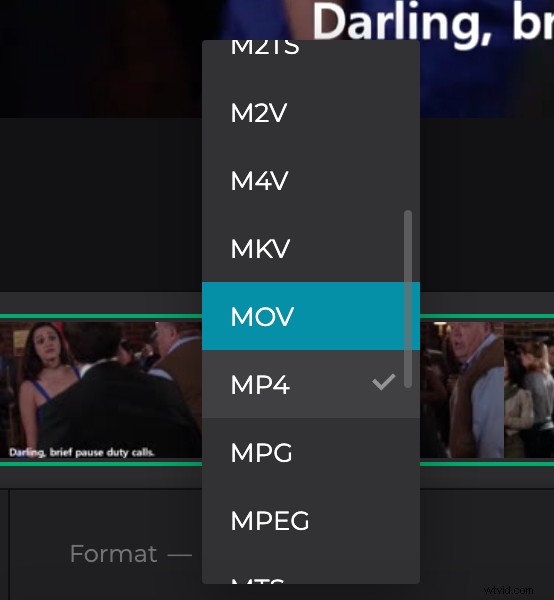
Finally, select an output format for your file. If you’re editing the video from your iPhone or Android, please note that the MP4 format is best.
Tap the play button to see a preview of the newly-trimmed video and if you’re happy with the result, hit the ‘Cut’ button. Your video will begin processing.
Save the Reddit video
Once that’s all done, you’ll be presented with the new clip alongside the option to download it to your device.
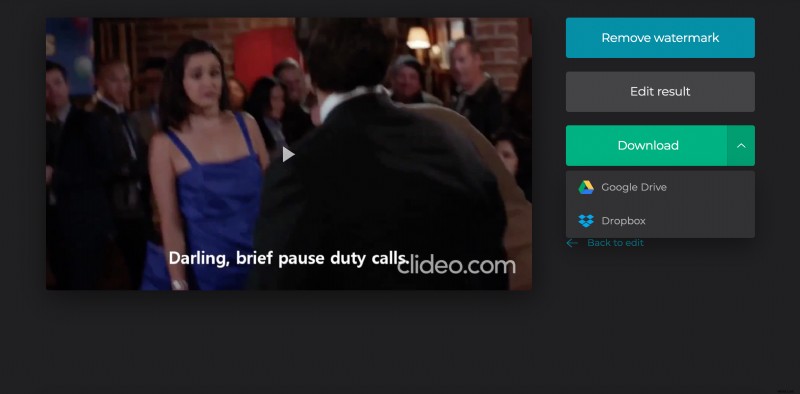
You can also back it up in your Google Drive or Dropbox accounts if you prefer. Just tap the arrow on the right next to the ‘Download’ button.