
How to download your video or clip for Twitch
If you want to see just the best moments of your Twitch clips again and again offline, you might need to use a special tool like Clideo. It comes in just handy when you need to cut the best parts out.
Our online tool is compatible with all the operating systems and works equally efficiently on Windows, Android, or iOS devices. It is so user-friendly and intuitively comprehensive, that you don’t need any previous video editing experience to master it.
Last but not least, Clideo is safe, we respect intellectual property rights and never share your data with other users.
Upload a video
Go to Twitch and download the clip. You can find your clips in your Creator Dashboard in the Content section.
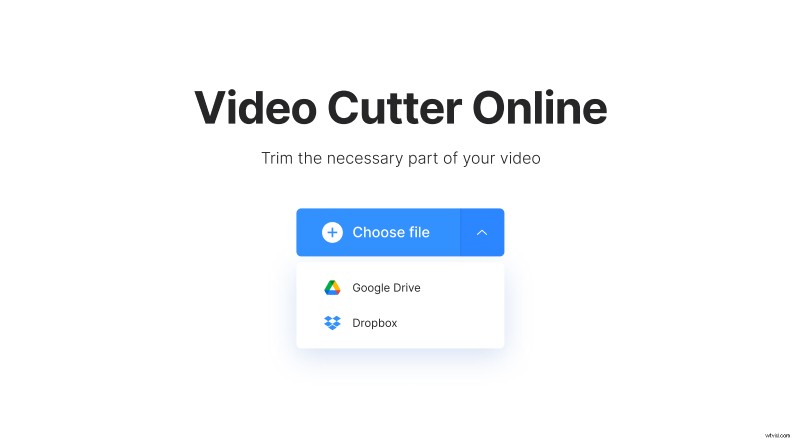
Then open our Video Cutter by Clideo in any browser, be it Internet Explorer, Google Chrome, or Mozilla Firefox. Call the drop-down menu on the right side of the blue pane and import recordings from your computer library, camera roll, or Google Drive and Dropbox. The clip will be uploaded automatically.
Cut and convert if necessary
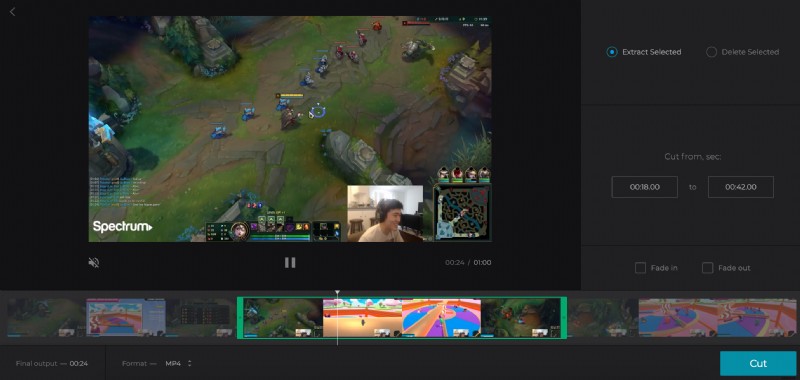
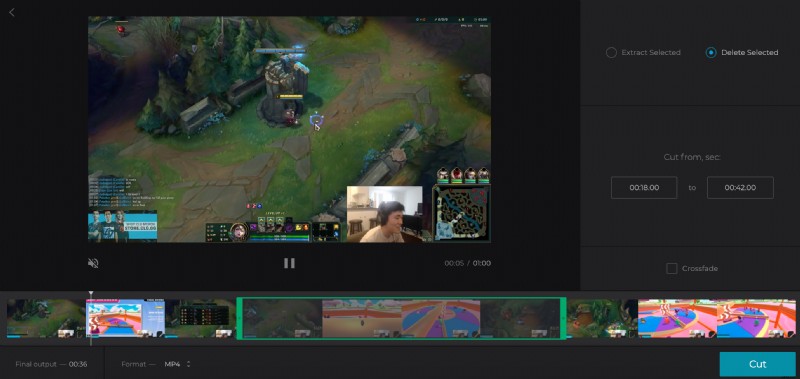
Select the snippet you need by moving the sliders or by setting the timing manually, and choose one of the options:
- Extract selected – save the selected snippet only. Tick “Fade in” and “Fade out” boxes to make the video gradually emerge out of complete darkness and end with a dark frame also.
- Delete selected – erase the selected snippet and merge the rest. Click “Crossfade” to make the transition smooth and seamless.
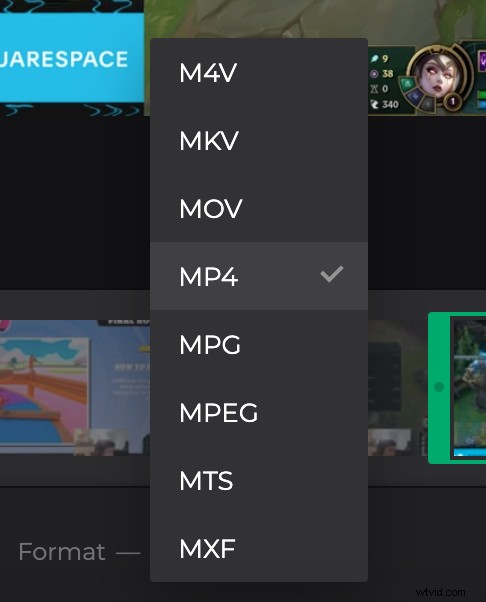
Don’t forget to set a format. Though MP4 is compatible with all social media, Clideo offers even less popular ones as ASF, MTS, and others.
Click “Cut” and let your video get processed.
Download the Twitch clip
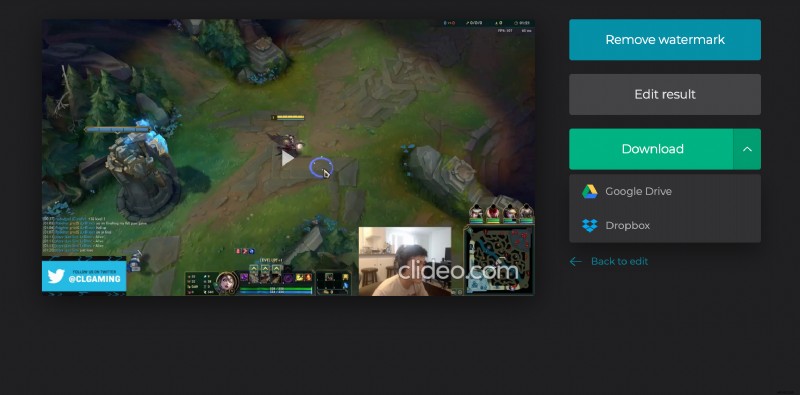
Check the result and get sure that it doesn’t need any corrections. If it is good enough, save the video to your personal device or cloud storage. If you changed your mind and want to alter something, click “Back to edit” and try one more time.