
How to trim an MKV file
On the other hand, most online editing tools are geared towards MOV and MP4, so it can be difficult to find an MKV trimmer. Also social media usually doesn’t support the format.
Here’s where Clideo rushes to the rescue. Not only does it cut and edit an MKV file but also allows converting it to make your recording meet social media specs.
All our tools are free for files up to 500 MB, and you can upload and proceed as many recordings as you want. They work online which means that they weren't developed for any precise OS and are equally efficient for Mac, Windows, iOS, Android, or Linux.
Upload a file to trim
Open Clideo’s MKV Video Cutter tool and upload a recording by using one of the options available:
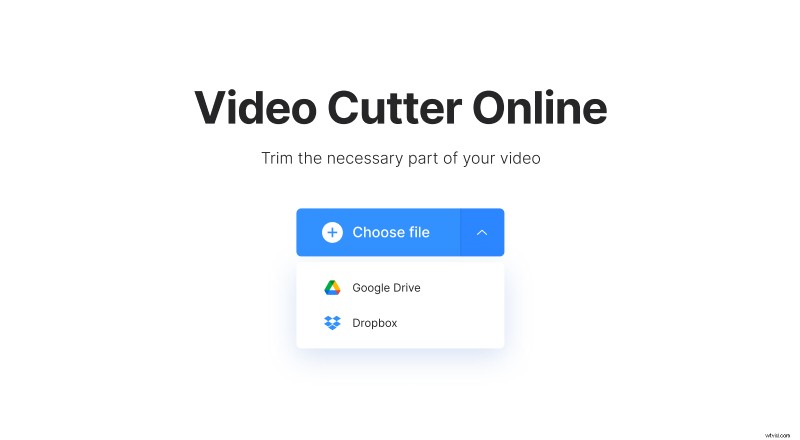
- To import from your personal device, just hit the big blue pane “Choose file”;
- To upload from your cloud storage, call the drop-down menu on the right and pick up a file from Google Drive or Dropbox.
Cut the MKV file
Our tool automatically places sliders somewhere in the middle of the recording, so to select a snippet you need, move them. You can also set the exact start/end time in the boxes on the right side of the player.
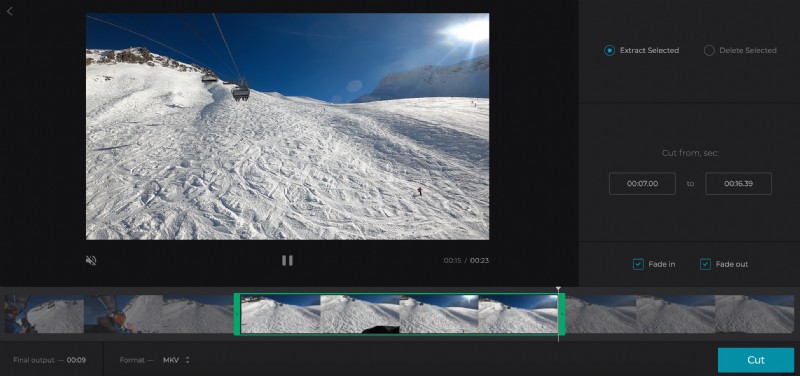
You can either extract or delete the selected part. When you choose an option, you can see at the timeline what part of the video will be kept. All the rest will be shaded out.
Don’t forget to tick boxes “Fade in” and “Fade out” if you want your clip to start and end gradually. The “Crossfade” option makes frame transition smoother and less visible.
Before saving you can also convert a video to another format in the drop-down list below the timeline.
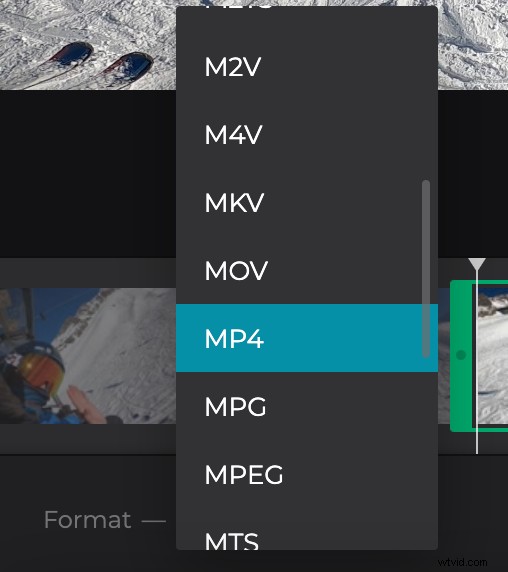
When you are done, hit the “Cut” button and let the tool do its job.
Download the trimmed video
Have a quick final preview to make sure you got what you wanted. If so, just download the video to your personal device, Google Drive or Dropbox.
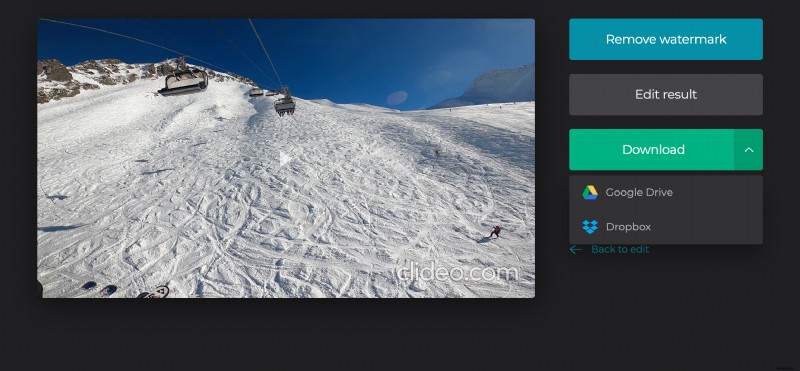
If you’ve decided that you need to cut it in another way, use the “Back to edit” option to make changes without starting from scratch.