
Instagram vertical aspect ratio and other specs
Instagram provides quite a complicated system of requirements that depends on the post type. To check them all see our complete guide. In this article, we’ll provide vertical Instagram sizes.
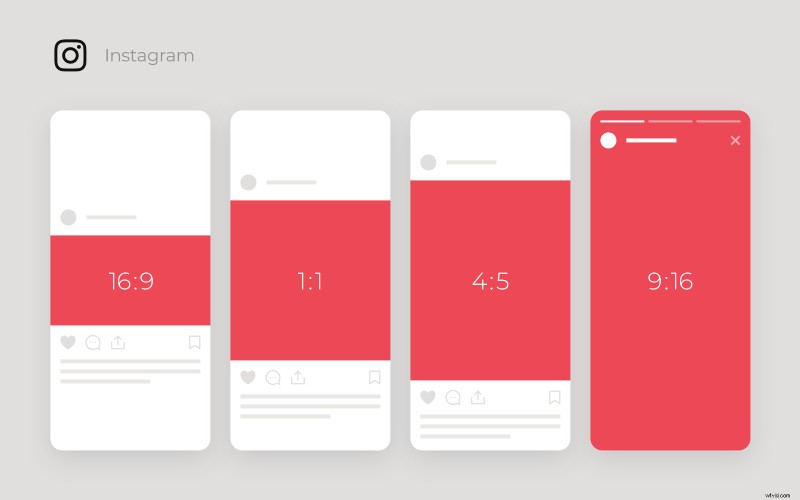
In-feed posts:
- Aspect ratio 4:5;
- Minimum resolution: 600 x 750 px;
- Recommended resolution: 1080 x 1350 px.
Vertical ads:
- Aspect ratio: 4:5;
- Resolution: 500 x 625 px.
The problem is that if your video or picture doesn’t fit those requirements, Instagram will crop it which can totally destroy the very idea of the post.
Luckily, there is an online, free and safe solution for you – Photo and Video Resizer by Clideo. It allows meeting all the requirements including Instagram vertical video and image resolution, format.
How to post vertical photos and videos on Instagram without cropping
Upload your file
Open the Video Resizer in any browser. Get sure that your Internet connection is stable and fast. You’ll have several uploading options:

- from your personal device (a big blue button in the centre);
- from Google Drive or Dropbox (a drop-down menu on the right side of the same button);
Fit the Instagram vertical image size
Choose one of the ready aspect ratio presets on the right. Besides Instagram, we have also prepared solutions for Facebook, YouTube, Twitter and other social media. If you want to set your own dimensions, choose the “Custom” option and put them manually.
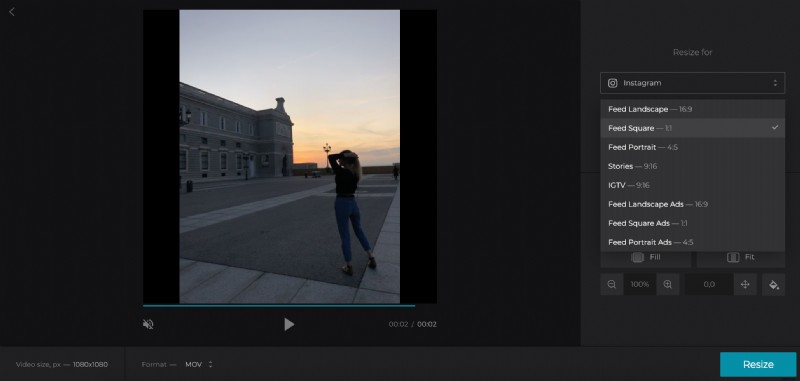
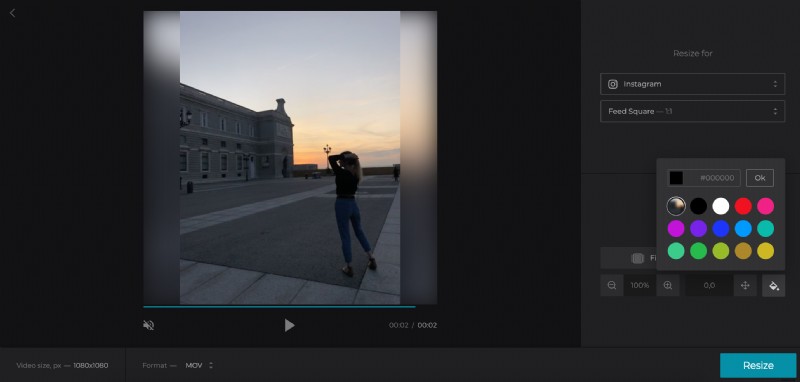
Choose crop options: you can either fill the frame or fit the image with the sidebars. Select the background colour or just keep it as it is.
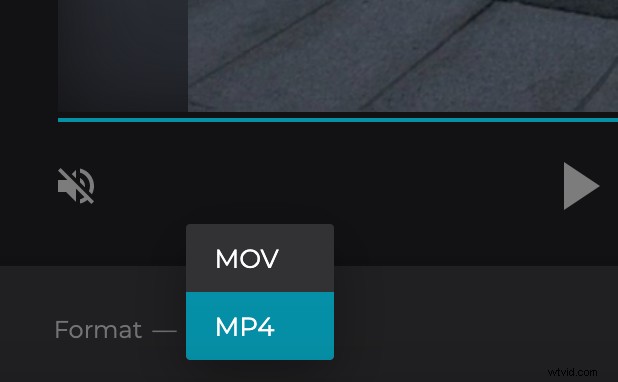
As soon as you choose one of the ready presets, the tool will provide you with the list of formats compatible with the selected social medium. Hit any of them.
When you are ready, click the “Resize” button and let your image or video get processed.
Download the result
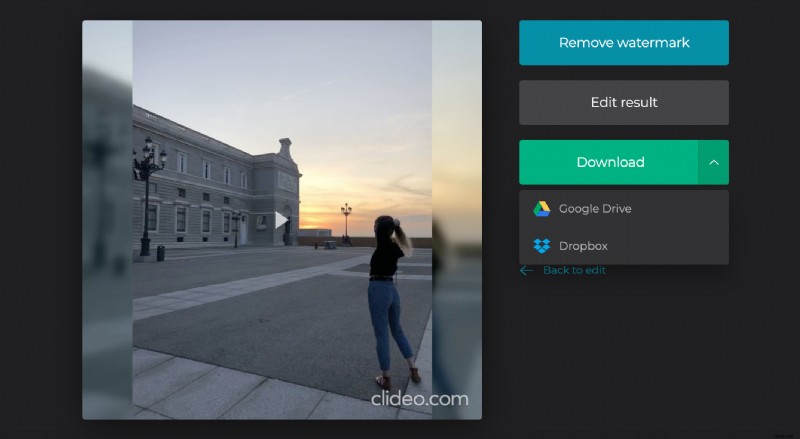
Take a prompt look and check if your clip needs any amendments. If so, click “Back to edit” and keep going. If you are happy with the result, save it to your personal device or cloud storage account.