IGTV dimensions
First, let's look at the video specifications, and then we will show you the easiest way to adapt videos for IGTV.
- Format: Vertical video — 9:16, Horizontal video — 16:9.
- IGTV cover dimensions: 420×654 pixels.
- Duration: minimum — 1 minute. Maximum — from smartphone: 15 minutes, from computer: 60 minutes.
- Frame rate: minimum — 30 frames per second.
- File format: MP4.
- Maximum file size: for videos up to 15 minutes — 650 MB, up to 60 minutes — 3.6 GB.
This is quite a big set of requirements, but with Clideo you can customize dimensions for IGTV in a few clicks.
Upload a file
Open Clideo's Video Resizer in any browser. Click "Choose file" to upload from your device.
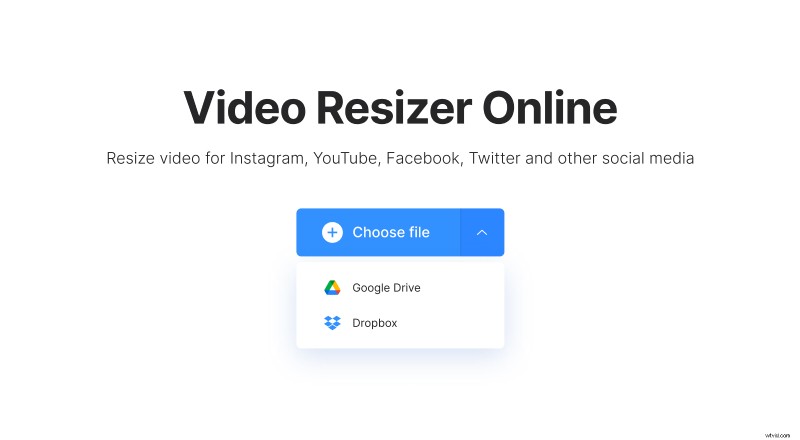
Tap the little arrow on the right to upload from Google Drive or Dropbox.
Choose the dimensions
Select the resolution preset for IGTV. In addition, you can adjust the video for Stories and Feed. The tool offers six other presets, including YouTube, Facebook, Snapchat, and more.
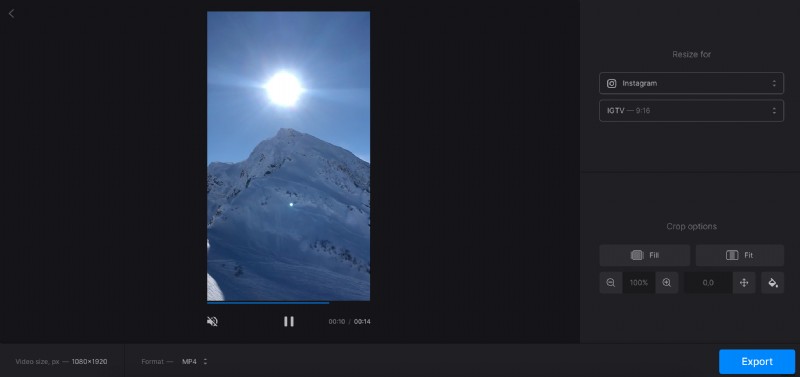
You can adjust the size of your video. Select the Fit option if you want to resize the video without cropping it. Use the two buttons below to adjust the size and position of the video on the screen. The video might have borders, so click the button on the right and choose one of the colors or blur the borders.
If you want to crop the video, click "Fill" to make the video fill the entire frame, and reposition it with the same buttons as before.
Change the file format to MP4 if a different one is currently selected.
Click the "Export" button and wait for the process to complete.
Save the clip
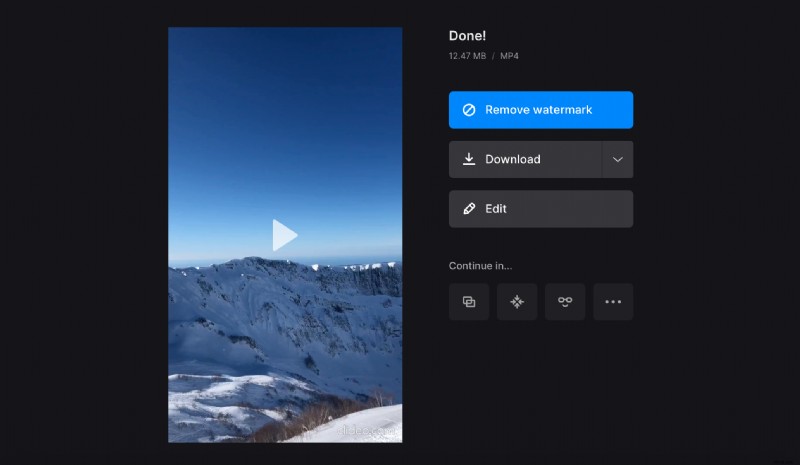
Make sure your video was processed correctly by using the preview screen. Click "Edit" to make changes. If you're satisfied with the result, download it to your device or save to your cloud storage account.