
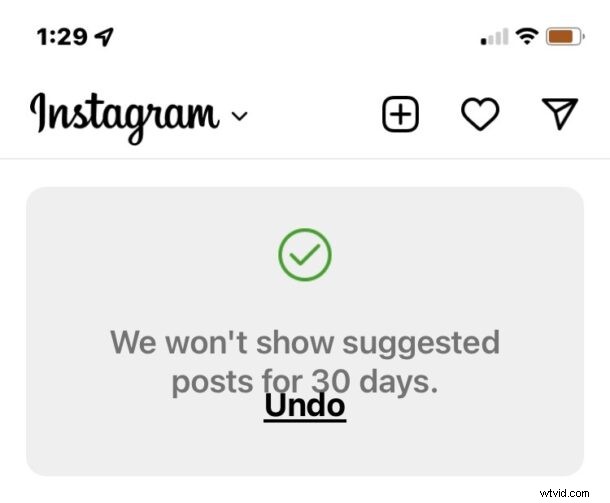
Instagram used to be a photo sharing app, but in an apparent effort to compete with the nonsense promoter and adversarial whacky psyop farm known as TikTok, your photo feed is now often filled with annoying “suggested posts” TikToky video clips that are not from people you follow and not from things you are even interested in. Instead, you’ll often see nonstop eye-catching trash with some catchy tune or audio from a movie to try and encourage mindless consumption and juice engagement numbers. Annoying, right?
If you’re fed up with the relentless Suggested Posts crapola fest on Instagram, you’ll be happy to know that you can hide those – at least for 30 days at a time anyway.
How to Disable Suggested Posts on Instagram
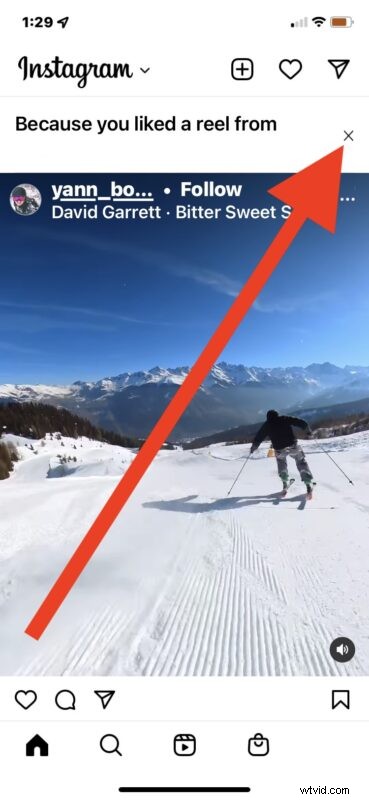
- Locate any Suggested Post in your Instagram
- Tap the (X) near the top of the suggested garbage, or the three dots at the top of the suggested post (…)
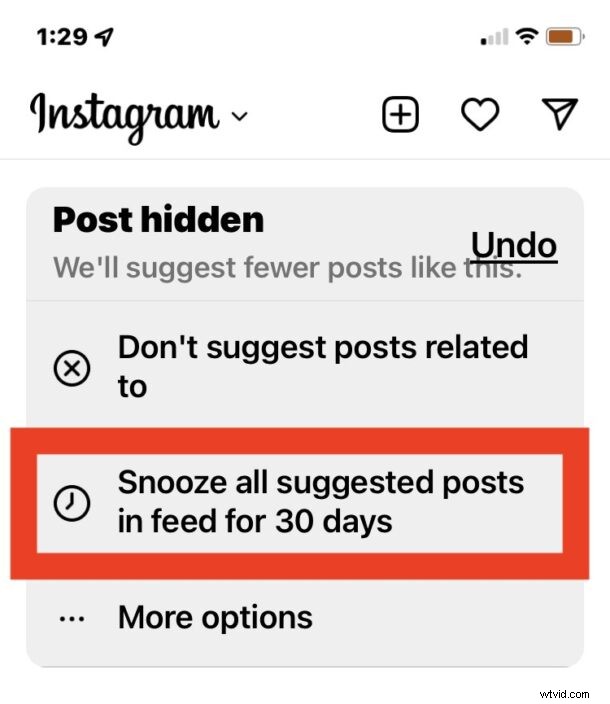
- Tap on “Snooze all suggested posts for 30 days”
- Enjoy seeing your actual feed again
You’ll have to redo this process in another 30 days obviously, but at least you’ll have 30 days of stuff from people you actually follow and things you have an interest in.
You’ll still have to wade through tons of nonsensical sponsored posts and ads (though you can choose to hide those too, on a per-ad basis anyway), but at least you won’t be subjected to the short ridiculous click-baity video clip rubbish.
You may also appreciate setting your Instagram feed to be chronological again to avoid the algorithm strangeness too.