
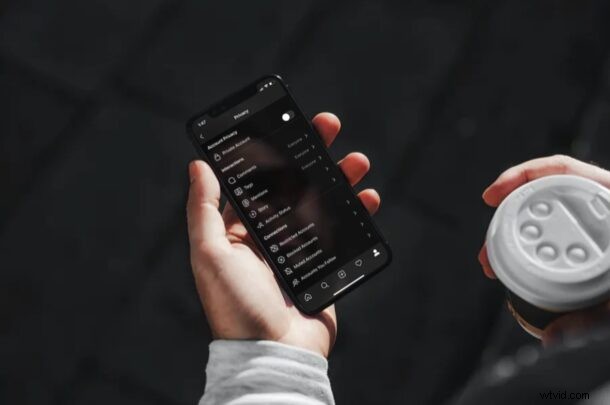
Want more privacy on Instagram? If so, you might consider turning an Instagram account private, otherwise by default anyone with or without an Instagram account can view your profile, photos, and videos. Fortunately, this can be changed.
With over 1 billion monthly active users, Instagram is without a doubt one of the biggest social networking platforms out there. So, it’s understandable if you want to ride the Instagram wave and join your friends in sharing photos. Most users who sign up for an Instagram account aren’t probably thinking much about their profiles being set to public by default. If you’re a privacy buff, you’d probably want to share your photos with only a limited number of people, so let’s take a look at how you can make your account private on Instagram.
How to Make Your Instagram Account Private (or Public)
Switching your Instagram account status to private or public can be easily done without going through too many hoops, regardless of whether you’re using an iPhone, Android, or other device to access the service.
- Open “Instagram” on your iPhone or iPad.

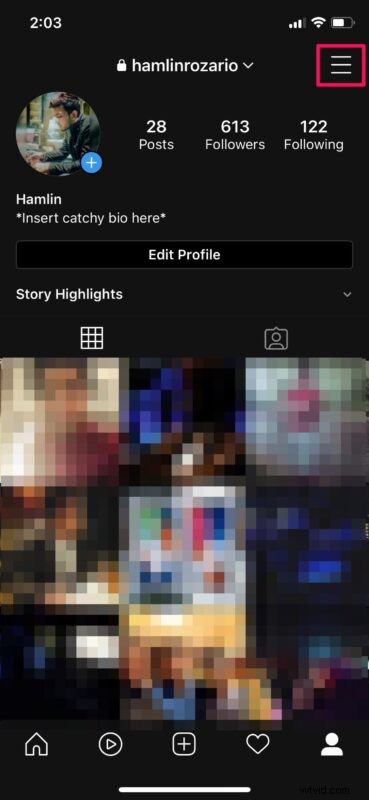
- Next, head over to your Instagram profile and tap on the triple-line icon at the top-right corner of the screen to access the menu.
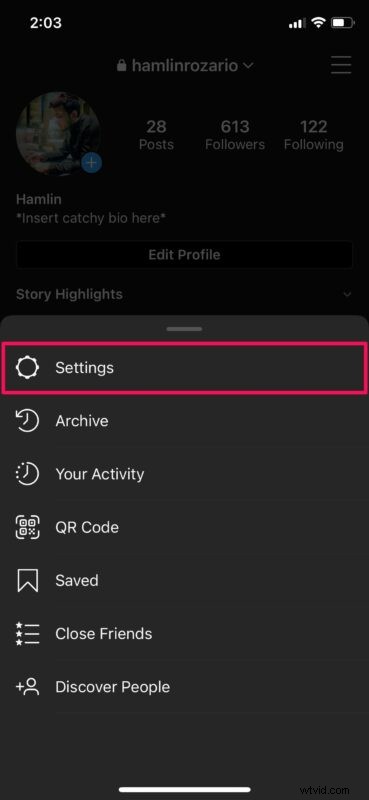
- Now, choose “Settings” as shown in the screenshot below.
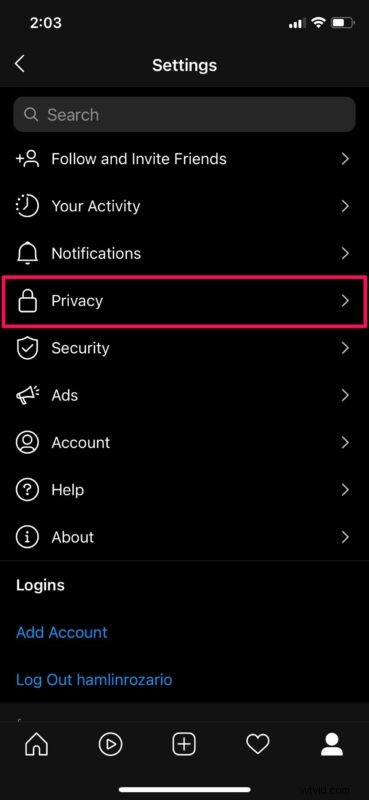
- In the settings menu, select “Privacy” to proceed to the next step.
- Now, simply use the toggle at the top to make your account private, or public.
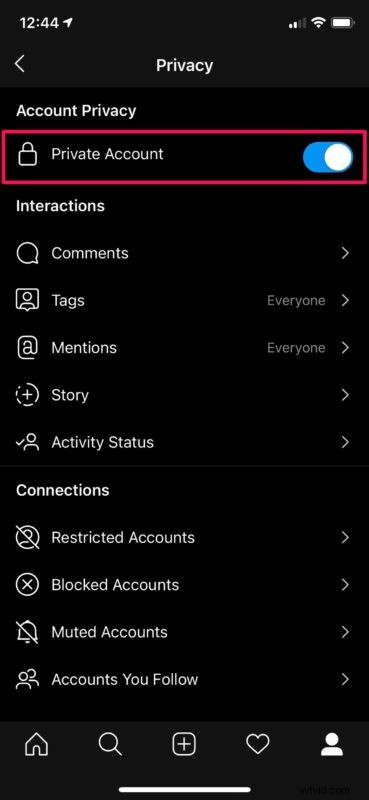
That’s pretty much all there is to it. Now you know how easy it is to make your Instagram account private or public, and you can change it anytime you want.
From now on, only people who follow you will be able to view all the photos in your profile. In addition to this, you also have complete control over who follows you on Instagram. Whenever someone chooses to follow you, you’ll get a follow request that needs to be approved before they’re able to see the photos and stories you have shared.
If you’re only concerned about a few people who’re stalking your profile, you can choose to block those users from the same menu too. They won’t be able to even visit or find your profile once you block them. However, they can still sign out of Instagram and view the contents of your public profile using Instagram web.
If you appreciated this tip, you might enjoy many other Instagram tips too, so check those out.
Did you switch your Instagram account from public to private, or vice versa? Did you do this for privacy, or for another reason? Share your thoughts in the comments.