
Sometimes, you may want to browse Instagram stories anonymously. How to view others’ photos without them knowing? You can use an Instagram viewer. This post offers you 4 Instagram viewers that allow you to view Instagram stories without account.
Can You View Instagram without Account?
No matter you are using Instagram’s web version or Instagram app, you are required to sign in with your Instagram account. It’s very annoying, especially when your Instagram account is disabled accidentally.
So, is there any way to view Instagram without an account? Yes, there are some workarounds. The best way is to use an Instagram viewer. It’s very easy to use and allows you to browse photos, posts, videos, and stories from public Instagram accounts.
If you want to create an Instagram slideshow video? Try this watermark-free video editor and photo video maker – MiniTool MovieMaker.
How to View Instagram without Account?
Here are the 4 best free Instagram viewers that help you view Instagram without an account.
#1. Imginn
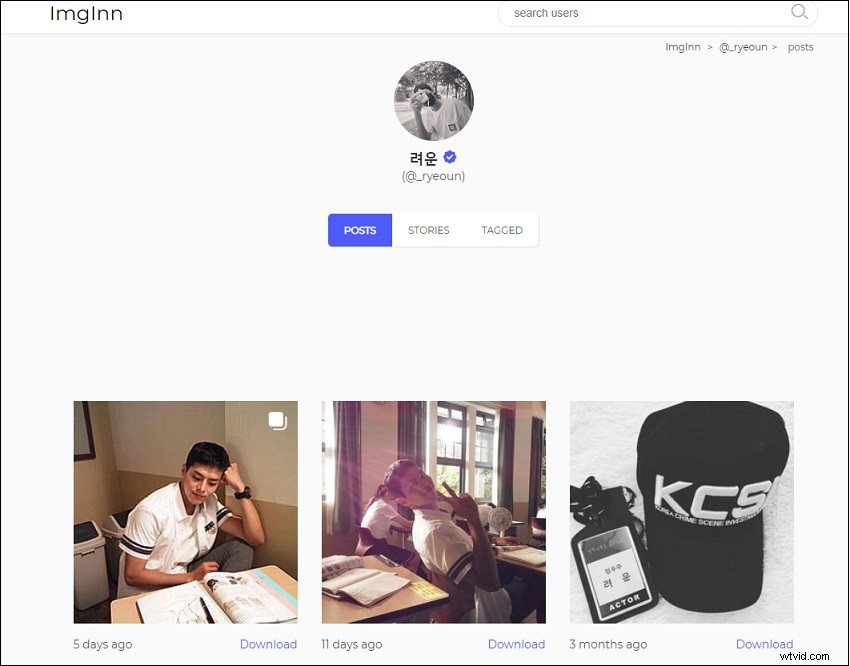
Imginn is a good place to browse your favorite actors’ Instagram stories and posts. It allows you to browse and download their Instagram photos, videos, and stories. It also lets you view comments on an Instagram post.
Step 1. Visit the website: https://imginn.com.
Step 2. Enter the username and click the search icon or hit the Enter key.
Step 3. Click the profile name that you are searching for.
Step 4. Then you can view all the Instagram posts and stories. And download what you want.
#2. Dumpor
Dumpor is a great Instagram profile viewer. With it, you can browse others’ Instagram posts, stories, Reels, and tagged posts without the need to sign in to your Instagram account. It also gives you the option to save your favorite photos and videos.
What’s more, Dumpor shows the exact number of likes and comments on an Instagram post and how many followers and posts on an Instagram account.
- Go to the Dumpor website: https://dumpor.com.
- Search for the Instagram profile and view it.
- If you want to download the photo you like, tap on the photo and click the Download button below the photo.
#3. GreatFon
Like Dumpor, GreatFon lets you view any public Instagram profile anonymously without logging in to your account and save photos, videos, and stories from any Instagram account. On the GreatFon homepage, you can see the popular tags and trending profiles on Instagram.
- Go to this website: https://greatfon.com.
- Input the Instagram profile name, tags, location and click the search icon.
- Then you can browse Instagram content and download the wanted videos and photos.
#4. Anon IG Viewer
As its name suggests, Anon IG viewer is a web-based app that allows you to view Instagram stories and posts from people you’re interested in without them knowing it. With this Instagram profile viewer, you can only see the number of followers and posts.
- Visit the website: https://www.anonigviewer.com.
- Search and find the Instagram profile you want to view.
Conclusion
This post gives you 4 methods to view Instagram without an account for free. If you have other suggestions, leave your comments below!