
Twitter is a popular social media platform on which users post videos, images, text, and links to communicate with people. Can you image view Twitter without account? Can you browse Twitter without an account? This post offers everything you want to know.
On Twitter, every user can access numerous information like news and gossip. After you log into Twitter with an account, you can know what’s happening in the world. You can get any information about music, news, sports, politics, celebrities, and more.
But can you browse Twitter without an account? How to view Twitter without account? What can you do on Twitter without an account? Just keep reading!
If you want a free video to create videos for Twitter, you can try MiniTool MovieMaker, a free video editor without watermarks.
Can You Browse Twitter Without an Account?
Yes, you can view Twitter without account on the web and use some functions of Twitter. However, you can’t use the Twitter app for Android or iPhone without an account. When you open this app on your phone, you’ll be asked to sign in.
However, when you try to open the Twitter homepage (Twitter.com) without signing in, you’ll be required to sign in with an account first. How to view Twitter without account? Try the following methods.
Note:
But without logging into Twitter, you can’t reply, retweet, like a Tweet, view replies, follow accounts, post Tweets, etc.
How to View Twitter Without an Account?
Here’re 5 methods to browse Twitter without account.
Method 1. Visit Twitter’s Explore Page
The first simple workaround is to visit Twitter’s Explore page to view Twitter without account.
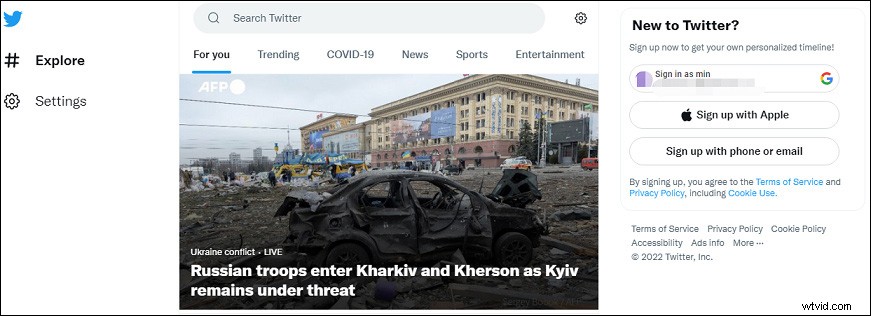
Then you can browse the breaking news in the world right now, just click it for checking the detailed information. And you’ll find more related news, including videos, text, and photos.
Also, you can choose a topic from Trending, COVID-19, News, Sports, and Entertainment to find and view more tweets.
Method 2. Search Twitter Without an Account
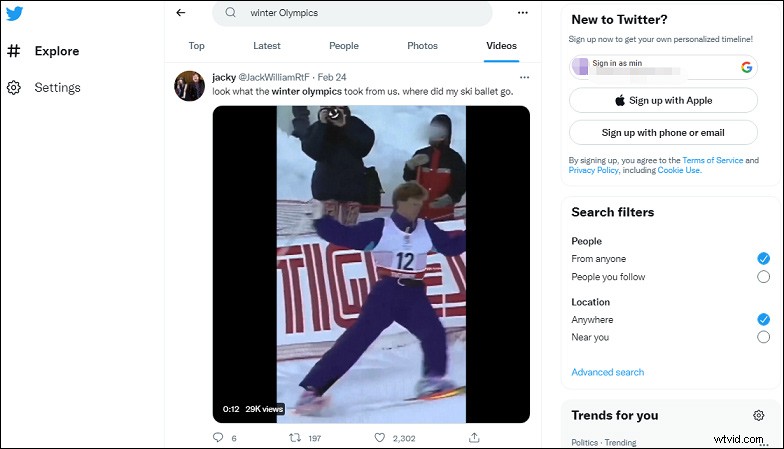
On Twitter’s Explore page, the search bar is also available. You can type any keyword (like a topic or username) in the search bar to look for something on Twitter. When you enter a word and click the Enter key, the search results will display in the Top tab by default. Alternatively, you can click the Latest, People, Photos, and Videos to get more results.
Method 3. Use the Advanced Search Without Logging in
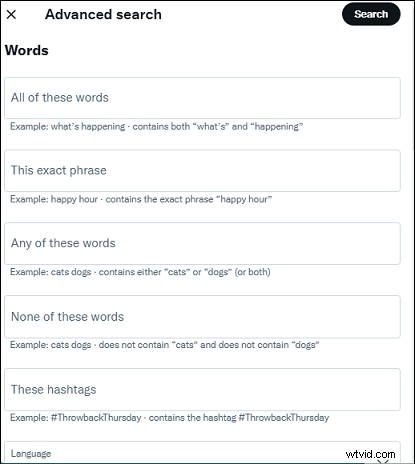
The third thing you can do on Twitter without an account is to use the Advanced Search feature. After you search for something on Twitter, you’ll find the Advanced search button, a three-dot icon at the end of the search bar. Also, you can directly go to Twitter’s Advanced Search.
Then you can set the specific words, date, engagement, and more to find specific tweets.
Method 4. Try Third-Party Websites
If you want more today’s Twitter trending topics besides topics on the official Twitter homepage, some third-party websites do work great.
Trends24 has a simple and well-organized interface and offers a huge list of the latest Twitter trending topics and hashtags. Then you can choose a topic with the time range and location, and click it to view Tweets on Twitter or post it to Twitter.
Alternatively, you can GetDayTrends. This website allows you to sort Twitter’s hot topic globally by a certain date, time range. Just choose and click a topic, and then explore more on Twitter.
What’s more, you can try Tweeplers, Twitter Trending, NotifyTrending, and more to find trending topics and then view related tweets on Twitter.
How to save pictures from Twitter? Check this post: Solved – How to Download Twitter Pictures Easily.
Method 5. Search a Profile Page on Google Chrome
If you want to read tweets from a certain user, you can search for "person Twitter” on Google to find the account. Tap the right result to access the profile page, and then you can scroll down to read his or her tweets. But if this account is private, you can’t access the profile page.
Conclusion
This post offers 5 methods to view Twitter without account and talks about what you can do on Twitter to view tweets without signing in. Just try the ways to browse Twitter without an account.