

Wondering what the battery level of AirPods? There are a few easy ways to check the remaining battery life of AirPods, and we’ll show you a few ways for how to quickly determine how much battery life you have left on AirPods that are synced with an iOS device.
How to Check AirPods Battery by Opening AirPods Case Near iPhone
The easiest way to check battery life on AirPods is to simply put the AirPods in their charging case, then open the AirPods case when you’re near the iPhone or iPad that is synced and connected to the AirPods.
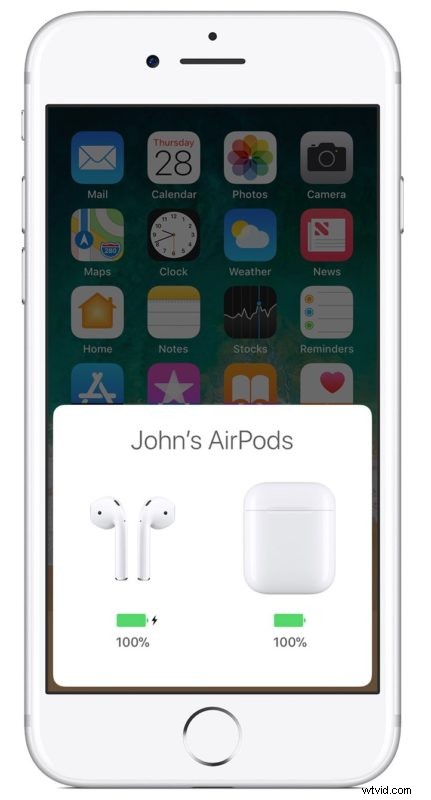
Simply opening the lid on the AirPods charging case when they’re holding the AirPods will make an AirPods charge status screen appear on the iPhone, indicating the battery percentage level and charge of the AirPods.
This approach shows the battery life of both AirPods and the AirPods charger case.
How to Check AirPods Battery Life from Today Widget
You can also check the charge status of your AirPods with charging case with the Batteries widget on your iOS device. The charge for your case appears only when at least one AirPod is in the case.
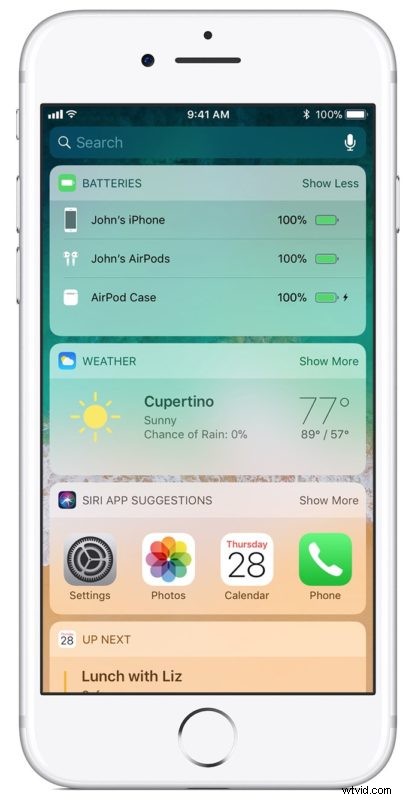
You can also see the battery life of Apple Pencil at this widget, along with battery level of Apple Watch and see battery of other connected devices in the Batteries Today widget.
On your iPhone, open your case lid with your AirPods inside and hold your case close to your device. Wait a few seconds to see the charge status of your AirPods with charging case.
Other Ways to Get AirPods Battery Life Level
You can get a general idea of AirPods battery life by placing the AirPods in their case and looking at the internal charger light. If the light is green, it means the case is charged, whereas if the light is orange, it means the less than a full charge remains.
You can check AirPods battery life level from Apple Watch.
You can get battery life remaining from Siri of an iOS device, including connected AirPods, or Apple Watch.
Macs can check Bluetooth device battery level from the Bluetooth menu in Mac OS if they setup AirPods to work with the Mac.
Do you know of another method to check battery life remaining of AirPods? Share with us in the comments below!