
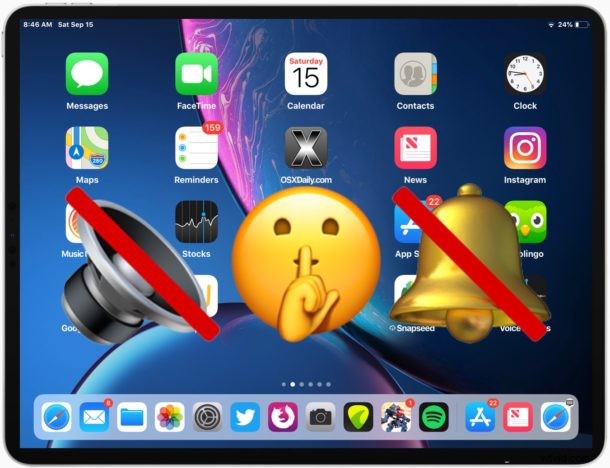
Want to turn off sound on an iPad and mute the audio? You can do that rather simply with a few different methods, though some may be easy to overlook. The iPad and iPad Pro have volume adjustment buttons which can serve as mute, and there’s also a designated software mute switch for alerts which when activated will silence the sound coming from the device. While older iPad models had a hardware mute switch, the latest iPad and iPad Pro models removed the physical button in lieu of the hardware volume buttons or onscreen silencing function that when toggled mutes all alert sound and audio output from the iPad speakers or any connected headphones.
Using mute on iPad is simple, we will review both how to mute an iPad to turn off all sound, and how to unmute an iPad to re-enable sound and audio output on the device, as well as using Silent Mode. These tips apply to all newer iPad and iPad Pro models with a modern iOS release.
How to Mute iPad & Turn Off Sound
To mute the iPad and silence all audio and sound from the device, do the following:
- Press the Volume Down button on the side of the iPad or iPad Pro repeatedly until the screen shows “Mute”
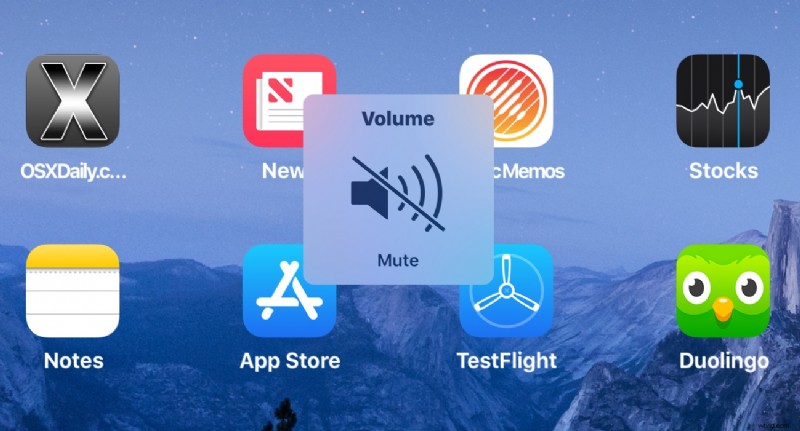
How to Toggle ON Silent Mode on iPad or iPad Pro
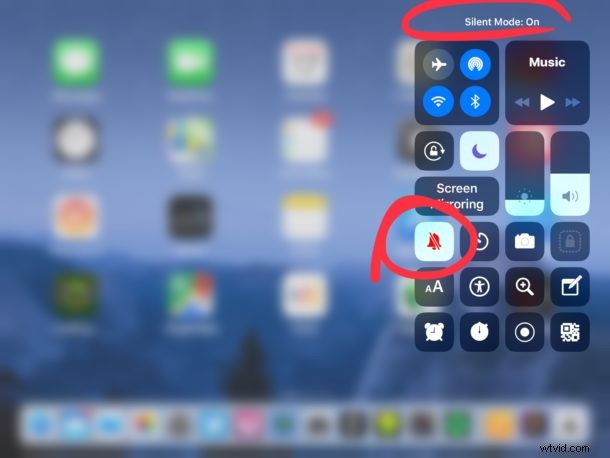
You can also disable the sound of alerts through Control Center:
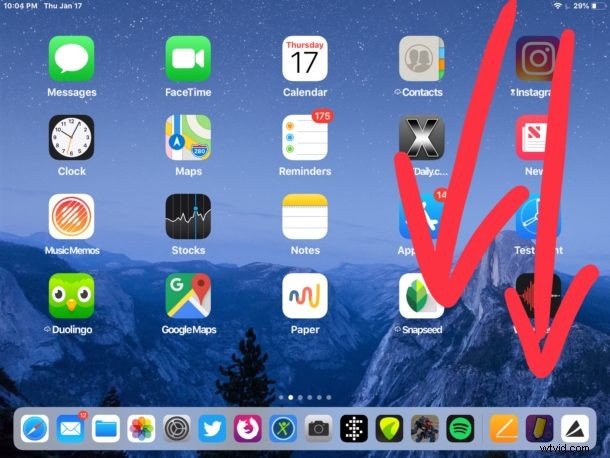
- Swipe down from the top right corner of iPad screen to access Control Center in modern iOS *
- Look for and tap on the bell icon to mute the iPad
- The iPad is now in “Silent Mode” and all audio is mute
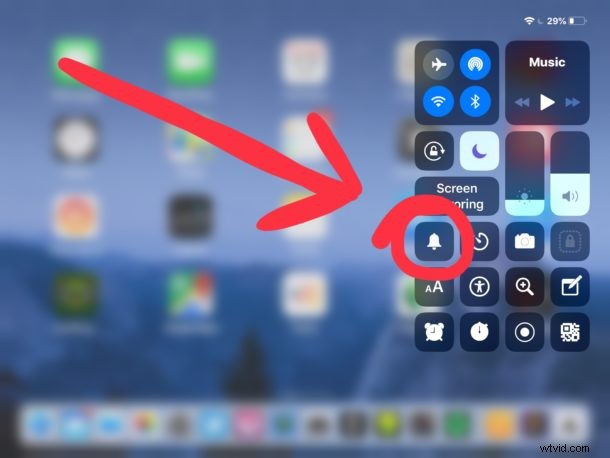
The bell icon becomes highlighted when Mute is active on iPad.
When muted, iPad will play no sound at all, whether in any apps, alerts, notifications, or otherwise. No audio will play out of the iPad or iPad Pro regardless of where the sound is coming from, including all apps, and the iOS system itself.
* If you need help figuring out how to use and access Control Center in new iOS releases, read this article for iPad and iPhone.
Optional iPad Mute / Silence All Sound Method
Another optional mute approach to silencing iPad is to use the volume adjustments in Settings, or the volume buttons button repeatedly until the sound is disabled.
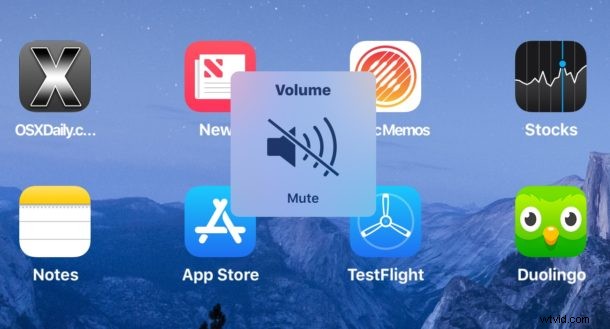
This approach to muting iPad and iPad Pro can be reversed by simply turning the volume back up again, either with the volume button or Sound Settings.
How to Unmute iPad & Turn Sound Back On
To unmute iPad / iPad Pro and regain audio and sound output on the device, do the following:
- Press the Volume Up button repeatedly on iPad or iPad Pro until the volume of sound is on again
Toggle Out of Silent Mode on iPad
You can also toggle out of Silent Mode by doing the following:
- To unmute iPad, return to open Control Center
- Tap on the bell icon
- Use the sound meter in Control Center to adjust volume as desired, or Press volume up button repeatedly to turn up iPad sound if needed
Once unmuted, iPad and iPad Pro will play sound and audio as usual again, at the volume level that the iPad is currently set to.
You can toggle the mute / silent button on and off at any time and for any reason from Control Center, and it works the same on all models of iPad Pro and iPad with any modern iOS release.
Why isn’t my iPad playing sound? Help my iPad is stuck on silent!
A common question that many iPad and iPad Pro users have pertains to sound output and why their iPad is not playing sound. If that happens to you and your iPad appears stuck on silent and mute, first check to make sure that Mute is not enabled by verifying that bell icon for silent mode. Then press the Volume up button repeatedly on iPad / iPad Pro so that audio output is high enough that you can hear the sound.
While older iPad models had a hardware mute switch (that also doubled as orientation lock depending on your settings), it’s highly unlikely that future iPad models will ever regain the hardware mute switch again as Apple has a fondness for removing physical buttons and ports from their devices. For now the iPhone retains the mute switch, but that may not last long either, that remains to be seen. But the mute and unmute feature is still there, it’s just now in software and a simple swipe away.