
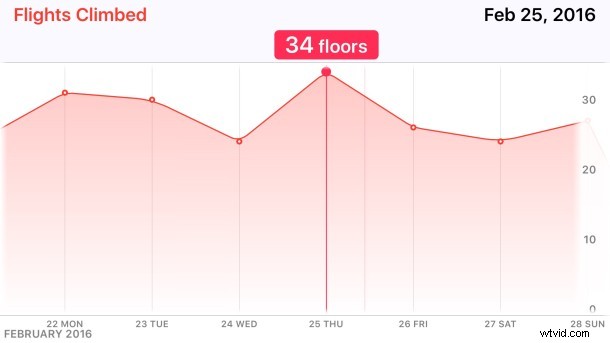
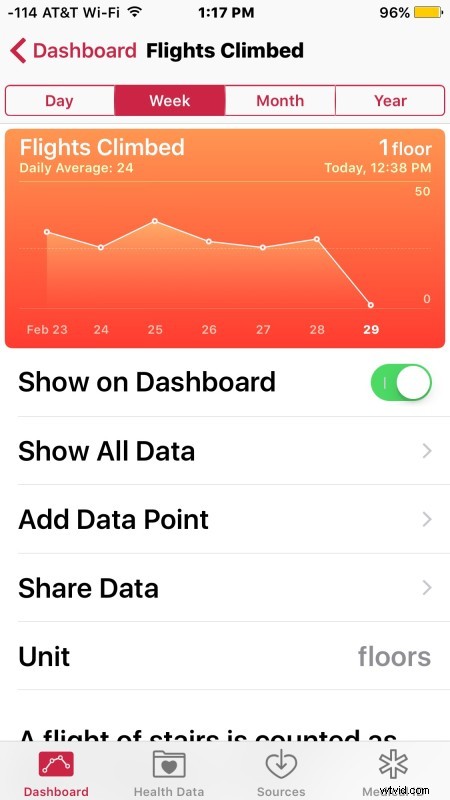
The Health app on iPhone is able to track steps and mileage, and if you have an Apple Watch it will keep track of your heart rate, active calories with a pedometer, and other fitness data as well. When you open Health app, the Dashboard offers an overview of activity for the day, week, month, and year, but there isn’t an obvious way to drill down and get more specifics, since tapping on an individual stat just opens the “All Recorded Data” screen which is not exactly user friendly and feels a bit like stumbling into a jumbled data entry job for SQL or an excel spreadsheet.
But it turns out there is a super easy way to get specific details about any of the tracked items in Health app, on a per hour or per day basis! It’s just not well known, as it’s basically hidden without an obvious cue to do so; all you have to do is rotate your iPhone. Here’s how this works:
- Open the Health app on iPhone as usual and go to the Dashboard tab
- Tap on a specific Health tracking stat, say Distance, Steps, or Flights Climbed
- On the individual dashboard for the specific data type, rotate the iPhone into the horizontal position
- Now you can scroll around left or right to see additional data in an improved view mode for the health stats, or tap and hold on the scaled graph to see specifics about a date or time
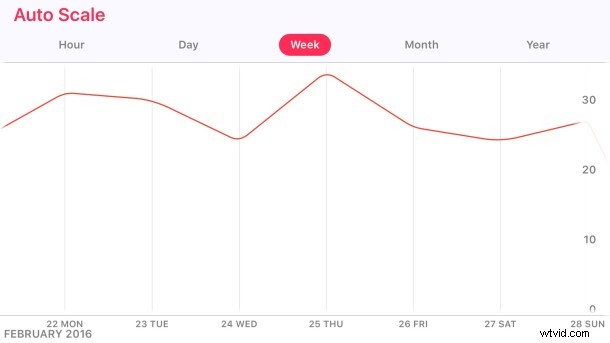
(Optionally, toggle the Auto Scale button off or on to adjust how the graph is drawn for the actively shown data)
Is this great or what? This is the type of interactive detailed graph view that many users would likely expect when tapping on the dashboard in general, but instead you must rotate the iPhone in Health app to reveal these interactive graphs. This is basically a secret feature of Health app, and I haven’t met anyone who knew it existed, much like the bonus long term performance options in Stocks app viewed by rotating that app too.
Health app is undeniably useful, but it has always felt a little half-baked and not always the most user friendly. Hopefully some improvements will arrive to Health.app in the upcoming versions of iOS for iPhone, as both iPhone and Apple Watch gain further abilities and accessories to track various health and activities. Maybe even some competitive options or sharing features like what’s offered in Activity app too? Who knows, but there’s certainly a lot of potential!
Cheers to Lifehacker for the discovery.