
Do you miss having the App Store in iTunes? You’re in luck, because Apple has released iTunes 12.6.3, an alternative version of iTunes that retains the ability to download and install iOS apps directly within the iTunes application on a computer. App management via iTunes was a popular feature that was removed from iTunes 12.7 in favor of managing apps directly on iOS devices instead.
Apple apparently released iTunes 12.6.3 as an alternative version because “certain business partners might still need to use iTunes to install apps.” But even if you are not a “business partner” you can still download and install iTunes 12.6.3 and use the version of iTunes to manage apps with an iPhone or iPad connected through a Mac or Windows PC.
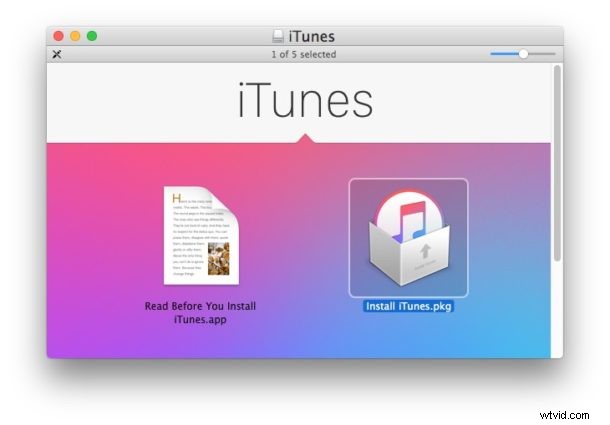
iTunes 12.6.3 is available to download for Mac and Windows users, and can be easily installed over iTunes 12.7 to regain the native iOS App Store functionality for improved iPhone and iPad app management. Users who would like to have the iOS App Store functionality in iTunes on their computers again should download and install the alternative iTunes release. The ease of installation prevents the need to downgrade iTunes 12.7 or fiddle with the somewhat hidden iTunes 12.7 method of transferring apps and ringtones to an iPhone or iPad.
Download iTunes 12.6.3 with iOS App Store Support
You can download iTunes 12.6.3 from the Apple support page, or using the direct download links below which point to the files directly on Apple servers:
- Download iTunes 12.6.3 for Mac or Windows from Apple support here
- DIRECT DOWNLOAD: Get iTunes 12.6.3 DMG for Mac
- DIRECT DOWNLOAD: iTunes 12.6.3 for Windows, 32-bit
- DIRECT DOWNLOAD: iTunes 12.6.3 for Windows PC, 64-bit
Choosing a direct download link will start the file download for iTunes 12.6.3 immediately. The download is about 280 MB and can be installed like any other software onto a Mac or PC.
How to get the App Store back into iTunes
Accessing the App Store, apps, or Tones in iTunes 12.6.3 is basically the same as prior versions of iTunes, here’s all that is necessary to get app management and the iOS App Store back in iTunes again:
- Download and install iTunes 12.6.3 onto the computer, you can install it over iTunes 12.7 or a prior release version
- Launch iTunes as usual
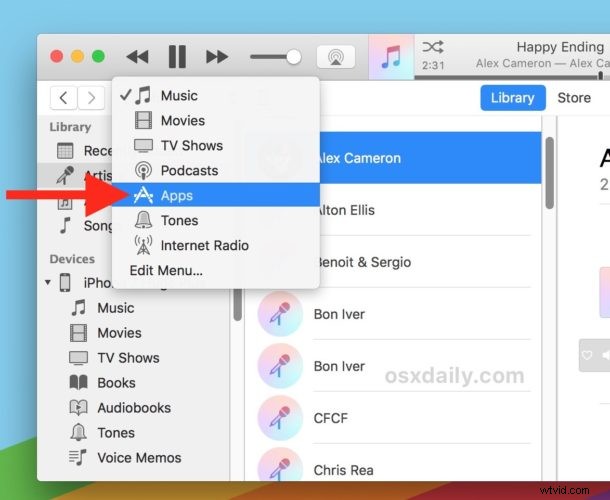
- Select the pulldown menu in the upper left corner
- Choose “Apps” or “Tones”
- Under “Apps” you will find the app library, updates, and an ‘App Store’ option to be able to download apps directly into the App Store via iTunes again
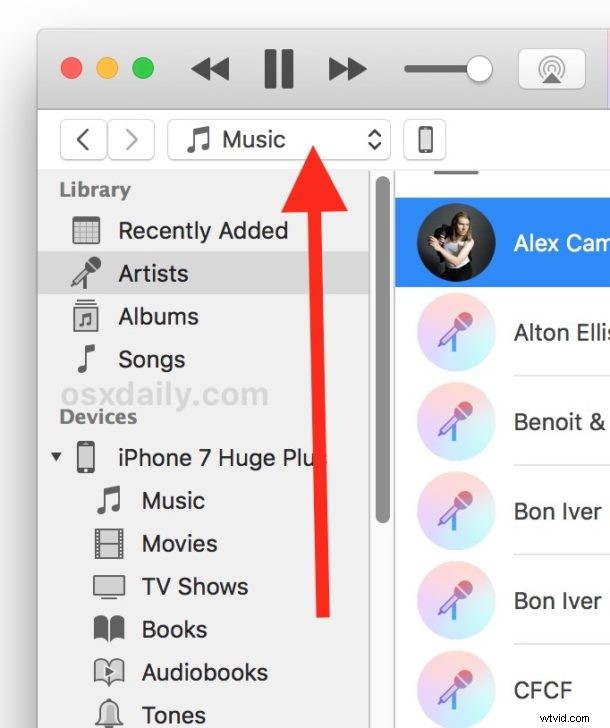
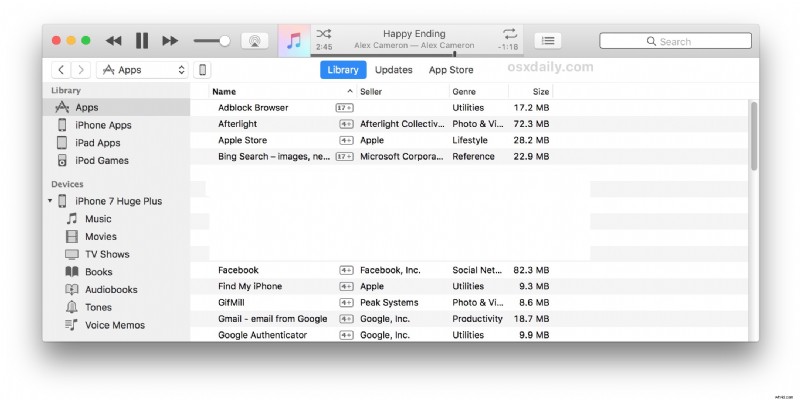
If you connect an iPhone or iPad to iTunes 12.6.3 and select the device by clicking on the tiny little icon in the titlebar of the app, you’ll also have direct access to apps and tones on the device through iTunes again as well.
Note: if you are having a problem with the “iTunes Library.itl” file after installing iTunes 12.6.3, quit out of iTunes and navigate to ~/Music/iTunes/ and backup the iTunes Library.itl file by renaming it, then open Previous iTunes Libraries/ and copy the most recent version of that iTunes file into the ~/Music/iTunes/ directory. You can read full instructions on fixing iTunes Library.itl errors here.
Downloading and installing iTunes 12.6.3 also stops iTunes from asking the user to download any new versions, so if you want to stay on iTunes 12.6.3 with the App Store, ringtones, and other features that are since removed from future versions, you can easily do so.
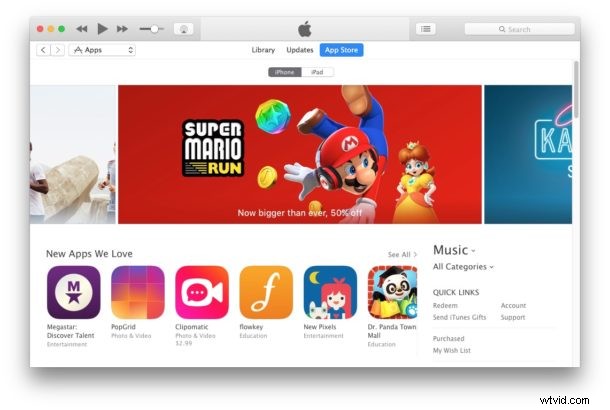
iTunes 12.6.3 supports all existing iPhone and iPad devices, and the release also supports the iPhone X, iPhone 8, and iPhone 8 Plus, meaning users of the newest model iPhone hardware will have full iTunes support without needing to bother with iTunes 12.7.
If you have been having difficulty adapting to the removal of the App Store in iTunes 12.7, you’ll likely appreciate installing iTunes 12.6.3 and getting app management back again, so check it out.