
How to create a slow motion video for Instagram
Since then, nearly all phone makers offer a slow-mo camera capability, which can not only make your movies more cinematic and artistic but also a hell of a lot more fun to watch.
So what if you’ve taken a funny but regular-speed clip for Instagram and wish you’d opted for a slow mo instead?
You can slow it down quickly and easily, online, without needing to buy any expensive or complicated editing software. Here’s how in three simple steps...
Upload your clip
Head over to Clideo’s Slow Motion Video tool, which allows you to create a slow motion video for Instagram on Android, iPhone, Mac, PC or any other device.
You’ll be greeted by a big blue ‘Choose file’ button. Tap this and upload a file.
Alternatively, you can upload it from Google Drive or Dropbox: simply click the down-arrow on the right end of the button, hit the appropriate icon to log in and select the necessary video.
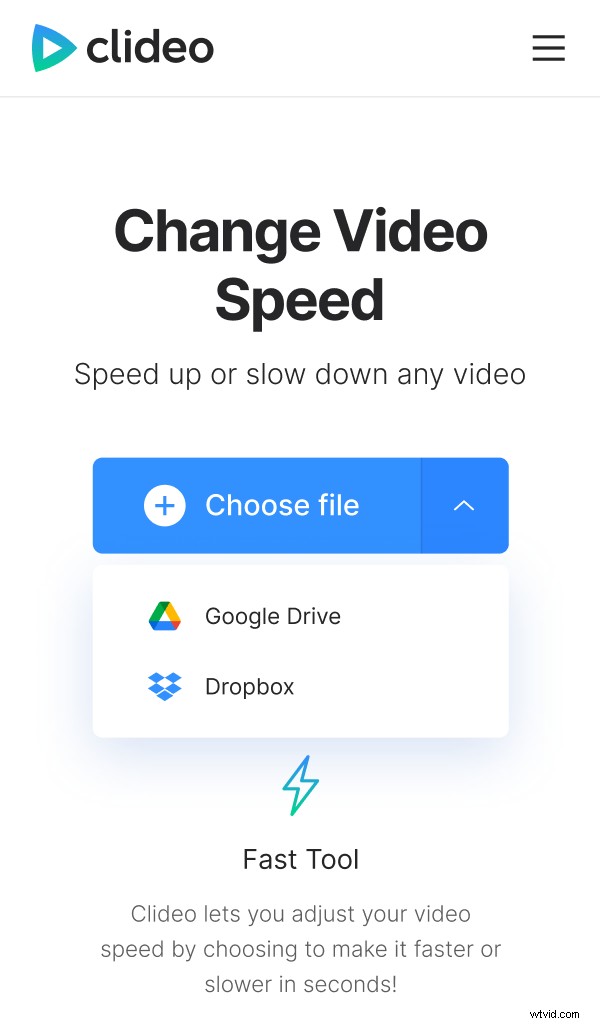
The tool supports most major formats, including MP4, AVI, MPG, VOB, WMV, MOV and more.
Your clip will automatically begin uploading to Clideo’s servers.
Slow it downnnnnn
Next, you’ll be taken to the editor page. Here you can choose to speed up the video up to 4.0x or slow it down to 0.25x via the controls on the right-hand side.
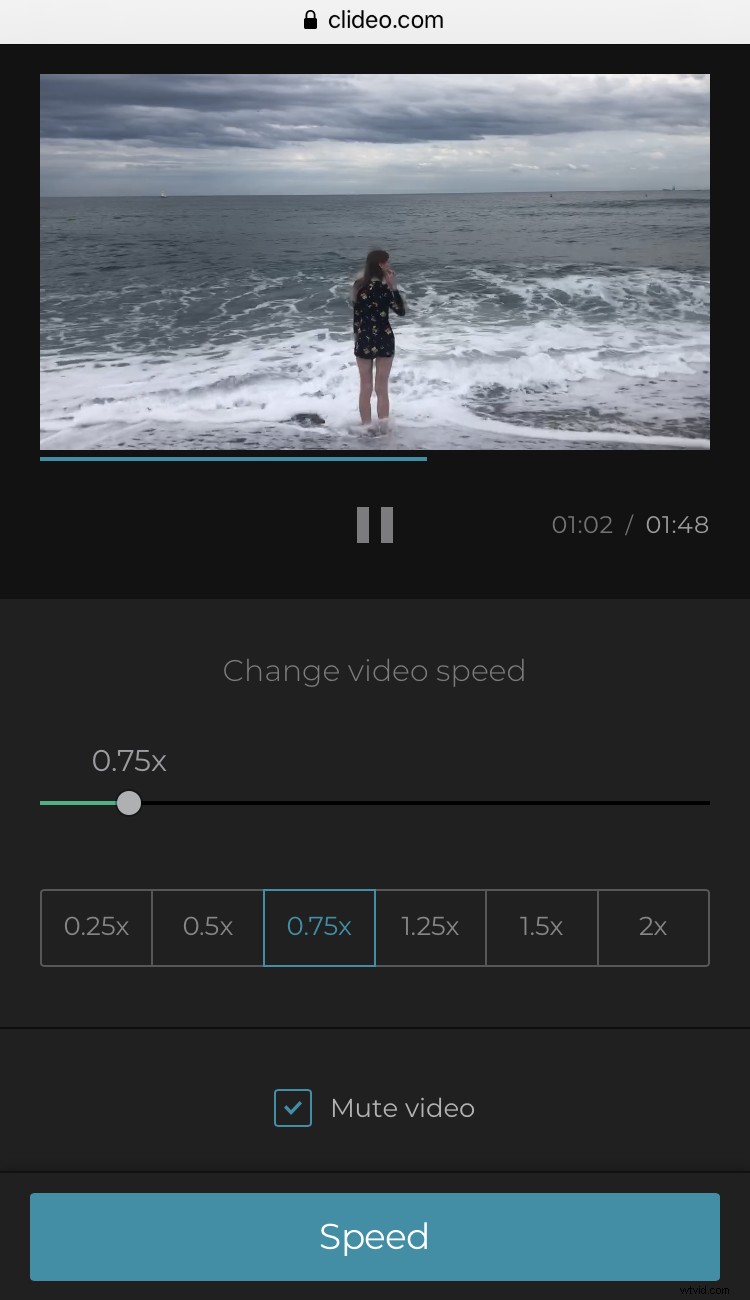
Need to mute the sound? Do so via a tick box on the bottom right. And if you need to change the output format you can on the bottom left. We recommend the MP4 format for Instagram.
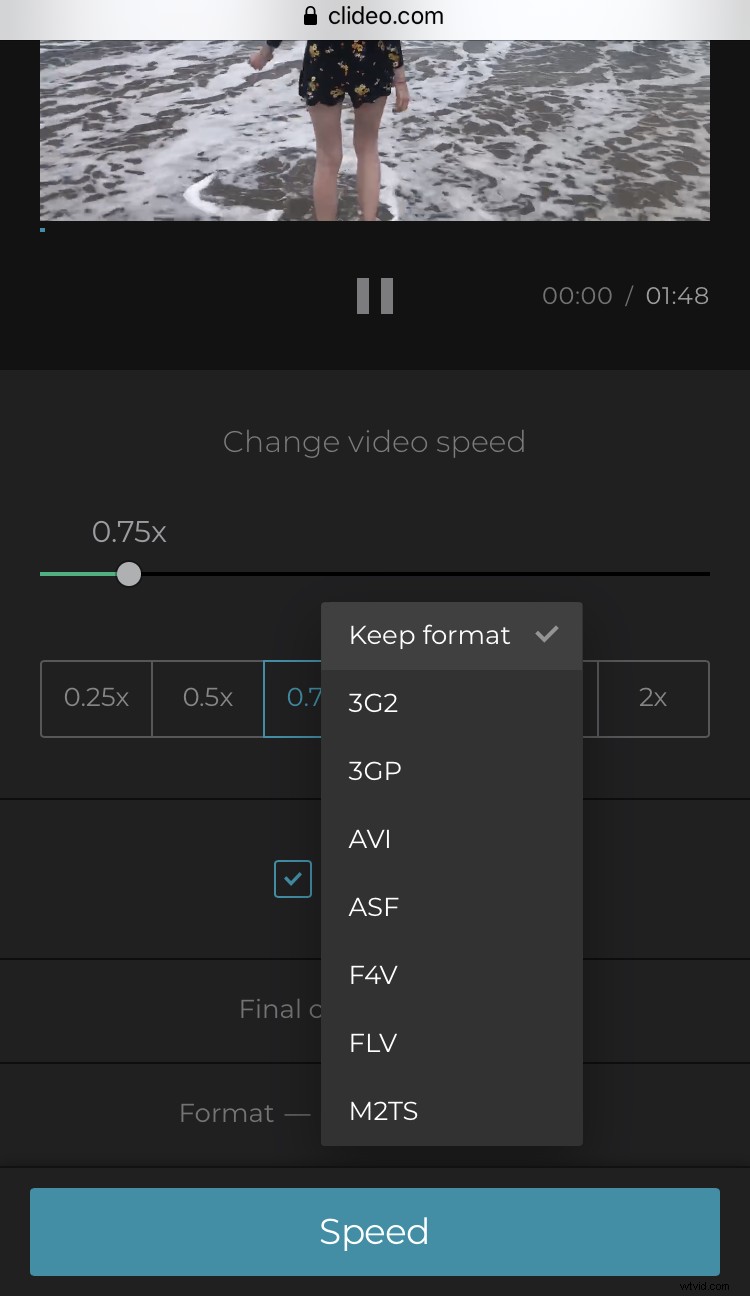
Finally, hit the ‘Speed’ button on the bottom right corner to send your clip for final processing.
Save it!
Now you’ll be able to watch it right in your browser via the preview panel by checking the play button. If you’re happy, select ‘Download’ to save it to your device. Again, you can save it to your cloud storage accounts instead if you prefer by tapping the down arrow.
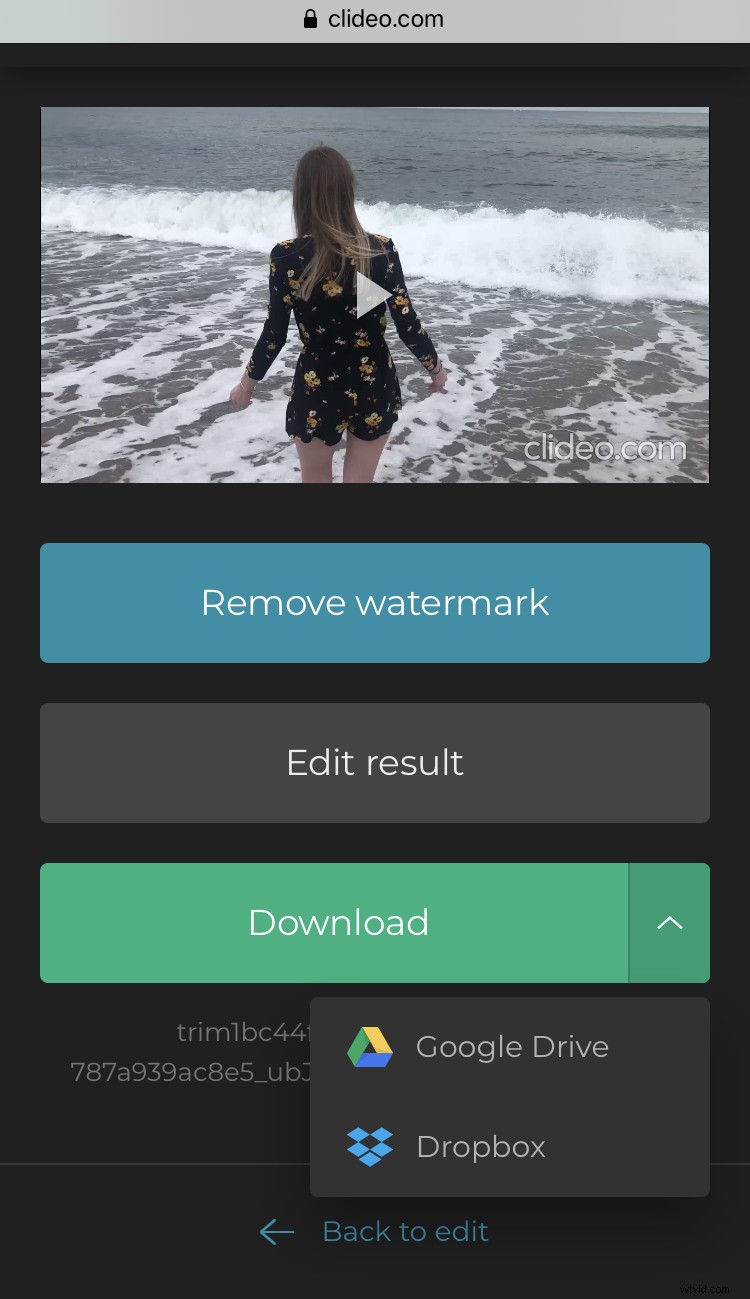
Not 100% satisfied with the result? Click the ‘Back to edit’ link and make changes in the editor without starting from scratch.