
Why Change Video Speed!
Why do we love ‘Tasty’ videos so much? Is it because their kind of recipes are not available elsewhere? Or is it because it is something short and executed in the simplest form? Well in my case, the reason is the latter. The recipes might not be the most cumbersome but they definitely are tough when it comes to actually cooking them and yet, look so effortless.
At Typito, we understood that simplicity is the key to please your audience. Our new feature allows the user to Speed Up/Down their videos. Customize the speed of your video clip, the slowest being 0.1x to 10x being the fastest.
How to do it!
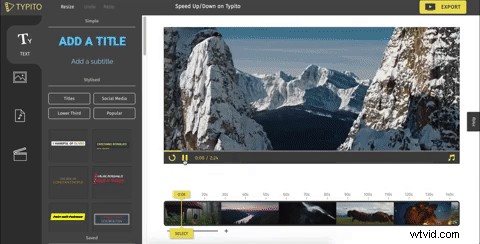
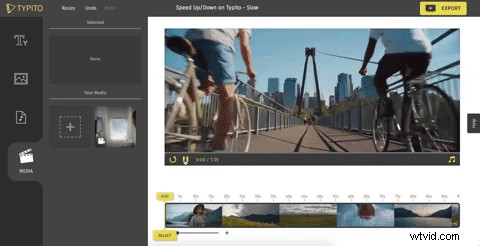
Step 1: Select the video clip you want to change the speed of. Step 2: Speed up/down your video clip Step 3: Preview your sped up/down video
Check out these GIFs to understand this better:
Speed Up
Speed Down
Take Note!
Speeding up your video is going to also speed up your audio and I’m not very sure if you would want your audio to sound like this 🤔👇
Speed UpDown Blogpost 0:00/0:30Background music of the video clip will be nullified once the video speed is changed. This will only affect the particular video clip and it’s background music. If you’re adding your own or choosing from Typito’s music library then it wouldn't affect the audio at all.
Who will find this most helpful?
Changing the video speed can be an excellent option for video creators who focus on showing the making of an item. For example: food and DIY videos. You can use this feature to show the course of time and create time lapse videos like shown in the below clip.
https://www.youtube.com/watch?v=ai3_TixtCzo
We really hope this feature helps our creators in the best way possible. Enjoy!