
Once you placed the video clip on the timeline, left-click on it to select it and look for the 'Ungroup' icon on the editor's toolbar, located directly above the timeline, to separate the video and audio files. The icon looks like a broken link, and clicking on it is a necessary step if you want to avoid speeding up both audio and video files.
2.Applying the effect.
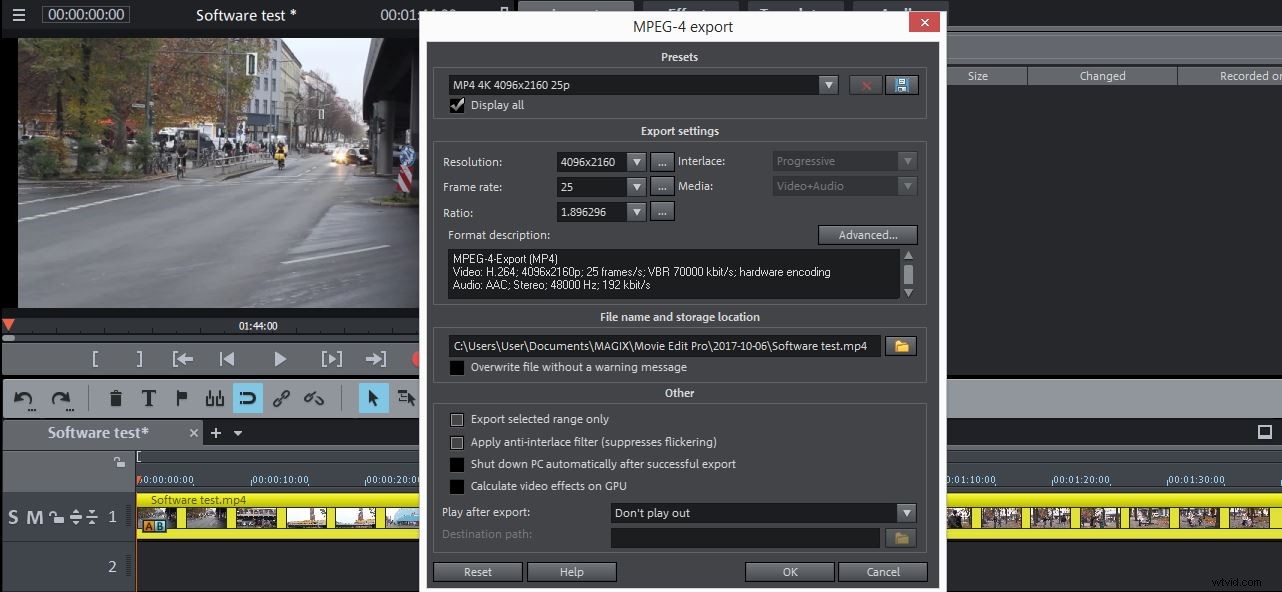
Your task of speeding up videos is nearly over, but there is still one last step left. You need to export the video and to do so, you need to go to 'Export movie' option in the 'File' menu and select the preferred output format. Adjust the settings in accordance with the needs of your project and simply hit the 'OK' button to start exporting the video you just sped up.
An Easier Way of Changing the Speed of a video
Unquestionably Magix Movie Edit Pro is an editing software that provides many useful editing features, but if you are looking for a program that will provide several different easy ways to change the speed of your videos, then you should consider using Filmora. Wondershare software enables you to adjust the speed of your videos with just one simple click.
In addition to this time-saving feature Filmora also offers a wide range of audio and visual effects paired with support for many different video file formats. Producing attention-grabbing visually attractive videos with Filmora is easy since the software's user-friendly interface makes the user's job easier on every step of the way. If you would like to export your video to some of the video sharing platforms directly from the software, Filmora will enable you to do so effortlessly.