
Shooting professional grade video is easier than ever with the quality and versatility of your iPhone.
Video shot on an iPhone can easily look professional given the quality of the camera; in fact, professional music videos and even feature films are now being shot entirely with iPhone video apps. Though it’s not on the same level as a DSLR, the iPhone should not be ruled out. There are many relatively cheap products, applications, and methods available to increase the camera capacity and better the quality of your footage. Here are some of the available tools you can put to use.
iPhone Camera Apps
In addition to using the basic recording features on the iPhone, certain applications found on the App Store are useful for adjusting light, focus, and color. These apps are user friendly and will help you improve the overall image quality.
FiLMiCPro
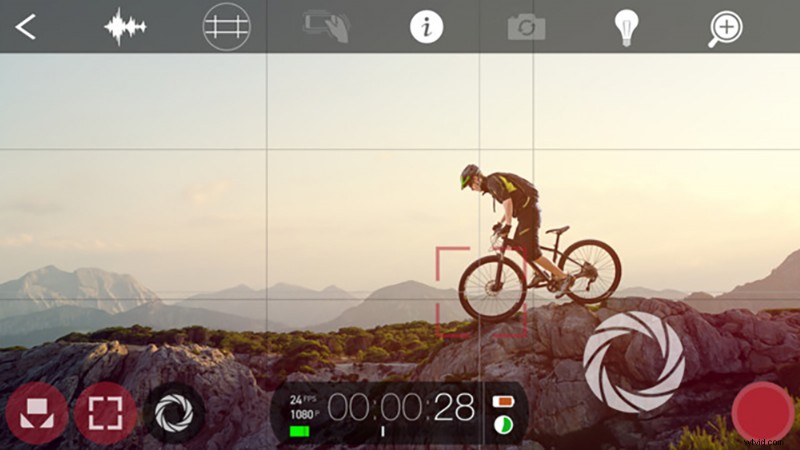
Price: $9.99
Features
- Control exposure, shutter speed and aspect ratio
- Full length feature films have been shot using this app, such as the award winning Tangerine
MoviePro
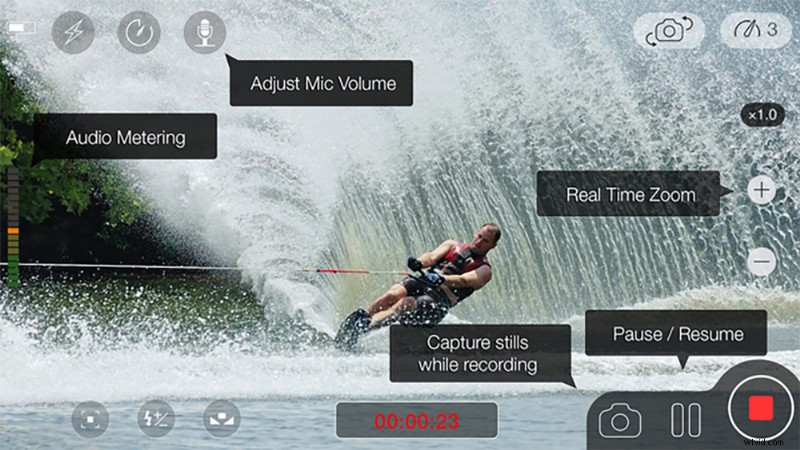
Price: $5.99
Features
- Capture photos while recording
- On-screen sound meter helps monitor your audio levels
- Record in 240 fps on the iPhone 6
NightCap Pro
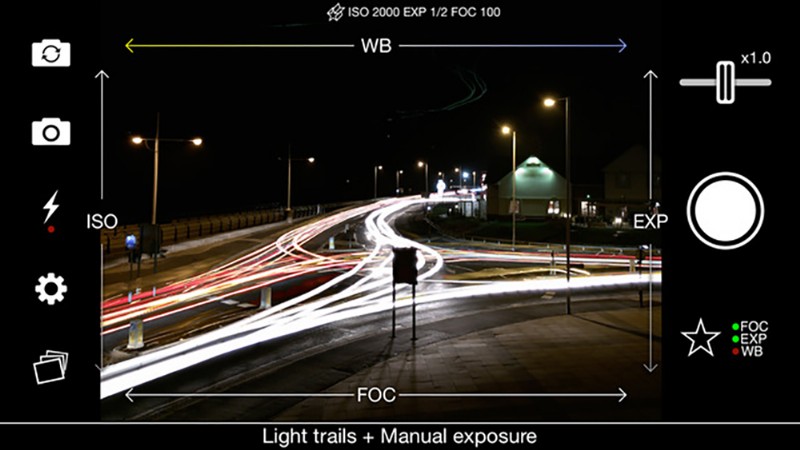
Price: $1.99
Features
- Long exposure mode helps capture low-light shots
- Live shutter speed and ISO display
- Fast focusing in low-light
- Designed to excel in low-light situations.
iPhone Video Hardware
Some of the most useful gear for iPhone shooting is cheap, light, and easy to use. Here ar some different tripods to consider:
LOHA Tripod
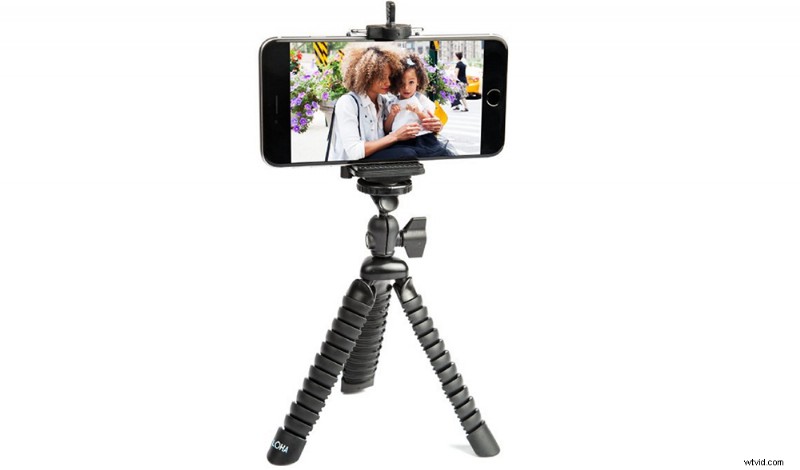
Price: $26.99
This tripod works best for unpredictable shooting spaces and unusual angles, such as shooting on rocks, mountain sides, and any ground level shot. It also works as a formable handle when you need to turn the camera onto yourself.
Accmor Tripod Stick w/ Bluetooth
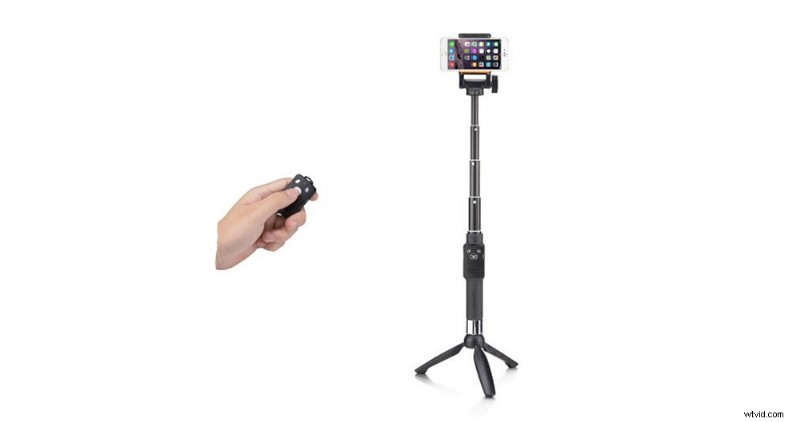
Price: $19.99
This setup comes with a bluetooth remote control that could work wonders for jump cuts and the shots that require a selfie angle. This tripod works perfectly for interviews, selfies, and for time-lapses.
SteadiCam Smoothee
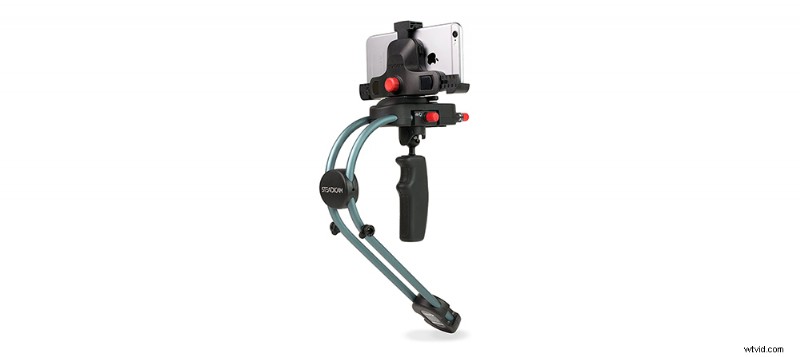
Price: $149.00
For your smooth tracking shots, this steadicam will come in handy. This little device will help maintain the smoothness of a hefty production size steadicam. Though tricky to balance at first, this simple method of stabilization is worth the hefty price.
Aside from the different stabilization methods now at your disposal, “hook on” lenses have become a huge part of iPhone photography. These lenses sit on top of the built in camera and enhance the image in many different ways. The otto clip is the most accessible option available at the moment and offers up to four different kinds of lenses. Some lens kits even include LED lights that can further improve the quality of your work.
iPhone Editing Apps
After you’ve shot the next Citizen Kane on your iPhone, you can move straight to editing — right on your phone. These editing apps are extremely easy to use and will help you piece together your magnum opus.
Videoshop
Price: $1.99
Feature
- Animated titles, transitions, and stop motion recording
- Rescale the video within the video frame
- Tilt shift feature
iMovie
Price: $4.99
Feature
- Video filters, split-screen effect, and built in music/sound effects
- Offers trailer templates
- Customize movie studio logos
- Record video right in iMovie as well
Splice
Price: FREE
Feature
- Adjust playback speed from slow motion to fast
- Record narration for your project
- Pan and zoom on photos
Spending thousands of dollars on bulky camera equipment is no longer a requirement for good content. With the right add ons and software, high quality entertainment built right on your iPhone is no longer out of reach. Hopefully these suggestions will come in handy for your next shoot.
Have any other useful iPhone equipment? Let us know in the comments!
Your videos are flawless, but do your iPhone photos need a little help? Take your best photos and make memories with our tips here.