MP3 is a very popular music format which can be played on multiple multimedia devices, such as portable music players, DVD players, smartphones etc. Often, depending on different purposes of using this common audio file, we need to do some basic editing work to fulfill our requirements, such as joining a bunch of MP3 files into one larger file or splitting long files into small segments.
In this article, we will introduce two different ways you can use to merge several songs into one single track with ease:
- 1.Mix several MP3 files by using the Command Prompt interface in Windows(Windows only, free)
- 2.Merging MP3s by utilizing a cool audio editing tool from Wondershare (works on both Windows&Mac)
1. Mix MP3s from the Command line
By utilizing this method, only one line of code is needed to join multiple mp3 files:
copy /b *filename1.mp3 c:\joinedfile.mp3.
The “*filename1.mp3” part defines the source directory of your files. Replacing “filename1.mp3” with the right url path of your files. This will combine all mp3 files in the file alphanumerically. If you only want to join files starting with a letter a, simply add an “a” before “*”, so that’s a*filename1.mp3.
c:\joinedfilename.mp3 defines the target directory for joined files. You can also replace it with any filename you want here.
Though this would take longer time to get your files merged, it is always an available free way for you to try. Be sure to save a copy of the original files so that you won't lose anything if you are not satisfied with the combined files.
2. Join MP3 files with a smart tool-Wondershare Audio/Video Editor
By using this method, joining MP3s is not only fast but also won’t lose any of the quality. Below we will guide you through step by step as to how to merge your files together. This tool has a bunch of cool features such as:
- 1.Merge multiple files into a large one
- 2.Easy and fast, without any professional skills needed, perfect for novices
- 3.Support of most audio/video formats
- 4.Support of outputting as the original MP3 format, or a bunch of other audio formats or even video formats
- 5.A lot more audio editing features available such as changing the speed, volume, add effects like Fade in & out and so on
To get started, get a free trial version of Filmora Video Editor here.
Step 1. Import MP3 files to this MP3 merger
Import all MP3 files you want to merge to this MP3 file merger. To do this, just click "Import" option to import your local MP3 files to the User's album, or directly drag and drop these target MP3 files from your computer to this app's album.
Step 2. Merge MP3 files
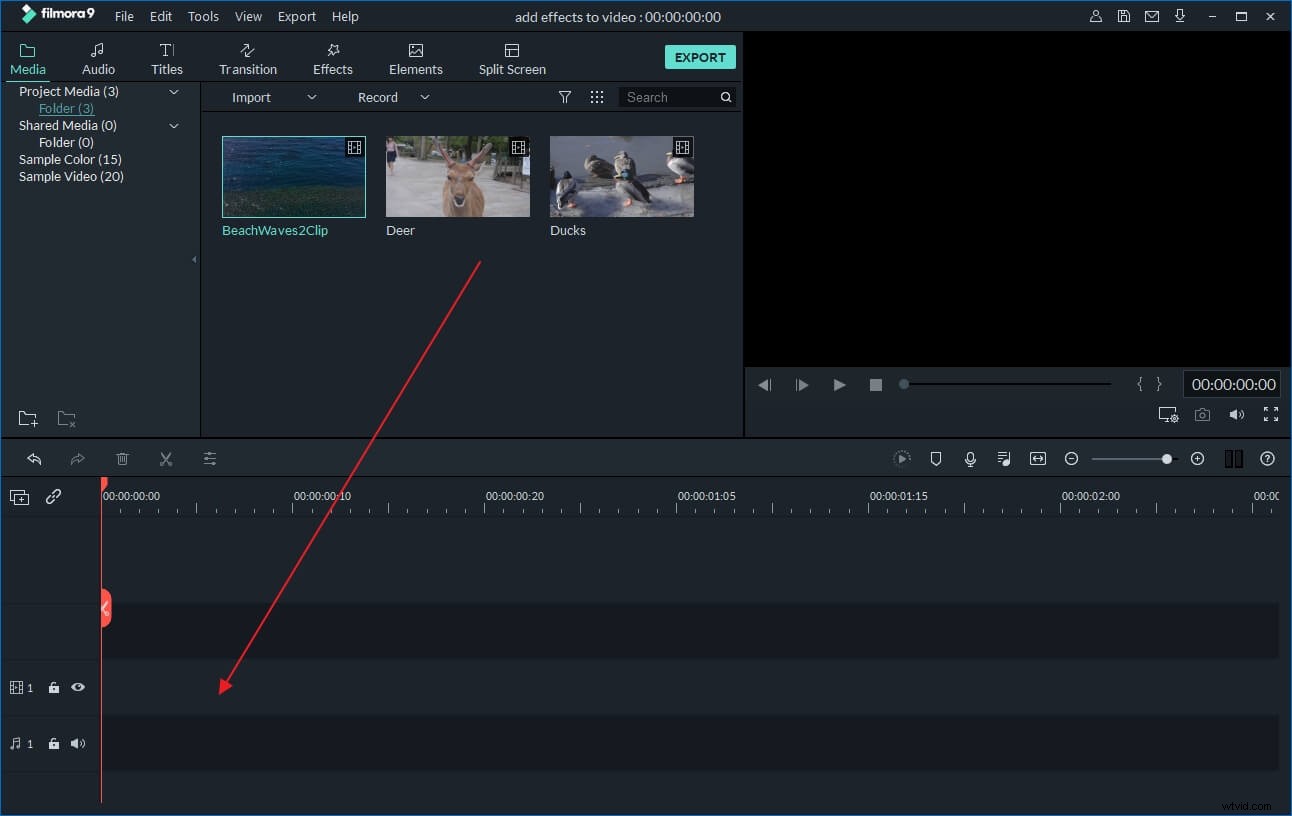
Drag the added MP3 files from your album to the Timeline at bottom one by one. Note that these MP3 files are arranged according to the play order. So if you need to exchange the location of two MP3 files, just free drag them to your wanted position. But don't put one file to another, or you'll split the file. To view the effect in real time, you can click the Play button in the Preview window.
Step 3. Edit MP3 file (Optional)
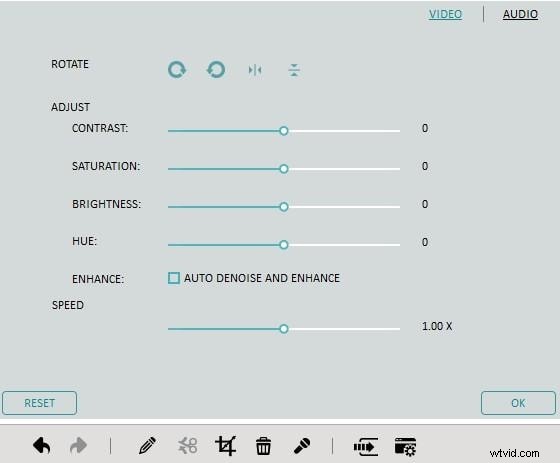
Before conversion, if necessary, you can also edit one or several MP3 clips. Click one of your wanted audio clips on Timeline and then click Edit button to open the editing panel, where you can change the speed, volume, add effects like Fade in & out and so on.
Step 4. Export a complete MP3 file
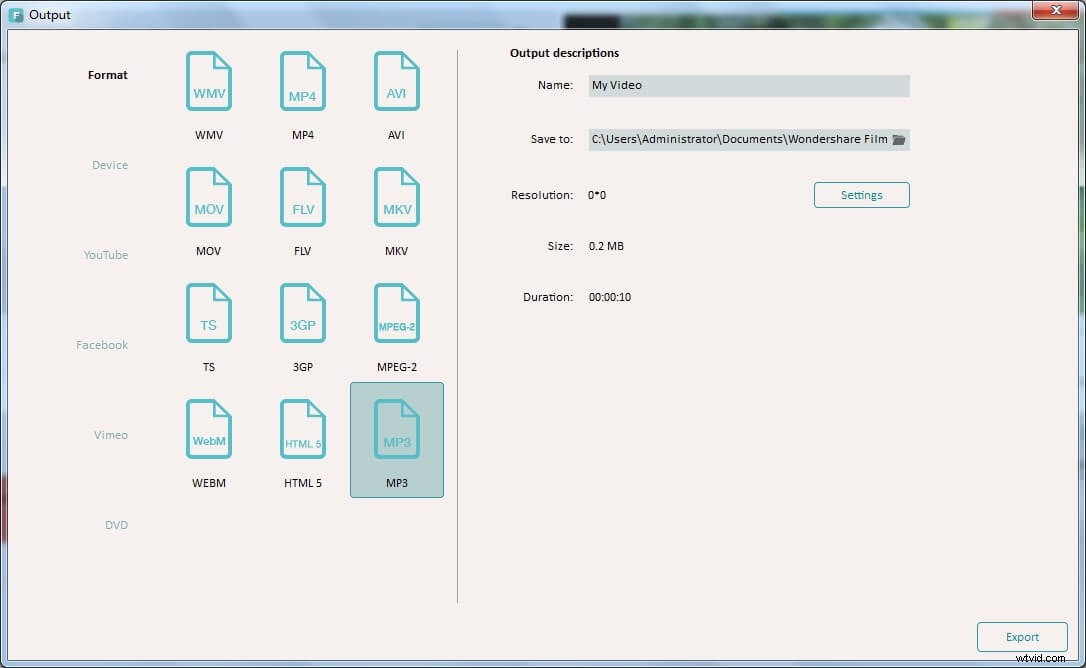
When everything is done, hit the "Create" button to open the Output window, and then select MP3 output format in the "Format" tab. In this way, you can get a new MP3 file with all your desirable audio content. That's all.