
In this article, we will show you the easy and quick way to split up your MP3 music tracks into manageable segments or cut off any number of fragments you need from an audio file without losing any audio quality. All you need is an easy and intuitive to use music splitter tool: Wondershare Audio Editor. It can be used to:
- Chop MP3 and other audio tracks, such as MP2, WAV, M4A, OGG and more into separate tracks
- Combine/join MP3 and other music file into one
- Output the sliced music file to any other music or even video formats, such as MP4, AVI, WMV, MOV, FLV and dozens more
To get started, download Wondershare music editing tool and install:
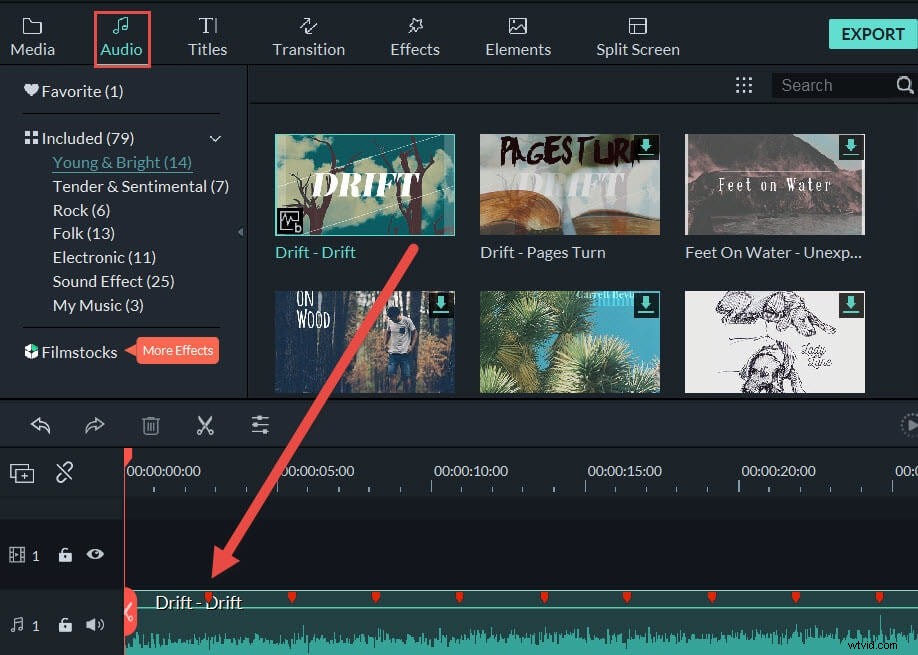
Step 1 Import MP3 files to this MP3 splitter
Now, you need to import your local MP3 files to the User's album of this MP3 file splitter. To do this, you can click "Import" option to load MP3 files or directly drag MP3 files from the computer to your album. And then drag your wanted MP3 file from the album to the Timeline.
Step 2 Split MP3 files
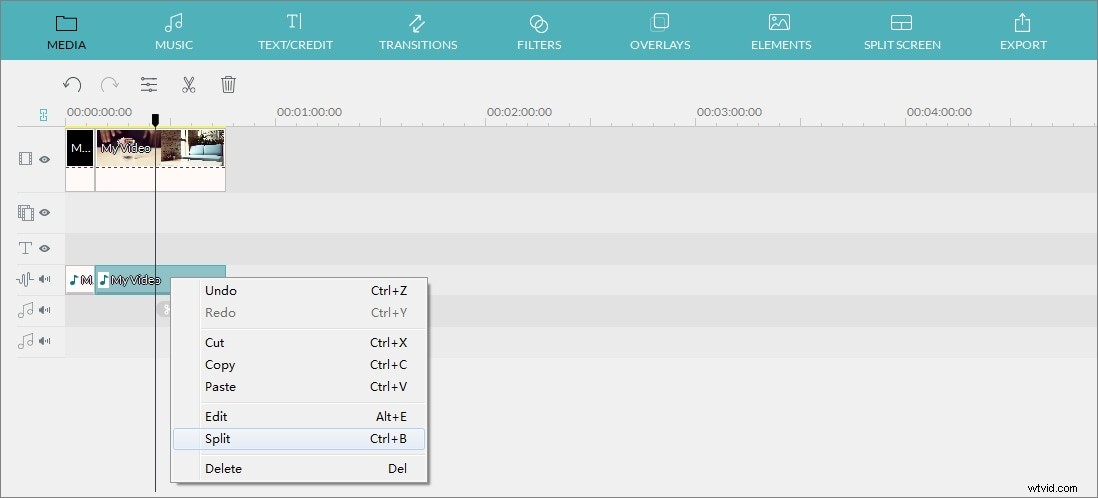
Drag the slider bar and the top of the red Time Indicator to move the Time Indicator to the exact place you want and then click the Scissor-like button. You'll notice the large MP3 file is split into two parts. For those your unwanted MP3 clips, you just right click them to select the "Delete" option from the popping-up menu. If you want to merge different MP3 files, you can drag the target MP3 file to the position you want.
Note: You'd better save multiple sections in one Project first for archives purpose by clicking the button in the top left corner.
Step 3 Export the new MP3 file
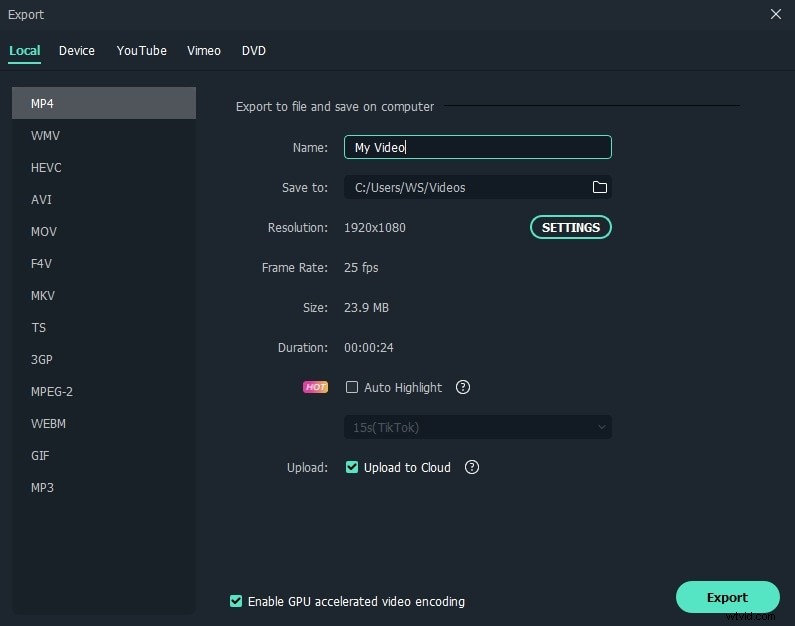
Click the "Export" button to pop up the Output window. In the Export window, you can export the audio to MP3 format in the first Format tab, or you can save it to other formats or devices or upload to social media platforms directly.
Note: This MP3 audio splitter provides you with more editing functions, such as copy, merge, paste, add effect like Fade in & out, adjust volume, and more.
What's Mp3, why split Mp3?
Short for MPEG (Moving Pictures Experts Group) Layer 3, MP3 is one of the most popular music formats used today. It is a compressed audio format with only 1/11 of the original file size, making it very easy to download, transfer and share.
Splitting MP3 songs is widely used when you want to:
- Cut specific tracks to make ringtones for your smartphones
- Remove blank space from audio files recorded online
- Remove or trim a music file in order to make it better and save the space
- Customize your music files so as to enjoy them even more