
If you're thinking about how to join MPEG files together into a complete movie or video without any re-encoding, consider it done. In this article, we'll talk about the topic of joining MPEG files together easily. It'll be really easy as long as you have an excellent MPEG joiner. I use Wondershare Filmora (for Win and Mac). It's the best MPEG video joiner I've come across, to join multiple MPEG clips together seamlessly and then directly share the video creation on YouTube, Facebook, Twitter, devices like iPhone, iPad, PSP etc, even burn to DVDs.
Interested, aren't you? Ok, let's download and install this great MPEG file joiner first. And then follow the guide below to join MPEG videos into one step by step.
1Import MPEG files to this MPEG Joiner
In this step, import all MPEG files you want to join together. To do this, you can click "Import" option to import MPEG files from your hard disk to this app's album, or directly drag these target MPEG files from the computer to the User's album.
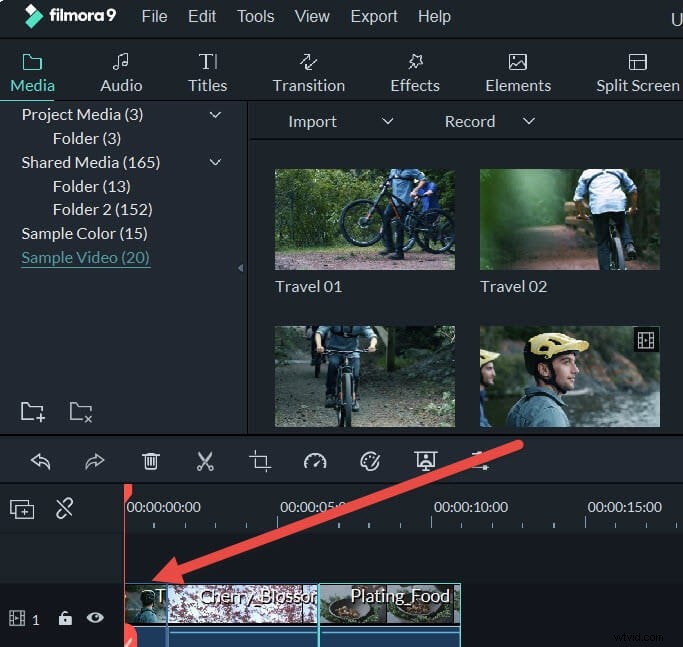
2Join MPEG files
Next, we have to drag these added MPEG files from your album to the Timeline of this MPEG video joiner. But there are two important things you must follow:
- 1. Drag MPEG files one by one so that these MPEG files are arranged according to the play order.
- 2. Don't drag one file to another file unless you want to split the existing video. If necessary, you can move the slider bar to add MPEG files to the Timeline better.
Note: Besides joining MPEG files, this smart MPEG joiner allows you to do more editing jobs, such as rotate, crop, split video files, add title, video effect and watermark etc. Get more from : Edit MPEG files>>