
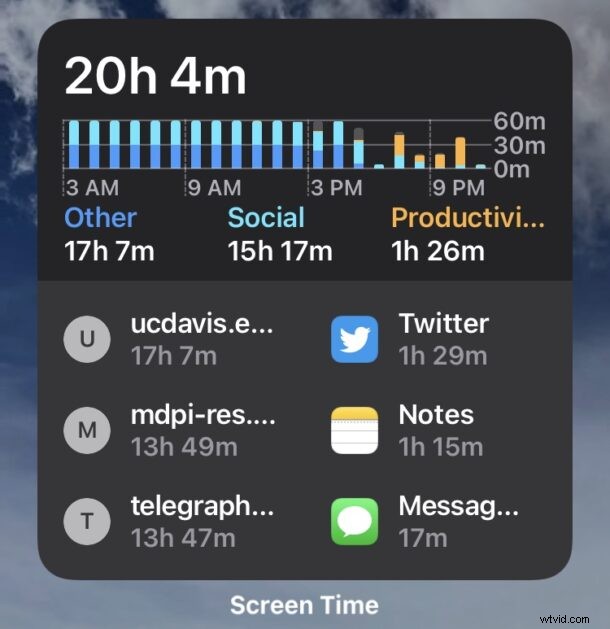
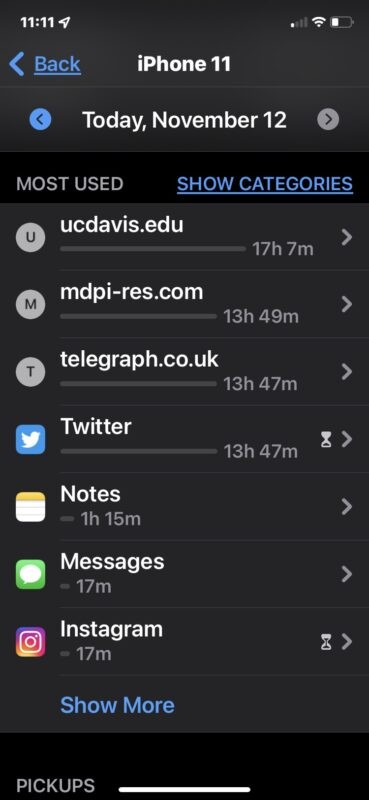
Many iPhone and iPad users have discovered Screen Time is reporting incorrect time estimates for apps and webpages, sometimes showing numbers that are considerably wrong.
Often the incorrect Screen Time reports will be calculated as many hours for websites or web pages that may be opened as a tab in Safari or from another app, or apps that are in the background and not active. Screen Time then erroneously reports the time on screen of the apps or webpages as the iPhone or iPad as being wildly inaccurate, muddying the Screen Time data and making it largely useless.
Troubleshooting Wrong Screen Time Reporting Data for Apps & Webpages in iOS & iPadOS
If you’re having issues with wrong time being reported by Screen Time, read along for troubleshooting for iPhone and iPad users.
Update iOS / iPadOS system software
The issues with Screen Time erroneously reporting calculated time are almost certainly a bug, as the issue seems to be impacting users after updating to iOS 15 and iPadOS 15, or iOS 15.1 and iPadOS 15.1. There are some reports of the issue being fixed in iOS 15.2, which is currently in beta.
Regardless, keeping system software up to date on the iPhone or iPad is a good idea, as the latest version of system software may fix the issue for you.
Go to Settings > General > Software Update > and choose to Download & Install available software updates.
Workaround: Setting Limits on Erroneous Apps / Webpages
One possible workaround is to set time limits for webpages and websites showing incorrectly, particularly if they’re inactive tabs or were websites opened in apps like Facebook, Twitter, or Discord. You can also set time limits for apps that are erroneously reporting time with Screen Time.
Some users have reported this to be a workaround, but be aware when the app hits the use limit you will need to manually approve additional time for that app or website.
Resetting Inaccurate Screen Time Time Estimates
One solution to resolve the Screen Time errors is to reset Screen Time, which causes Screen Time to start calculating fresh.
Note that by doing this you will lose all previous Screen Time data. Some users report Screen Time quickly goes awry again anyway, so if keeping Screen Time data is important to you then this may not be a good solution since it appears to be a temporary resolution for some users.
- Open the “Settings” app and go to “Screen Time”
- Scroll down to the bottom and choose to “Turn Off Screen Time”
- Toggle “Turn On Screen Time” back to the on position again
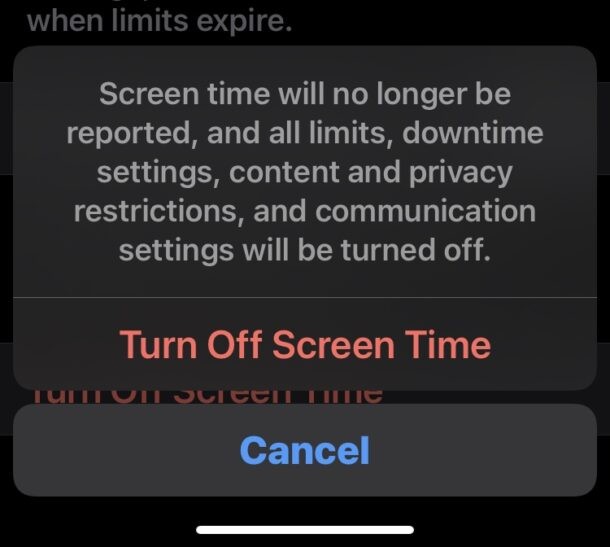
This will reset all Screen Time data and calculations for time of apps and websites on screen, as well as pickups and all other device usage data.
For some users this resolves the issue completely, whereas for others the problem comes back again shortly, and Screen Time is back to wrongly reporting data.
Since this is most likely a bug, keep watch for future software updates to iOS and iPadOS system software, as the bug will almost certainly be fixed in an upcoming update.
Have you experienced issues with Screen Time reporting erroneous times for apps and webpages? Did the solutions mentioned above fix the issue for you? Did you find another solution? Let us know your experiences in the comments.