
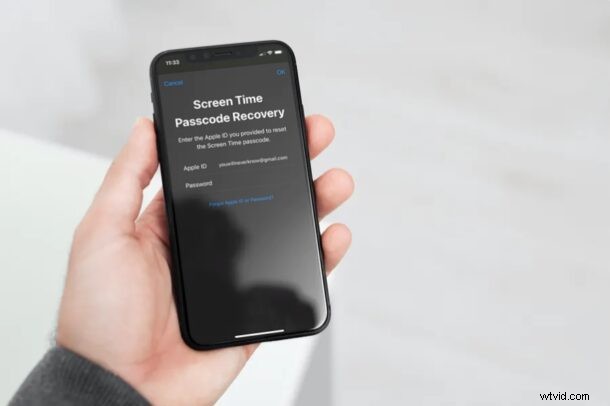
Did you accidentally lose or forget the passcode you use for Screen Time on your kid’s iPhone or iPad? Fortunately, there’s a way to reset your Screen Time passcode without losing all your settings.
Screen Time lets you keep track of device usage, and it can also serve as a set of parental control tools, which in the latter situation using a passcode to protect their settings is important. This prevents children and other users from making any changes to your personalized Screen Time settings. Therefore, if you forget your own passcode, you won’t be able to make further adjustments to Screen Time either.
Need to regain access to your Screen Time settings? We’ll cover how you can reset Screen Time passcode on an iPhone or iPad.
How to Reset Screen Time Passcode on iPhone & iPad
You will need access to your Apple ID and you will be able to reset your Screen Time passcode, the rest is pretty easy.
- Head over to “Settings” from the home screen of your iPhone or iPad.

- In the settings menu, scroll down and tap on “Screen Time”
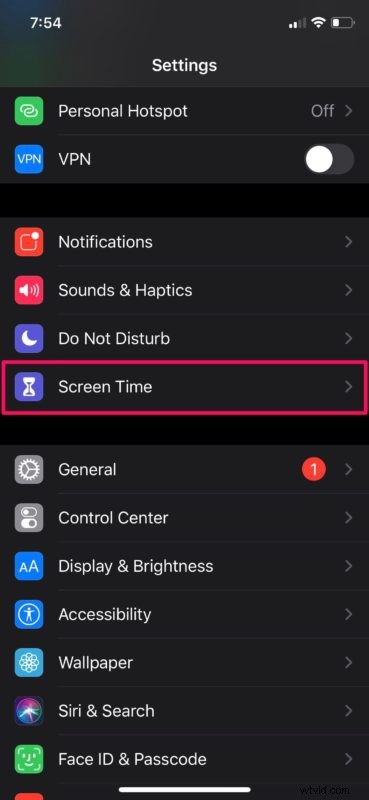
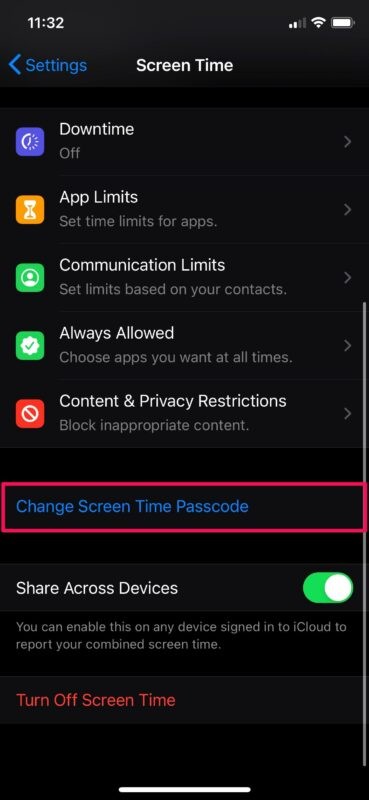
- Now, scroll down and tap on “Change Screen Time Passcode”.
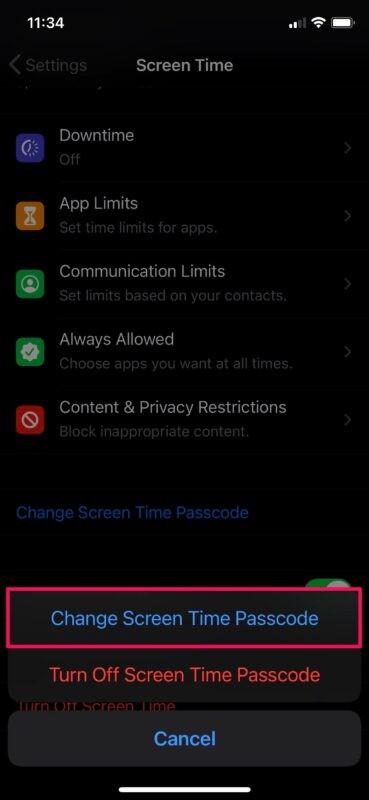
- You’ll be given the option to either change or disable the passcode. Choose “Change Screen Time Passcode” to proceed further.
- Now, you’ll be prompted to type in your current passcode. Tap on “Forgot Passcode?” as shown in the screenshot below.
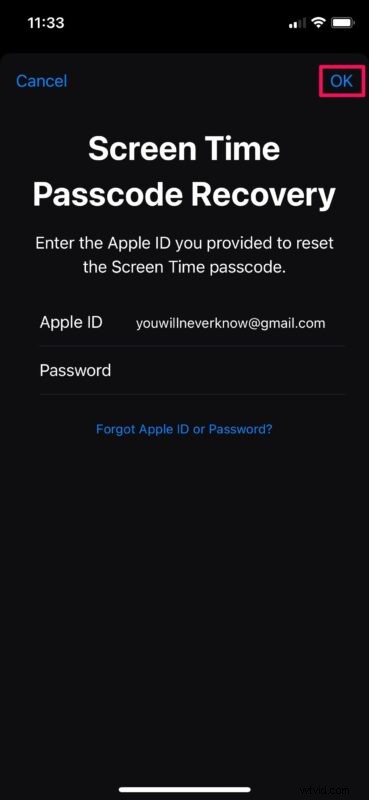
- This will take you to Screen Time Passcode Recovery, where you can enter your Apple ID login details to reset the passcode. Fill it out and tap on “OK” to continue.
- As you can see here, you’ll now be able to enter a new Screen Time passcode.

Now you’ve learned how to reset the Screen Time passcode on your iPhone or iPad, that wasn’t too bad, right?
In some cases, you won’t be able to access the Screen Time Passcode Recovery option. This is your own fault. When you set up a new Screen Time passcode on your iOS device, you’ll always be prompted to use your Apple ID for recovery purposes, but if you skipped this step, you won’t be able to reset the passcode on your device using this method.
Make sure you use a Screen Time passcode that’s hard to guess and update it every now and then to prevent other users from fiddling around with your Screen Time settings and make unnecessary changes.
Of course you can also turn off the Screen Time passcode or even disable Screen Time entirely too if you don’t use the feature on iPhone or iPad.
Don’t be hopeless if you didn’t use your Apple ID for recovery while setting up Screen Time. You can try out last resort methods like restoring your iOS device to a previous iCloud or iTunes backup prior to the date the passcode was set. Or, you can just contact official Apple support through apple.com or visit an Apple Store for help. Either way, you’ll lose access to your current Screen Time settings. However, if you’re an advanced user, you can make use of third-party tools like pin finder.
We hope you were able to reset your Screen Time passcode without any issues. If you skipped the step for passcode recovery with Apple ID, have you tried out the other methods we just mentioned? Let us know your experiences and any tips you may have in the comments below, and don’t forget to check out more Screen Time tips too.