
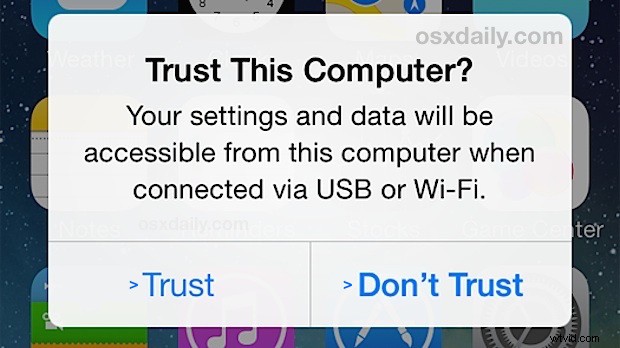
When you connect an iPhone, iPad, or iPod touch to a computer, you’ll see a familiar “Trust This Computer?” pop-up on the iOS device screen with two options “Trust” and “Don’t Trust”. If you intend to use the computer with the iOS device users will tap on “Trust”, which gives the computer access to the device.
Now, given how easy it is to accidentally tap on “Don’t Trust” which can be reversed, it’s a little frustrating that there isn’t an obvious simple way to ‘UnTrust’ a computer that you accidentally trusted from the iPhone or iPad too, right? Well it turns out you can undo the ‘Trust’ selection when an iOS device is connected to a computer.
Before you do this, realize there’s a small catch with resetting the trust certificates from iOS; you’ll end up resetting the ‘Trust this computer?’ alert on the specific iOS device for all computers it has connected to. This basically means the next time you connect the iPhone, iPad, or iPod touch to any computer, it will ask you for the familiar ‘trust’ or ‘don’t trust’ choice again, even if you trusted that computer a long time ago. This is not much of a bother but it is worth pointing out. Additionally, you’ll reset all other privacy and location settings you have customized on the device, so be ready to make some customizations again to those settings.
How to Reset the “Trust This Computer” Alert and UnTrust All Computers from iOS
This resets all trusted computers from any iPhone, iPad, or iPod touch running iOS 8 or later:
- Open the Settings app on the iPhone, iPad, or iPod touch
- Go to “General” then to “Reset”
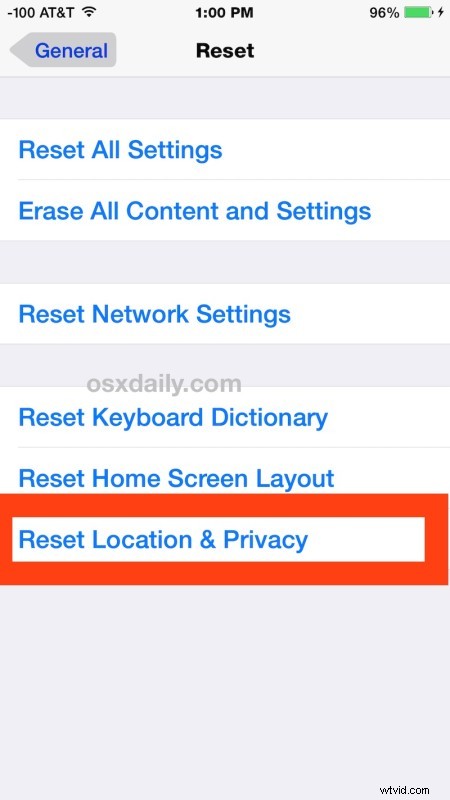
- Tap on “Reset Location & Privacy”, enter the devices passcode, and confirm that you wish to reset all location and privacy settings on the iOS device
- Exit out of Settings when complete (perhaps after you reconfigure the location and privacy customizations you had prior to the reset)
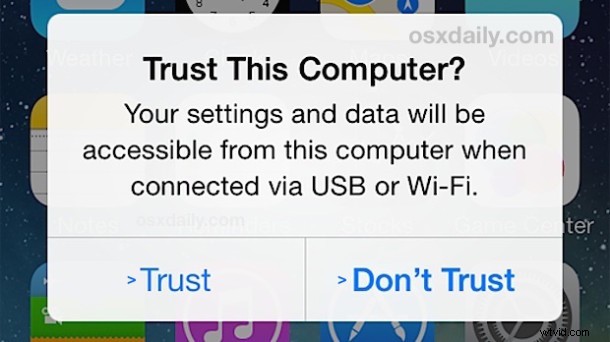
Now if you want to trigger the “Trust This Computer” alert on the iOS device again with a computer, simply plug it back into a Mac or Windows PC with a USB connection and you’ll see the familiar alert screen popping up again, allowing you to select either choice.
This is a feature that is new to modern versions of iOS, if the device is running an earlier version prior to iOS 8 and iOS 9, users had to reset iOS to factory settings in order to reset the trust settings, or dig around in the iTunes file system of the target computer, both of which is obviously significantly more intrusive and cumbersome.
If you know of another method of resetting trust of device and computer connections, let us know in the comments!