
A video is nothing without a clear and smooth voice. It doesn't matter if you have a high definition video quality but your video doesn't have a clear and loud voice, it will be a failure. If you are recording a video and you don't have the equipment to record your voice properly, low voice can become a big problem in your recorded videos. But some steps can help you and show you the ways of how to make your voice higher. Increasing one's voice is not an as easy task as it may seem. Just like other skills, it is also a form of skill that requires a lot of practice and experience to master. There are o many factors to consider while recording a video with a high voice or pitch. In this article, we are going to describe how to make your voice higher with two steps. In the first step, we will talk about the factors that you must consider while recording your video. And in the 2nd step, we will be discussing the way of how to make your voice higher using Filmora. Both of these steps require patience and practice.
Step 1: How to make your voice higher while recording
Step 2: How to make your voice higher with Filmora
So let's start with the first step to making your voice higher while you are recording your video. If you can successfully make your voice higher during this process, it will not require any hard work to make it higher in the post-production process.

You might be interested in:
- Best Way to Generate Siri Voice
How to make your Voice Higher while Recording
There are so many ways and exercises that can help change the pitch of your voice and make it higher even if you don't have high pitch voice. We are going to discuss 5 exercises that can help you achieve this task. But remember that these exercises will practice and patience in order to show the required results.
- Focus on Breathing
The higher voice you want the more air it will need. To higher your voice, you have to take deep breathes from your nose and release them while speaking. It will boost the pitch of your voice and make it higher than your usual voice. Singers use this technique while they want to hit a high pitch. It gives your body and lungs the power to generate a higher voice. Breathing plays a very vital role in making your voice higher. If you are not breathing correctly, you can't keep the voice higher for a longer period of time. Just like all other skills, this exercise also needs a lot of practice to master. Start practicing this technique by reading a sentence, then move forward to a paragraph, and so on. Following this process will make you master the process of highering your voice using your own breaths. Then you can start using this technique in all of your videos very easily.
- Listen to Your Voice
Do you find it amusing to know that you haven't ever heard your own voice if you haven't listened to your own recorded audio or video? You will find your voice very different on the recording than in reality. Because in reality, it is difficult to focus on listening to your own voice while you speak. You will probably hate your own voice the first time you listen to it as a recording. To make your voice higher, it is important to listen and observe your voice very carefully and analyze where it goes down and where it goes up. It will help you improve your voice after every try. This practice will help you master the process of highering your voice using your own analyzes.
- Remove the Obstacles
Since now we know that the main way to make your voice higher is to provide your lungs power with the help of your own breathes. But what makes it decrease its intensity is the obstacles that come in the way of your voice. The first and main obstacle that your voice faces is your tongue. Everyone knows the importance of tongue in helping you speak and generate words. But it sometimes works as a hindrance to block the sounds our lungs make. Therefore, it is very important to keep your tongue in the right position while generating high pitched voice. Try to keep your tongue as low as possible and don't let it touch the upper part of your mouth to avoid creating a blockage for your voice. In the beginning, it will feel like an impossible task, but as you move forward and practice it more often, you will notice the difference. This will enhance your voice a lot and take it to a level, where you had never imagined it would reach. If you are failing again and again, then don't worry. This is not an easy task to accomplish, it requires patience and consistency to master.
- Use Nasal Voice
There are multiple ways of generating voice in a human body. Just like the mouth, sometimes the nose is also used to release voices. Those who use Nasal voices while they speak have a higher voice than those who don't. The gateway used by the nose to release voice is very narrow, producing a thinner voice resulting in high pitched sound. It is also not a good practice to use this technique very often. Because it can make you irritated and annoying. Try to mix the nasal voice only 50% to the voice of your mouth to keep it safe, and sound normal.
- Focus on your Posture
If you know anything about signing or you know any singer, you will come to know that your posture plays a very vital role in generating the sound of your choice. The ideal posture for a higher voice and proper tone is to sit with your back straight, keep your tongue as low as possible, rest your mouth and look slightly upward to make your neck relax a bit. This can completely transform your voice and make it sound like a professional.
How to make your Voice Higher with Filmora
If you have already recorded a video and that video has a very pathetic voice quality, then there is also a hope to make your voice higher by using Filmora. The previous step will help you improve your voice quality to a great extent, but if you don't want to re-record the video and improve the existing video, you can follow these steps to make sound better.
Method 1: Low Bass
Step 1: Open Filmora, and export the video to a higher voice.
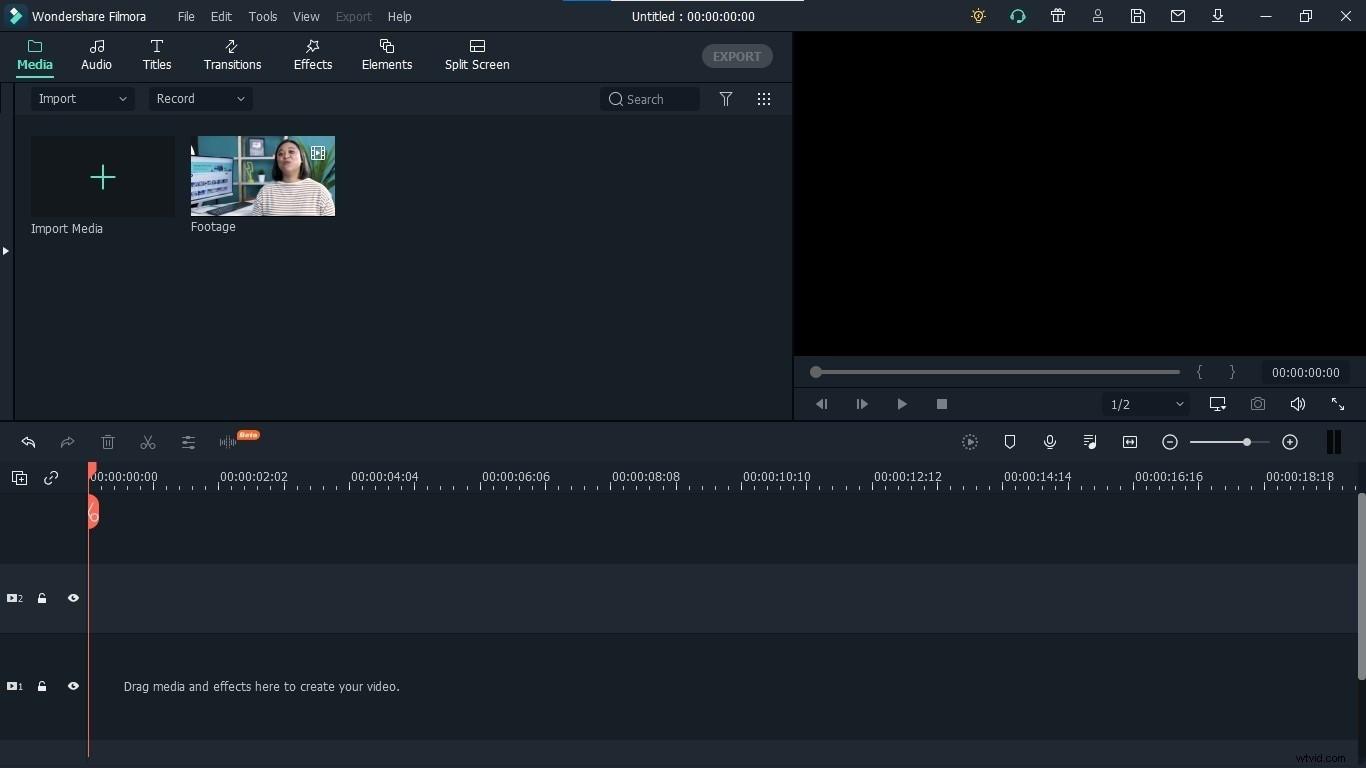
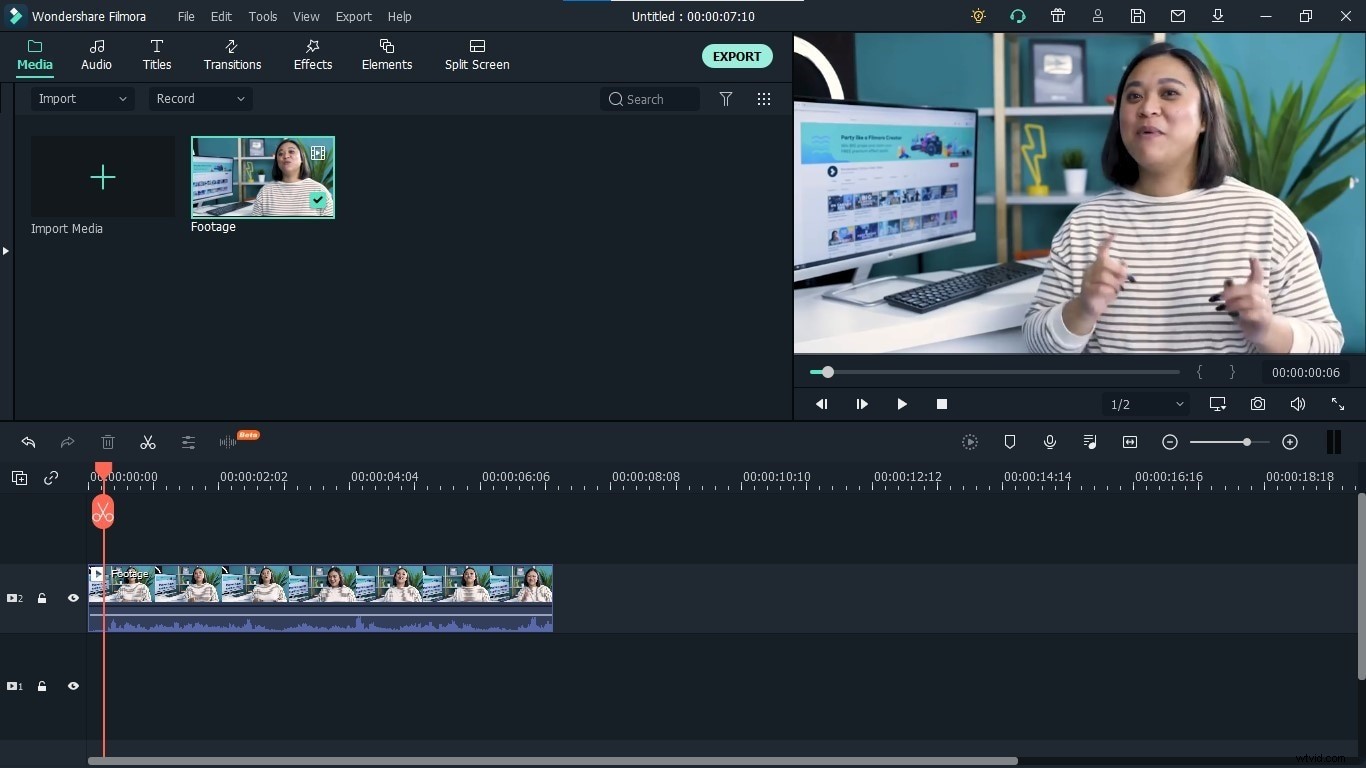
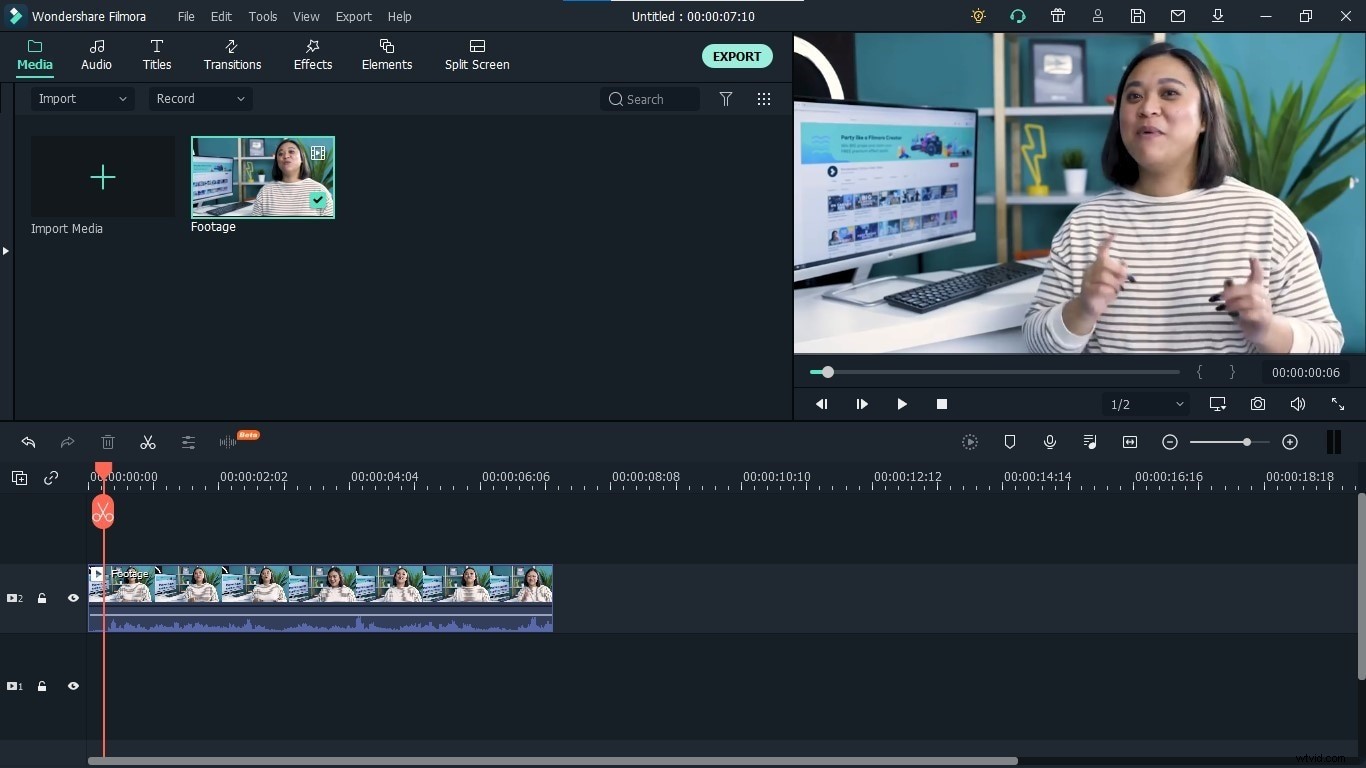
Step 2: Drag and drop the video into the timeline to enable its editing options.
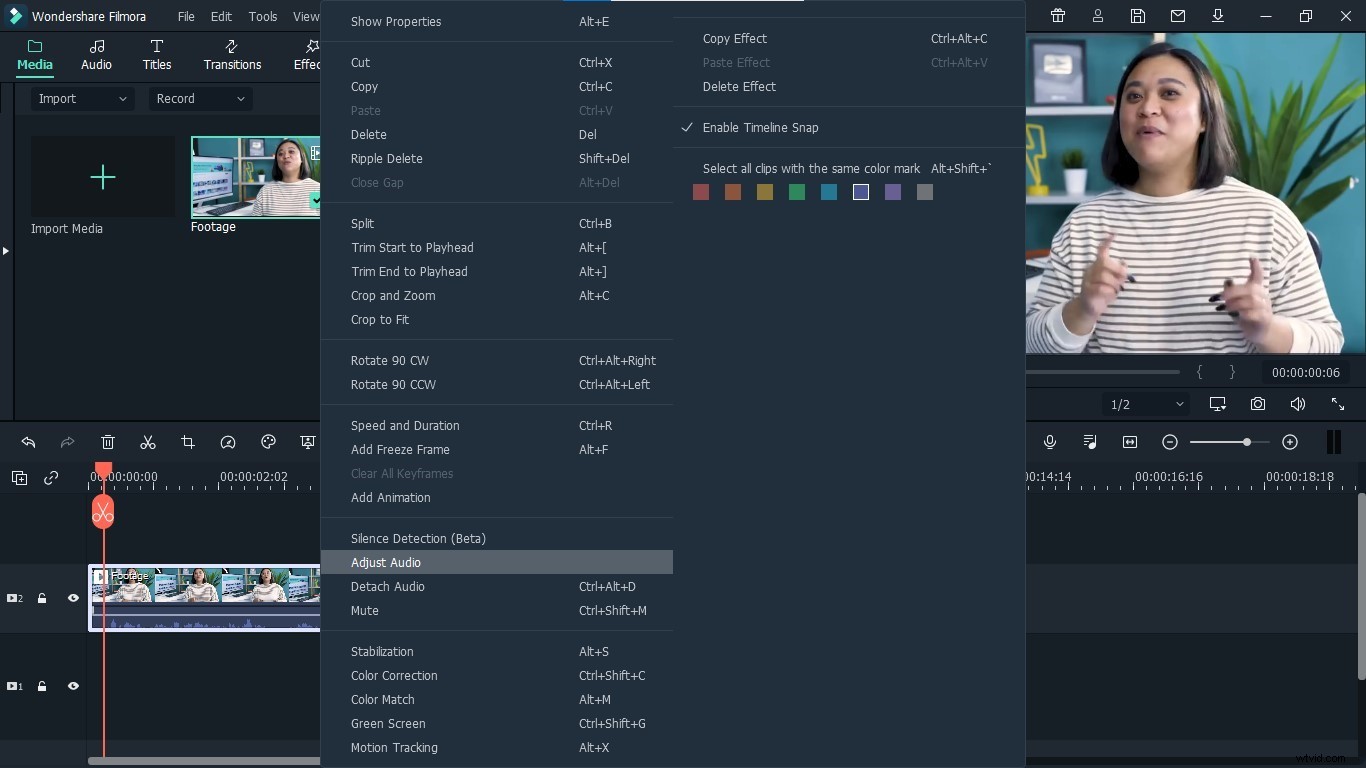
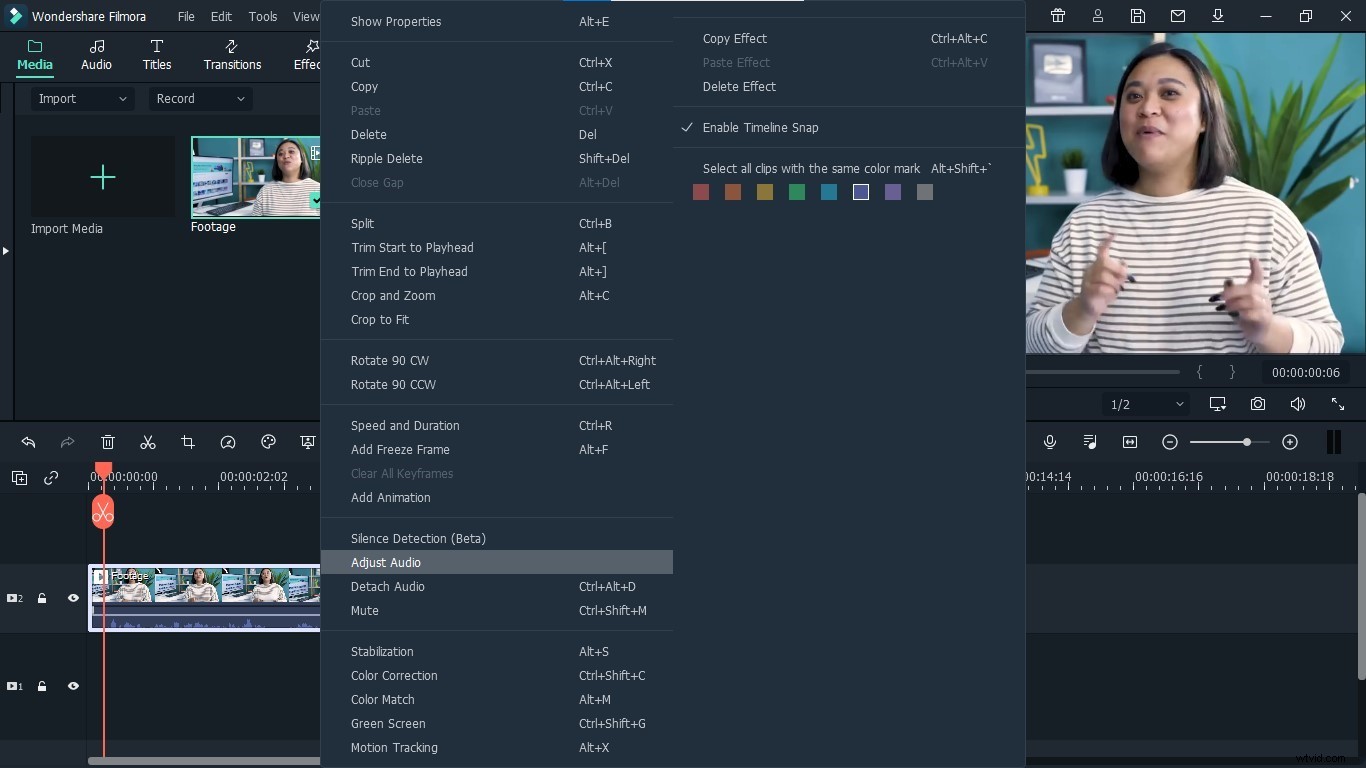
Step 3: Right Click on the video, and select Adjust Audio from the list to open the option.
Step 4: It will open the settings related to the sound of your video, you make any required changes from here, in order to higher its voice.
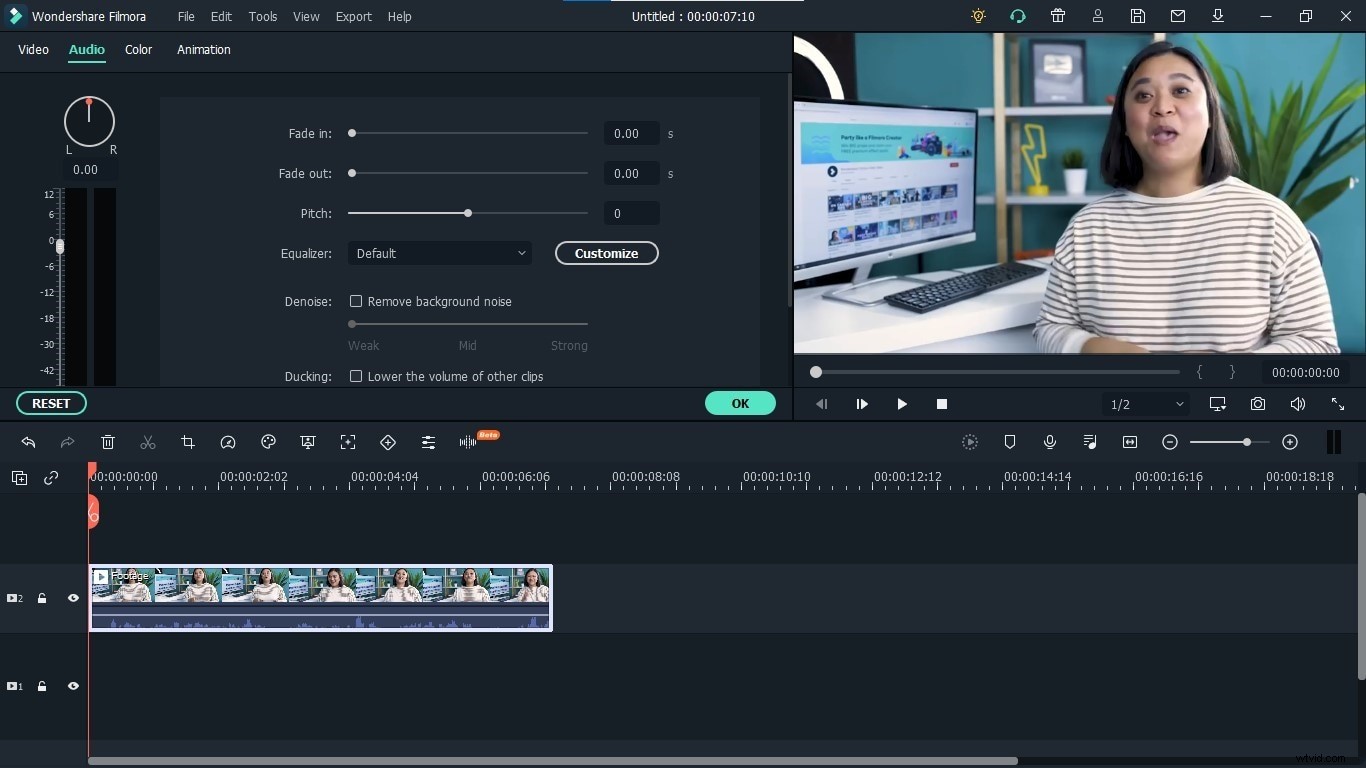
Step 5: From the equalizer drop-down menu, select the low base option. It will make your voice heavy and will make it more audible than its original voice.
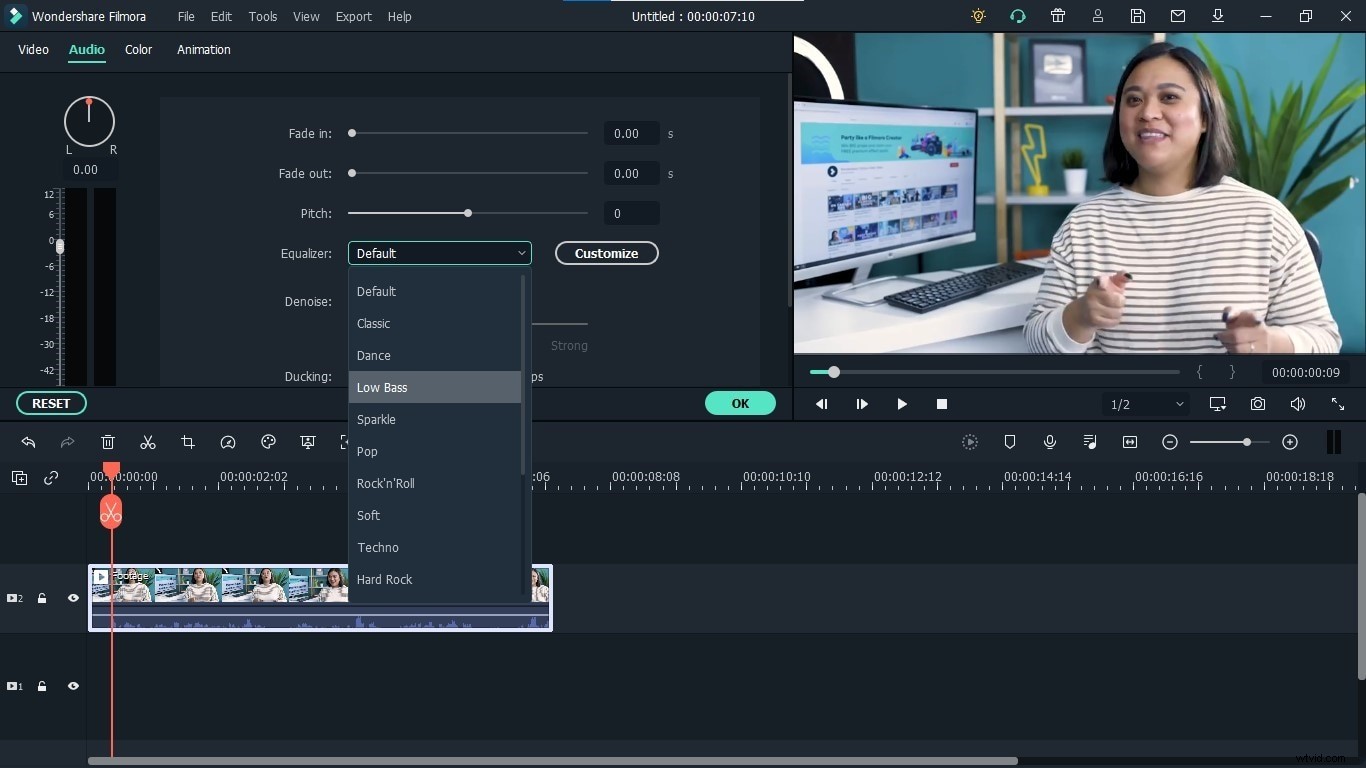
Method 2: High-Pitched Voice
Step 1: Open Filmora and export the video to a higher voice.
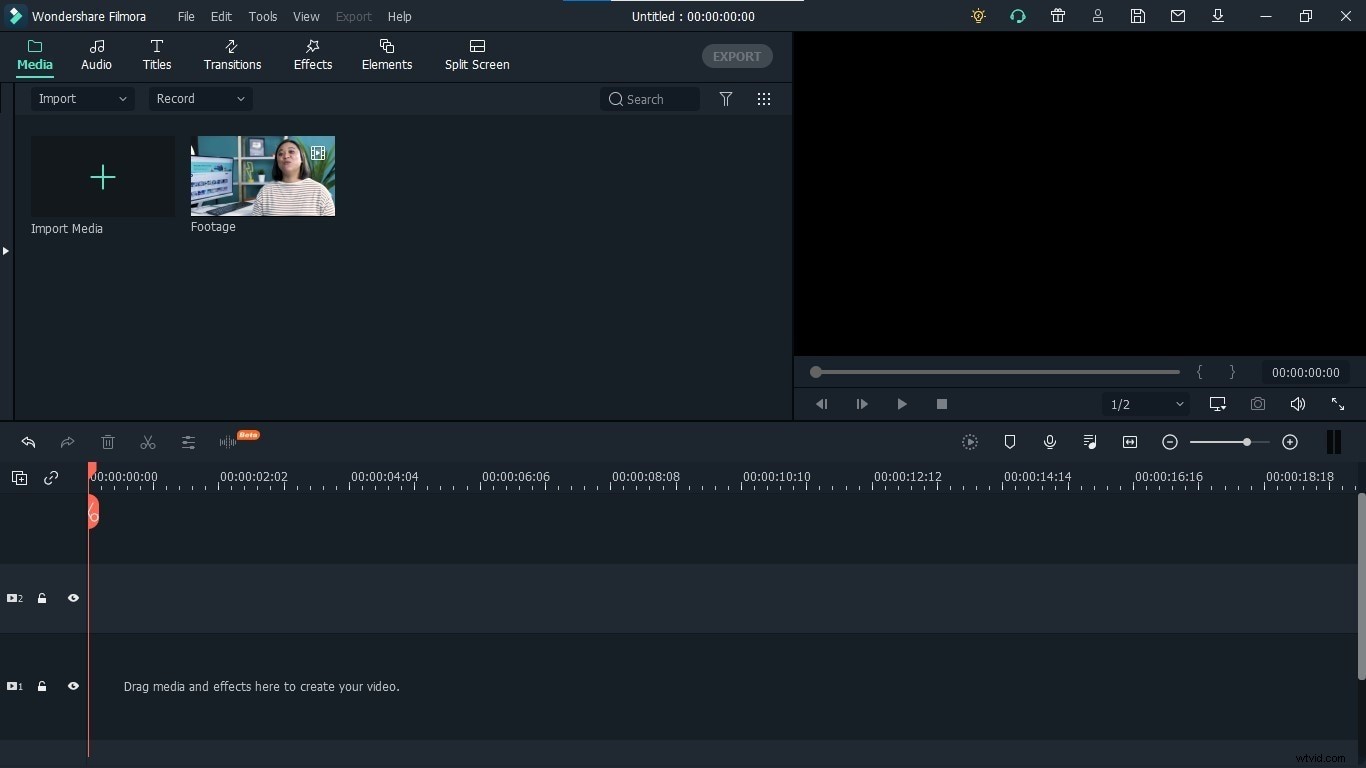
Step 2: Drag and drop the video into the timeline to enable its editing options.
Step 3: Right Click on the video, and select Adjust Audio from the list to open the option.
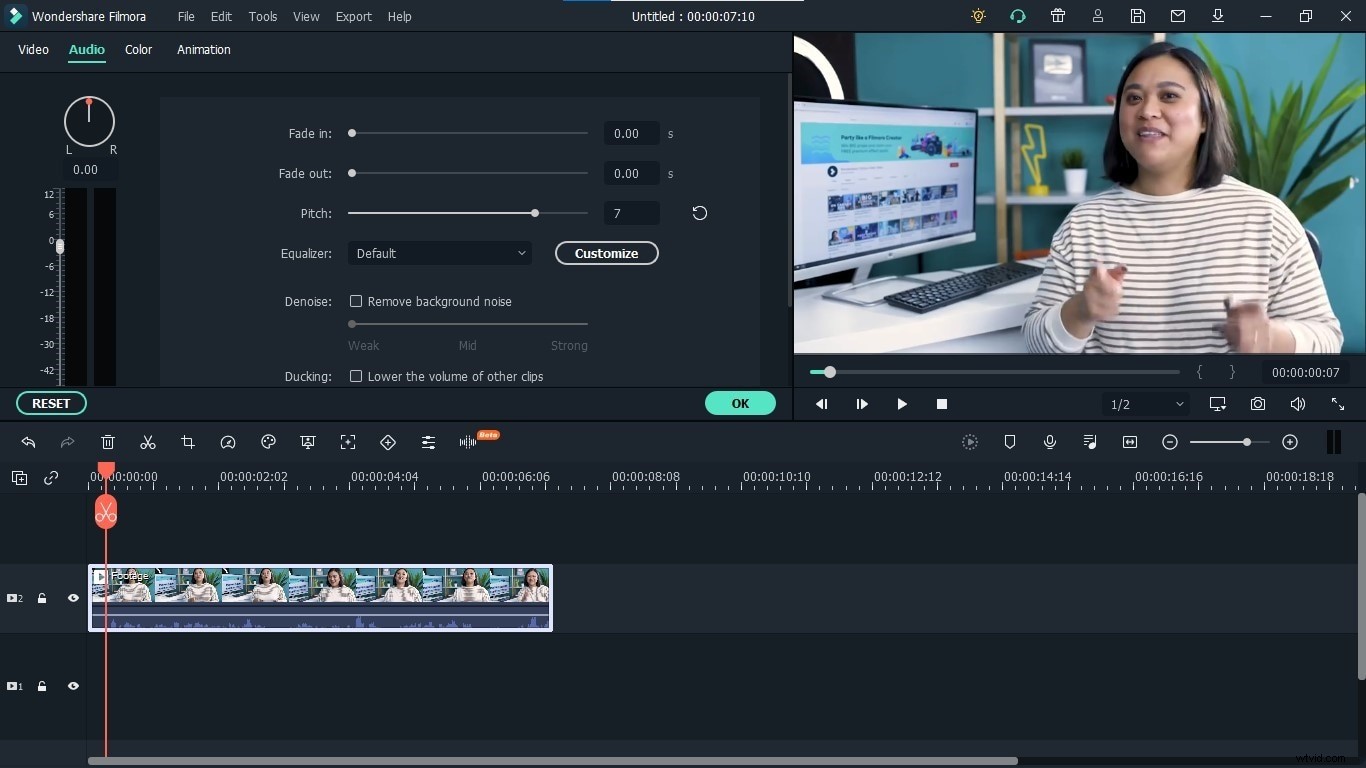
Step 4: It will open the settings related to the sound of your video, you make any required changes from here, in order to higher its voice.
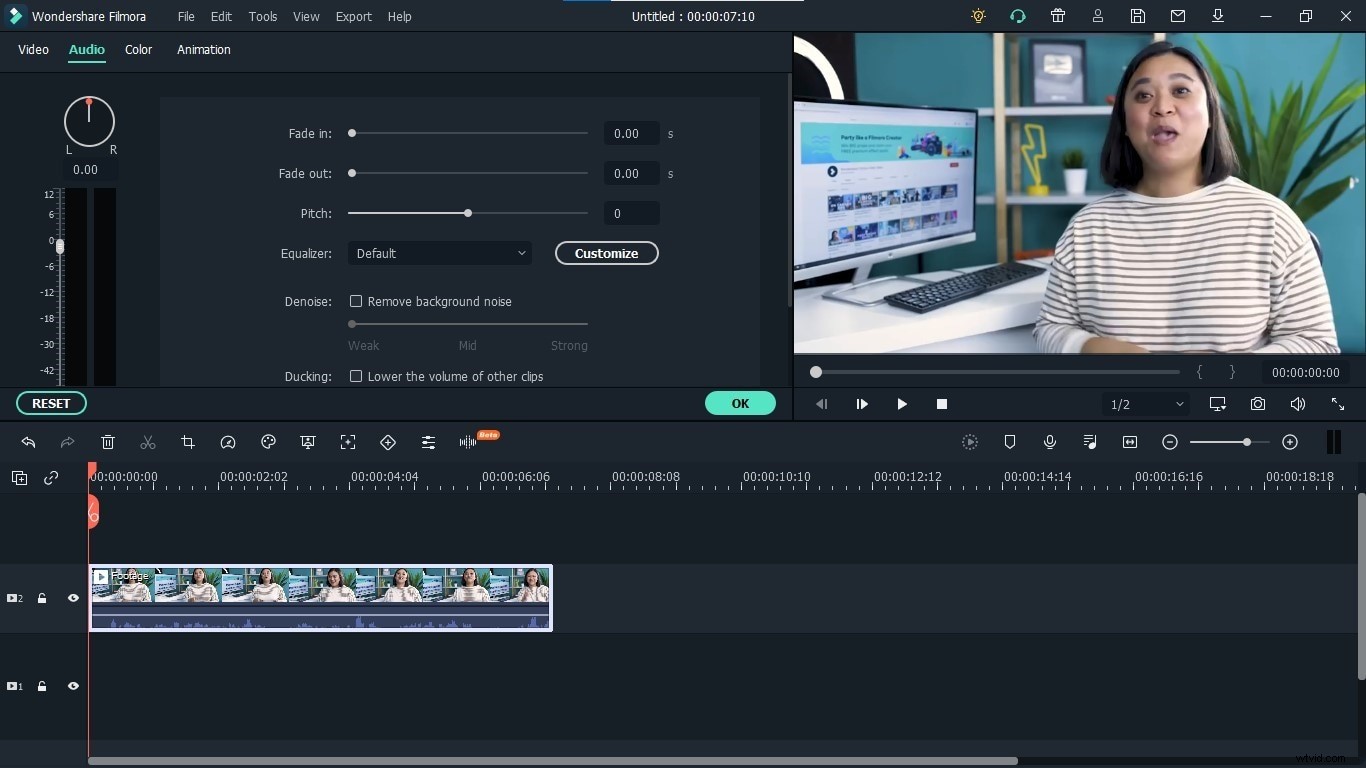
Step 5: From these options, go to the pitch, and increase by two to three points. Now play your video and check the results. It will make the voice of your video higher with a high pitch.
Method 3: Low-Pitched Voice
Step 1: Open Filmora, and export the video to a higher voice.
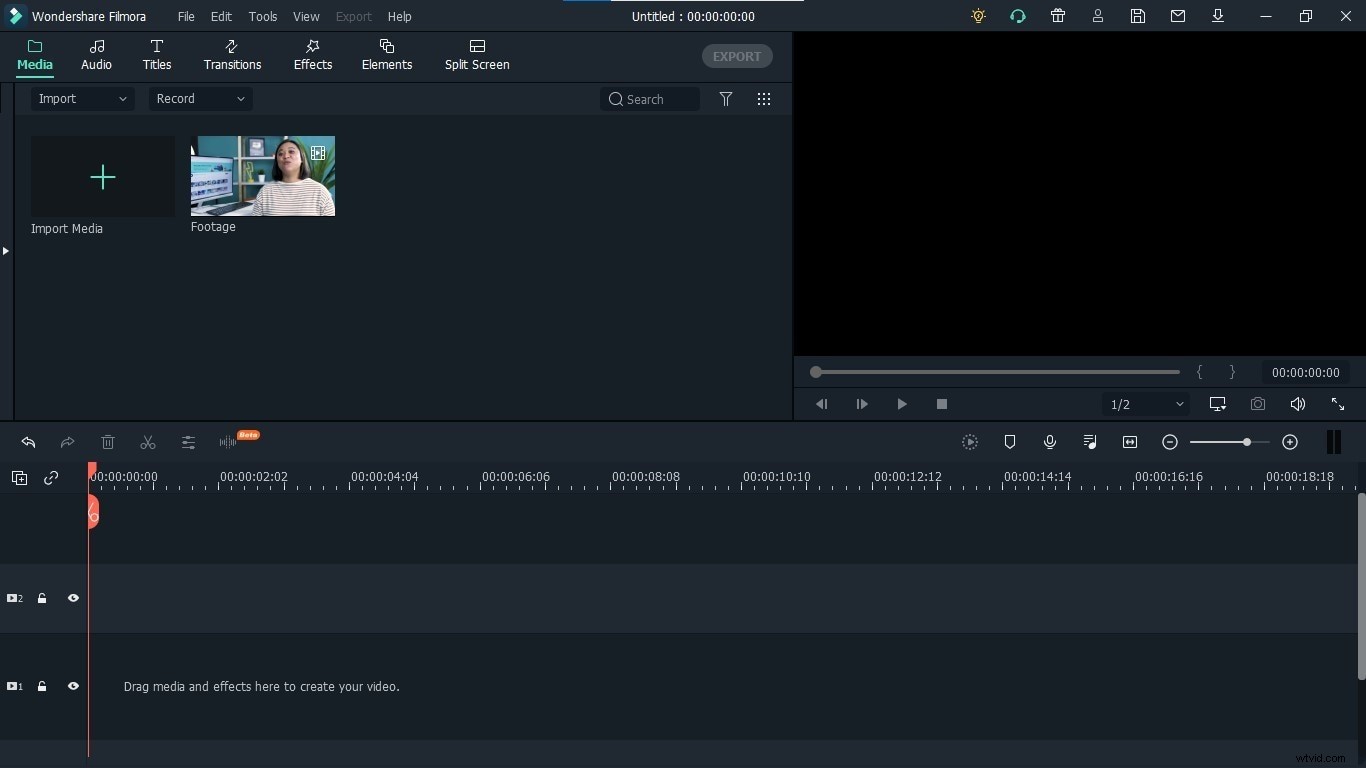
Step 2: Drag and drop the video into the timeline to enable its editing options.
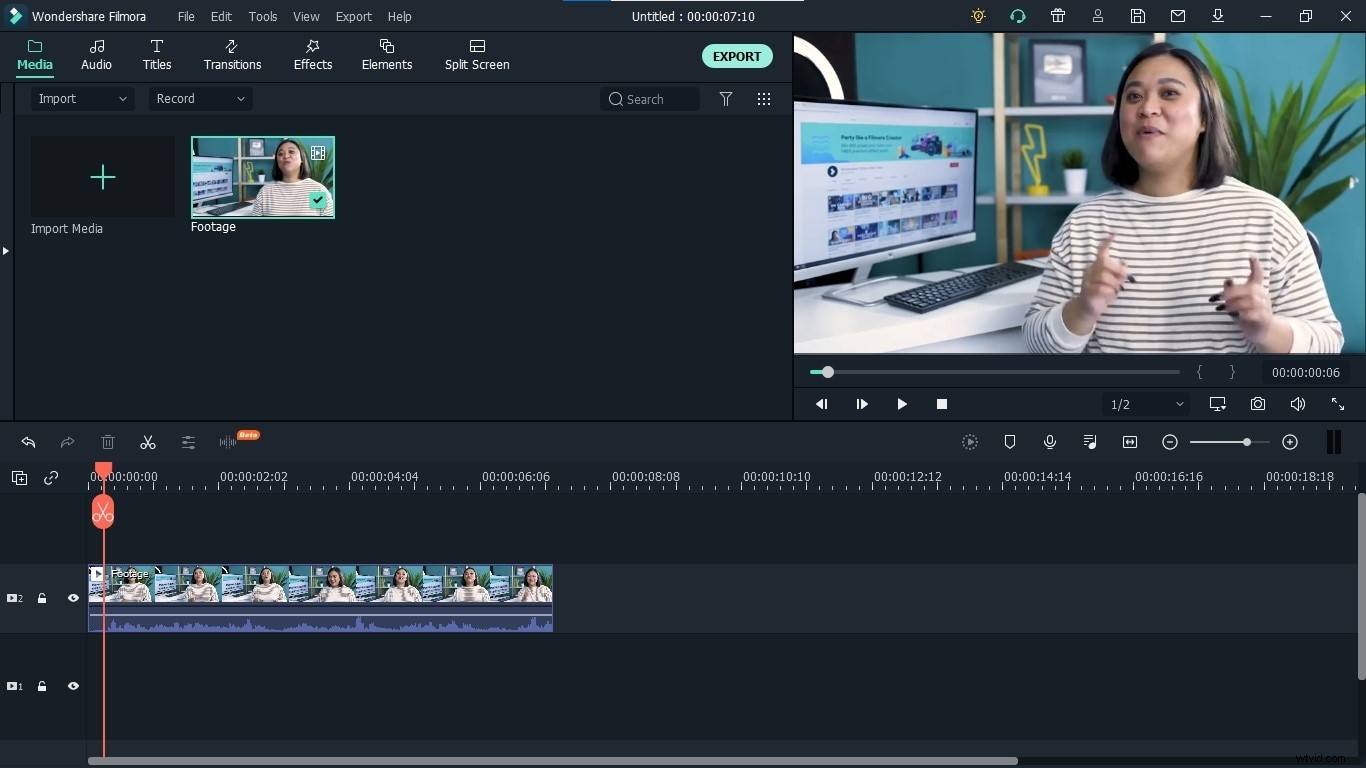
Step 3: Right Click on the video, and select Adjust Audio from the list to open the option.
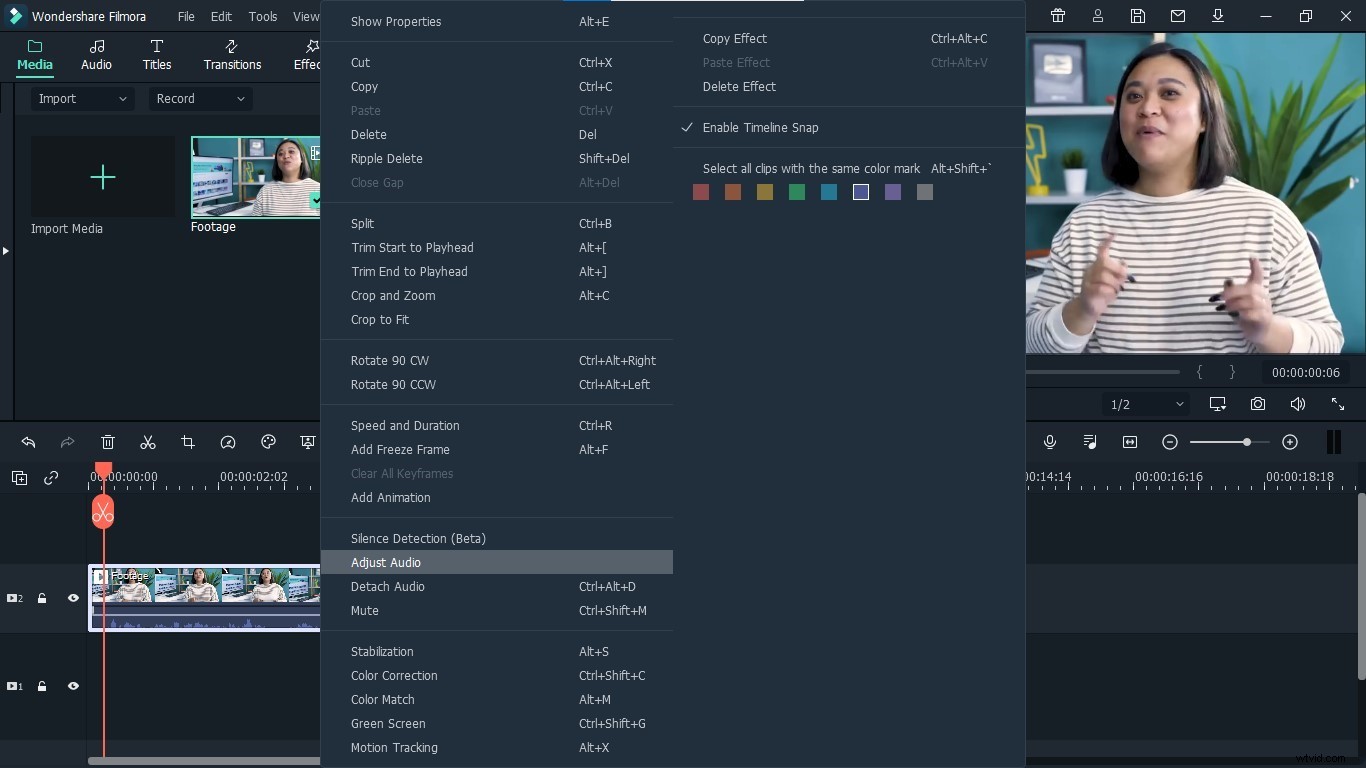
Step 4: It will open the settings related to the sound of your video, you make any required changes from here, in order to higher its voice.
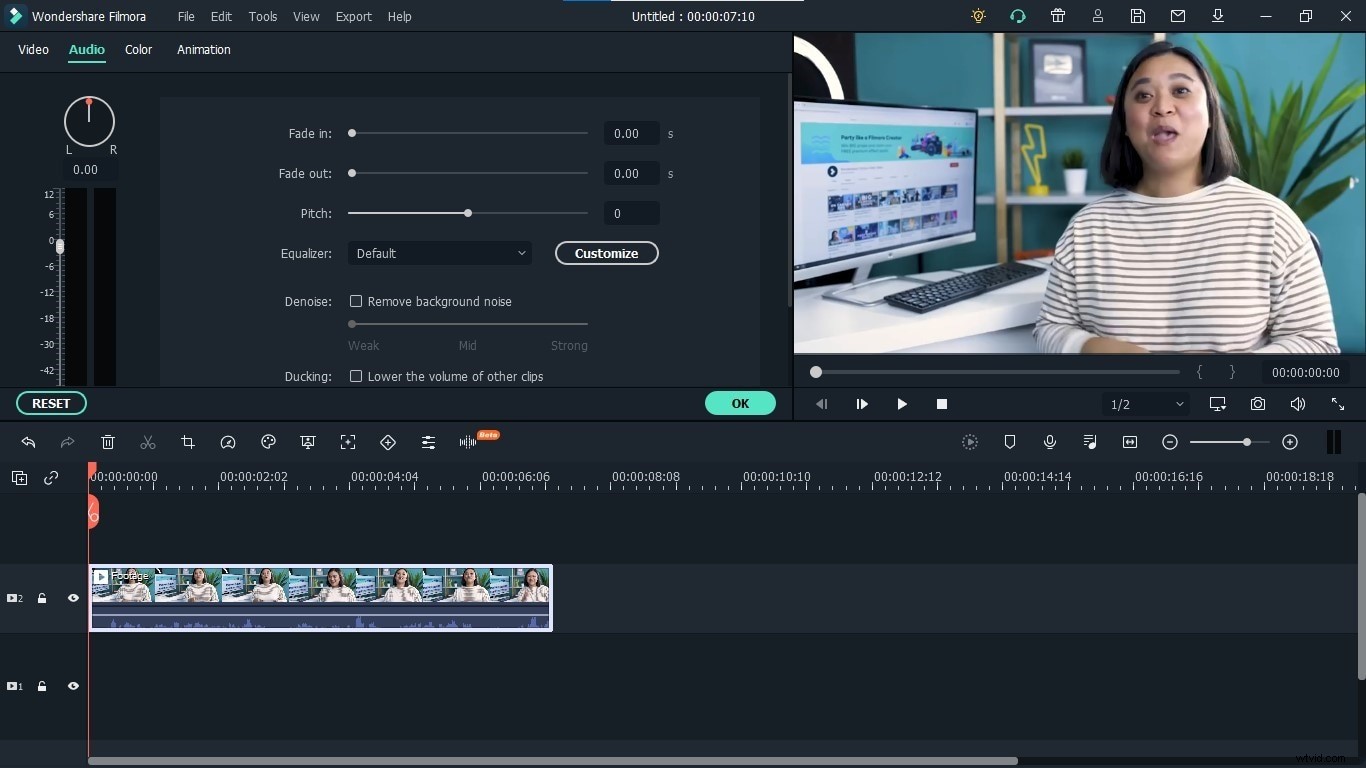
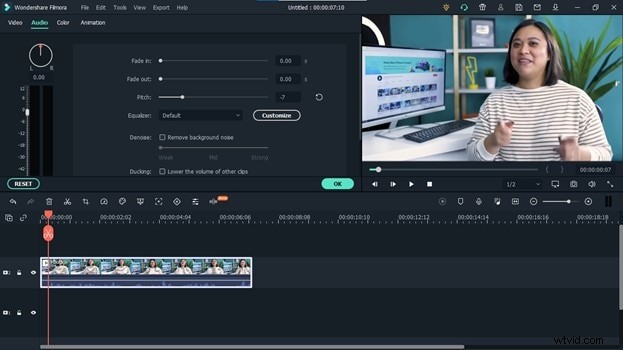
Step 5: From settings, go to the pitch settings, and decrease it by two to three points. It will make your voice sound intense and make it a bit higher than its original voice. Play the video and notice the changes. You can change the pitch settings accordingly after checking its results and choose a setting that best suits your video.
Both of these steps can help you enhance the quality of your voice to a great extent. For better results, follow both steps, higher your voice while recording and higher your voice with Filmora. The first step will let you make your voice higher using your own mouth and lungs. The second step will help you improve it more and you can choose any one method from the three available methods that best suits your video and voice of the video and make your videos more engaging and interesting video. So, let's transform your videos to make them more engaging and appealing to the viewers.