
Whenever you make videos, have you ever wished you could do voice video editing? What about just changing the voice in a video using a voice changer? It's not just you. Below are some questions that users have frequently asked.
- Are there any free software programs that can change your voice even if the video is already recorded?
- I have recorded my video; how can I change the pitch of my voice to make it high or low?
A voice in a video can be changed for a number of reasons, such as changing the quality of the voice or adjusting the sound for anonymity. Whatever the reason for changing your voice, the methods remain the same. There are plenty of software programs available in the market using which you can easily change the voice of your video regardless of your purpose.
In this article, we will discuss how you can do voice video editing using Filmora X version 10.5. We are using Filmora because it is one of the easiest video editing software available in the market right now, and it is also loaded with audio editing tools. Who needs a free voice changer if you can do it in an all-in-one tool. The latest version of Filmora (Version 10.5) has some amazing tools to easily modify and change your voice to make it sound different in your videos.
You might be interested in:
- Best Text-to-Speech Servers You Can Find in 2021
How To Change Your Voice Using Filmora Version 10.5
In this article, we will discuss three different methods to change your voice in Filmora.
- Using Tune-up or Tune Down Option
- Using Equilizer Option
- Using Filmora Audio Effects
Let's discuss every method one by one in detail and see how you can easily change your voice in Filmora. First of all, make sure that Filmora version 10.5 is installed in your system. If it isn't already installed, you can visit the official website of Wondershare Filmora and download it from there. If you have an older version of Filmora Installed on your system, then you can update it. The best thing about Filmora is that you can download it for free and use all its features without paying anything. The only drawback here is that the final output of your video will have a watermark on it, which you can easily remove by purchasing Filmora.
1. Using Tune-up or Tune Down Option
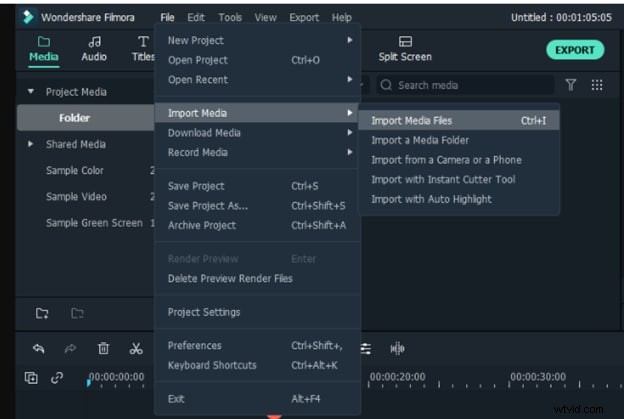
Step1: Open Filmora and Import your desired video to filmora by going into a file, then clicking on import, and selecting import media files from there.
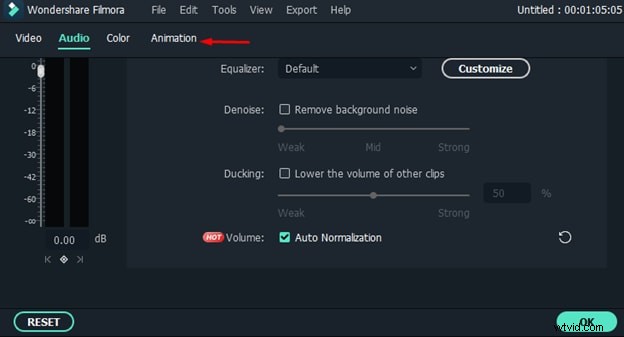
Step 2: Now drag and drop the video file to your timeline and double click on it to open the clip settings. You will see different options here; make sure to select the audio to open the audio settings.
Step3: From there, you can easily adjust the pitch of your voice. You can either increase or decrease the pitch of your voice, and it will make your voice sound a lot different as compared to your original voice.
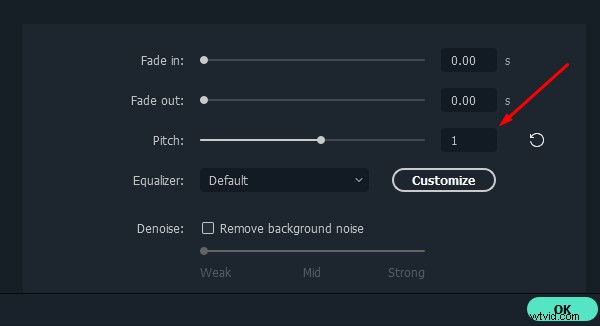
Step4: Once you have done adjusting the pitch of your voice, click ok to apply changes to your audio.
Step5: Now play the audio, and you will notice a considerable change in your voice. Even if you show the video to your friends and family, they won't even recognize your voice.
2. Using Equilizer Option
Step1: First of all, repeat all steps that we did in option one and open the audio settings of your video clip.
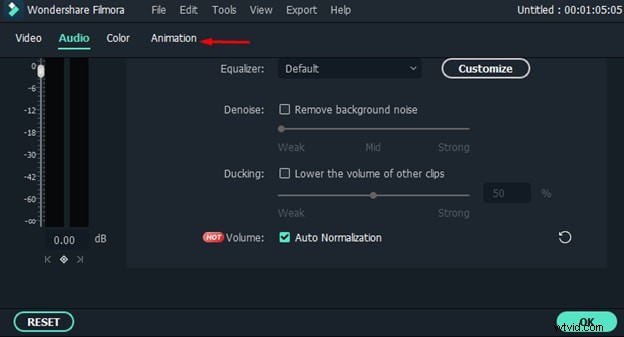
Step2: Not go to the equalizer option and click on the arrow in front of the equalizer option.
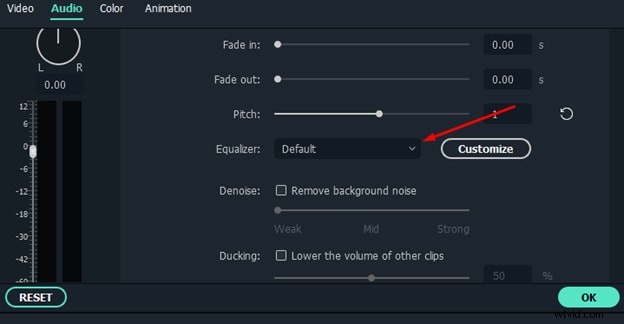
Step3: A dropdown menu will appear on your screen where you will see a lot of presets.
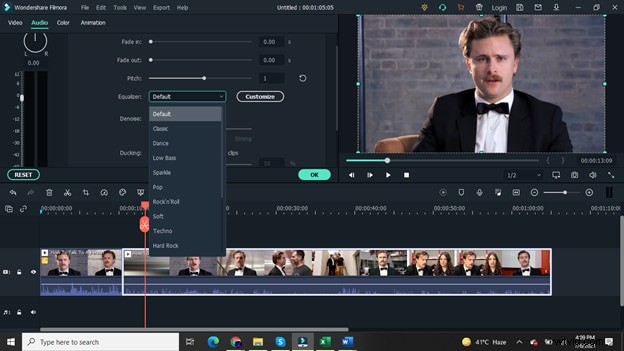
Step4: You can select any preset of your choice from this menu. Like if you want to make your voice sound very crisp, then you can choose Sparkle preset.
Step5: Once you have selected your desired preset, click the ok button to apply it to your video.
Step6: Now listen to your video's audio, and you will notice a considerable difference in the voice of your video.
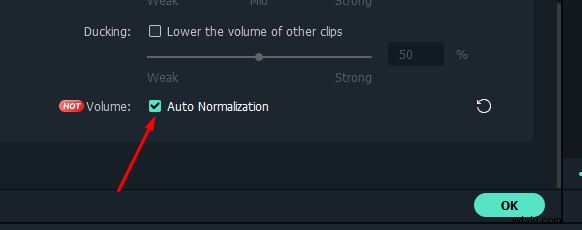
Also, don't forget to tick that auto normalization box at the bottom of the audio settings for the above-mentioned methods. It will automatically normalize your video's audio and make it sound more professional.
3. Using Filmora Audio Effects
The third method you can use to change your voice in a video is through the audio effects of Filmora.
Step1: Click on the Effects tab from the top menu, and you will see an audio effects option in the left sidebar.
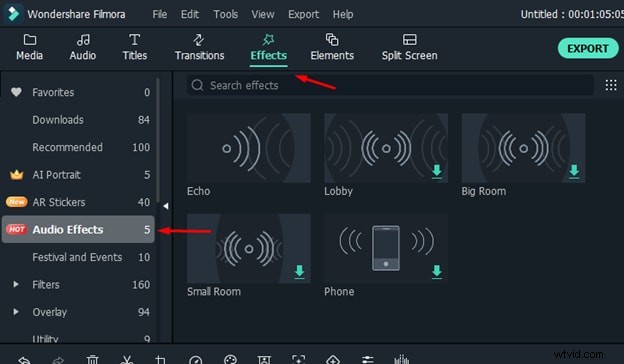
Step2: You can see there are a lot of audio effects available to use in your videos.
Step3: If you want to apply any effect on your audio, drag the effect and drop it above your video in the timeline. A yellow symbol will appear on the video file, indicating that the effect has been applied to your audio.
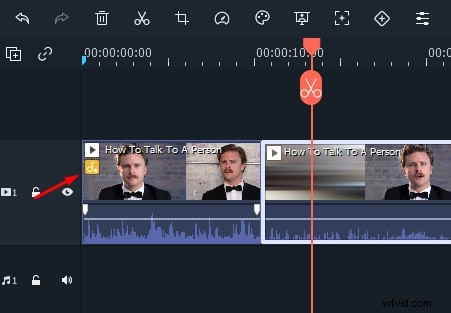
Step4: Now play the video, and you will see that the audio effect has been applied to your voice, and it sounds a lot different.
Conclusion
So, these are the three different methods using which you can easily change your voice in Filmora. As discussed earlier, Filmora is free to download, and you can try all of its features without paying anything. Also, it has a very intuitive interface that is easy to adopt for anyone, even if you are a newbie and don't have any prior video editing experience. So, make sure to give it a try. You can easily download it from the official website of Filmora.