
You don’t really have to break your phone. Shatter the fourth wall in After Effects with this easy-to-follow tutorial.
Over the past year, Instagram has received criticism for the increase in adverts that appear in the feed — and in the “stories” function that debuted in 2016. Recently, while browsing stories, I saw an advert, but it very quickly caught my attention for creative reasons. The ad was for British mobile phone service O2, and I was about to skip it until a fantastic effect appeared mid-scene. The ad was promoting some sort of insurance policy (I think, I wasn’t paying too much attention to the ad itself) for those who are prone to dropping their phones. When the in-ad characters dropped their phones, the entire screen would crack. As a result, the video footage would displace where the “screen” was cracked.
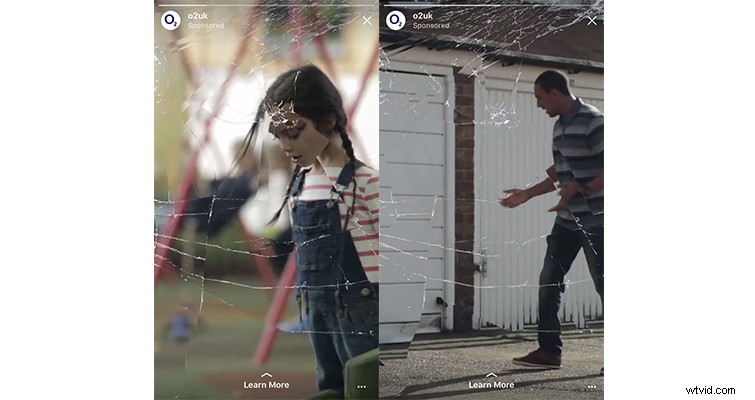
While the technique has limited use in narrative drama (maybe it has a place in the found footage genre), there are plenty of cool applications for this effect in music videos, adverts, and online content. Let’s have a look at how you can achieve this effect in Adobe After Effects.
I had a basic idea how to pull off the effect: a shattered glass texture, the displacement map effect, and a change in the blend mode for the texture layer. However, I kept running into a problem wherein the whole image was reacting in a way I did not want. The glass texture was affecting areas of the image where the cracks weren’t appearing, even when I would change the displacement map behavior setting.
Thankfully, YouTuber Trey Trimble had produced a video covering a similar effect, and I was able to see where the error was occurring. The glass texture was a square JPEG file, and the displacement map was working to the edges of the square, rather than the cracks itself. The fix was to mask the cracked texture to appear more angular.
To produce the effect, you will need a cracked glass screen texture, and thankfully you can find hundreds of textures online, just make sure to check the licensing terms — here’s a starting point.
The Method
Import your glass texture into Photoshop — you can also perform this task in After Effects, but I prefer the ease of Photoshop — and select the pen tool. Now create an angular mask around some of the jagged edges of the glass texture.
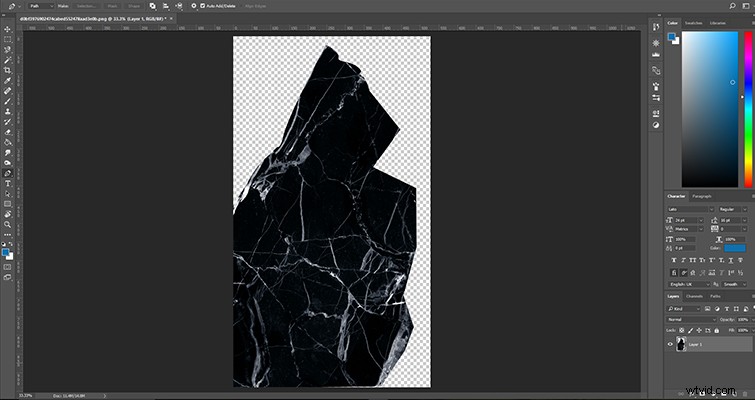
Once you have a mask that you are happy with, save the file as a PNG, and in After Effects, import the newly created PNG glass file and the footage you want to affect. Bring both files into the timeline, and place the PNG file above your phone footage. You now need to change the blend mode — Lighten or Screen are great modes to use. The mode you pick will depend on the look you wish to achieve; in the example, I’m using screen.
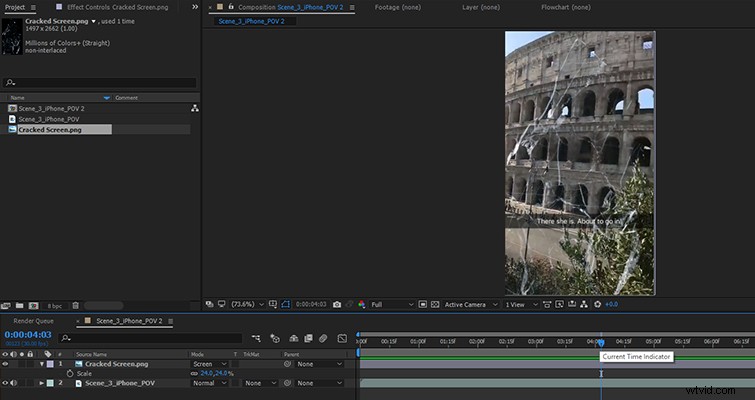
This looks pretty good already. If time were limited and this was only going to be a still image, I’d perhaps stop here. But as this is video, we need to affect the moving footage with the displaced glass, and we can do that with the displacement map in the effects panel. When you’ve applied the displacement map effect to the video footage, we need to change a few settings.
- We want the displacement map layer to be the cracked glass texture.
- Use for horizontal displacement = luminance.
- Use for vertical displacement = luminance.
- Displacement map behavior = stretch map to fit.
In the image below, you can see that if you don’t change the behavior of the map, it affects areas of the image where the glass texture shouldn’t be.
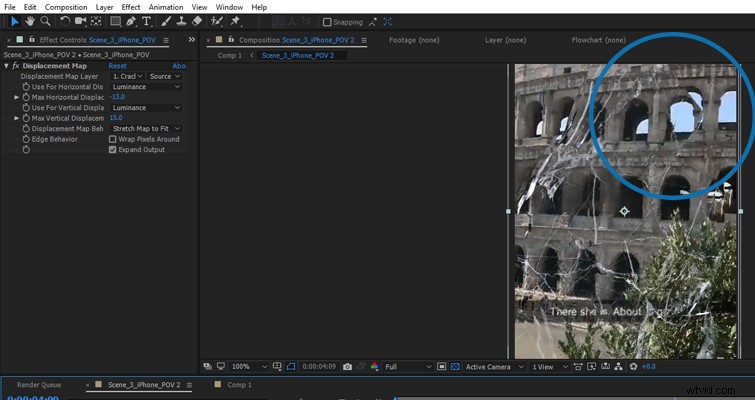
Finally, to displace part of the footage within the cracked area, you want to increase the horizontal and vertical displacement settings. There’s no correct number for this; it will depend on the look you are aiming for. You want to make the cracked part of the screen slightly off from the original media as seen in the still below.
Using the method above, here’s the before and after on a different clip.
Of course, from this perspective, in comparison to the original advert, it would be the phone’s camera lens that is cracked — not the screen. But ultimately the creative options with this effect are endless, and that’s the fun part.