
Always wanted to create that retro sci-fi disintegration scene? It’s easy. Follow these steps to create your own disintegration effect scenes in After Effects.
Sci-fi is one of the most beloved genres in filmmaking, but it has its challenges. When you set your film in the distant future, everything has to have the edge of the unfamiliar about it. This goes for weapons, as well. Nothing quite says “science fiction” like the demonstration of advanced technology, and by far the most common of these is someone getting shot by a raygun.
Ever since the beginning of filmmaking, directors have struggled to create realistic-looking visual effects when someone gets “zapped.” In early Star Trek, the unlucky alien (or red shirt) simply disappeared in a soft glow. With today’s computers and software, we’re able to create a pretty good disintegration with just the tools available to us in After Effects — and we can do it in under ten minutes. Here’s how.
Load Your Elements
You’ll need three elements to begin:
- A background plate
- Green-screen footage of your unlucky victim reacting to getting zapped
- Keyed footage of some kind of explosion
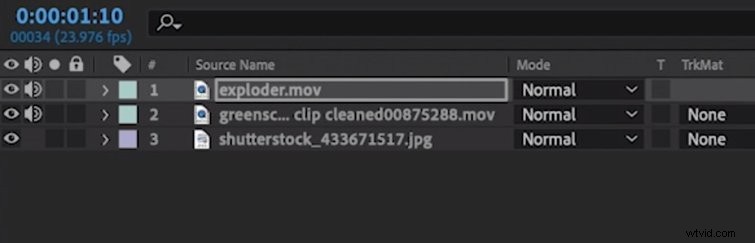
Begin by loading all three elements into After Effects. Add them on top of one another, with the background plate at the bottom and the explosion at the top.
The Unmult Effect
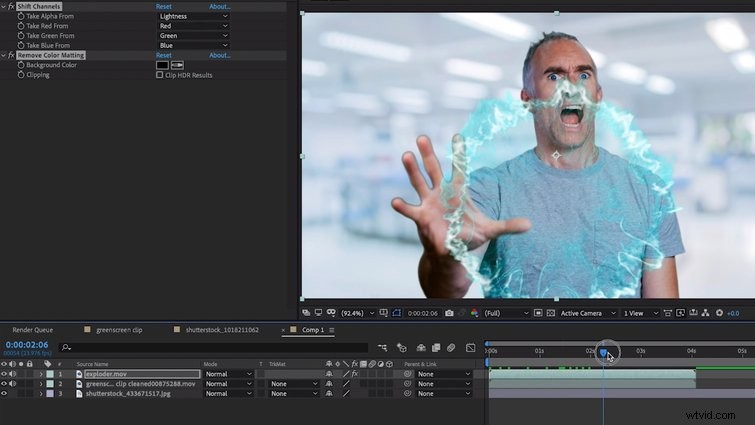
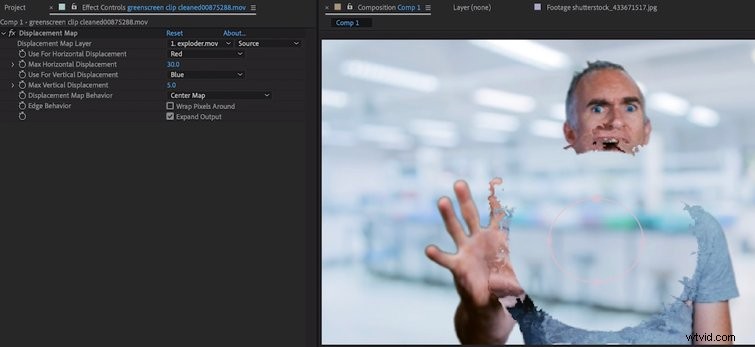
Use the Unmult Effect to make the background of the explosion transparent, if it’s on black. Then, add a Displacement Effect onto the person, and link its layer to the explosion. Set the horizontal parameter to Red and the vertical parameter to Blue, though this may vary with the color of your explosion.
If you turn off the actual explosion layer, you should now see its displacement ripple through the human. By turning it back on and adjusting the timing of the explosion a few frames back or forward, you can magnify the effect.
The Vaporizing Effect
Now, we’ll add a circular mask on the person at the center point of the explosion and key frame it. First, invert the mask, then adjust the mask expansion so that it follows the displacement ripple and gets larger as it goes out. You may also want to adjust the opacity of the person so that they fade away as the mask expands.
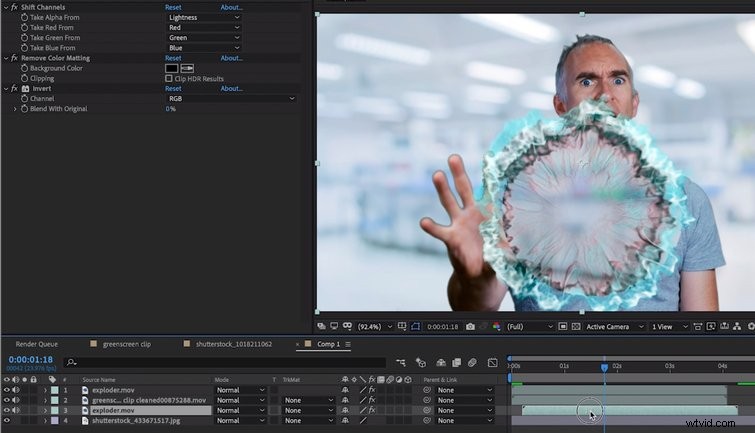
You can now make a duplicate to the explosion, add the invert filter to turn it black, and place it under the person. This will look like there’s more substance that is vaporizing as the effect happens.
The CC Light Burst Effect
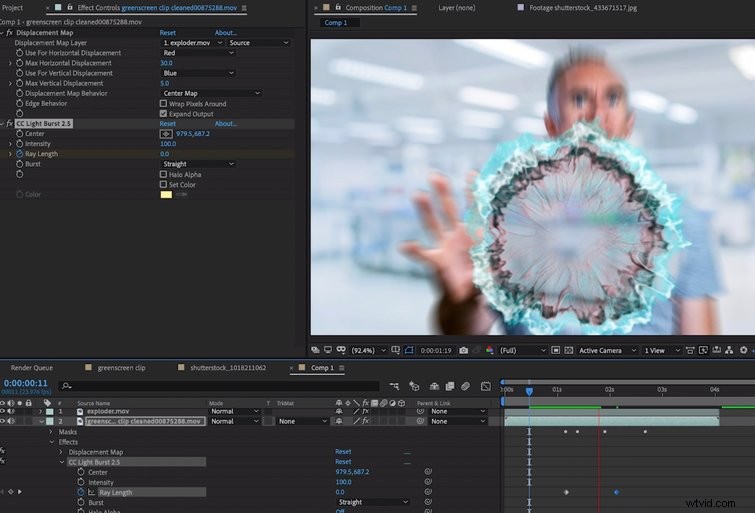
The last step is adding an effect called CC Light Burst to the person. You’ll need to key frame the ray length — starting with zero and ramping up to thirty — as the explosion travels out. I found 300 to be a good intensity, but adjust to taste.
And, there you have it: A good-looking disintegration effect in under ten minutes. Spare a thought for those early sci-fi pioneers who spent hundreds of hours painting electricity onto their actors — one frame at a time.
Grow your motion graphics skills! Check out a few more After Effects tutorials, tips, tricks, and resource roundups:
- 10 Minute Crash Course: Newton 3 After Effects Plugin
- Exploring the New Lens Distortion After Effects Plugin
- 9 FREE After Effects Templates
- Top 10 Paid and Free Scripts and Plugins for After Effects
Cover image via Stamatoyoshi.