
Learn how you can place your camera’s point of view on the tip of a pen (or anything) in After Effects with this video tutorial.
As cameras have gotten smaller (without sacrificing quality), filmmakers have begun finding creative ways to use them that would have been impossible before. An example is the 5D Mk II on the barrel of a rifle in Act of Valor or a 7D on the edge of a shovel in Breaking Bad.
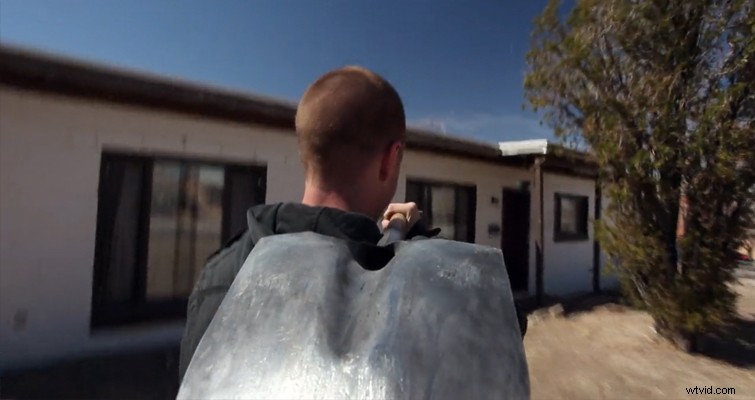
While cameras have become small enough to attach to tools, we may still be a few years out from seeing a camera that can actually film from the POV of a pen at broadcast quality. However, you can still pull off this trick in post-production with only a few simple steps.
Before we jump into the tutorial, if you know that you’re going to apply this effect when you’re filming, you want to make sure you have a clear shot of the pen tip, and to make sure that it stays in focus so we can track it more easily in post-production. You also want to film at the highest resolution possible, as the shot will end up cropped after we apply the camera layer. Most importantly, make sure to frame the pen so it looks like the camera is on top of it to some extent.
The Method
Create a new composition with the footage, and find when the pen first touches the paper and when it stops touching it.
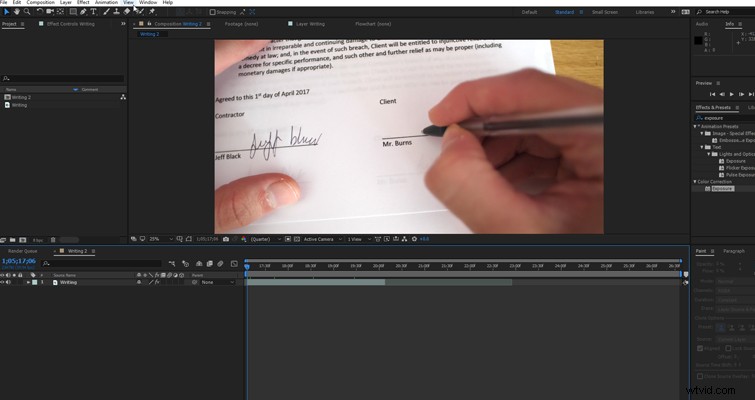
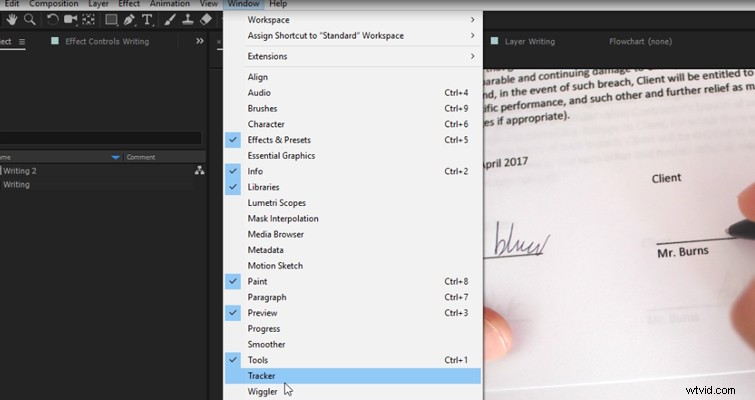
If the tracker panel isn’t open, go to Window and select Tracker.
Then hit Track Motion, and you’ll see the layer window.
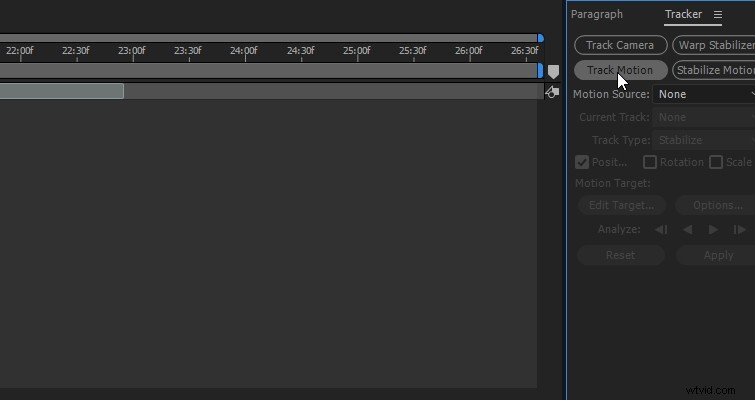
Set your track point at the nib or tip of the pen, and then hit analyze forward. The tracker may have a bit of trouble following the tip because when the ink hits the paper, the pen moves away — sometimes the tracker thinks that the black ink is the pen tip. If your tracking point loses focus, go back and manually adjust the tracking.
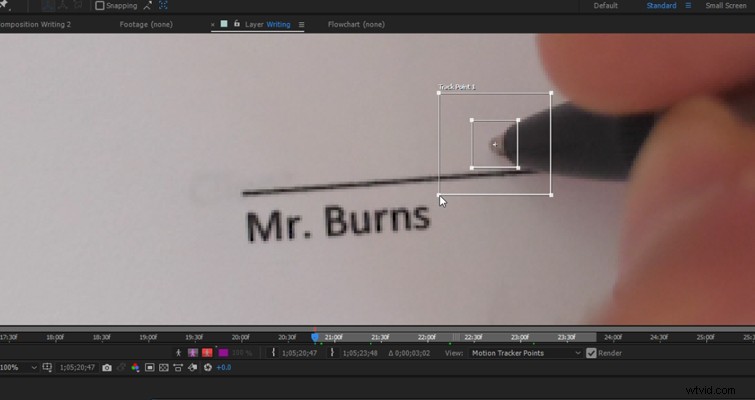
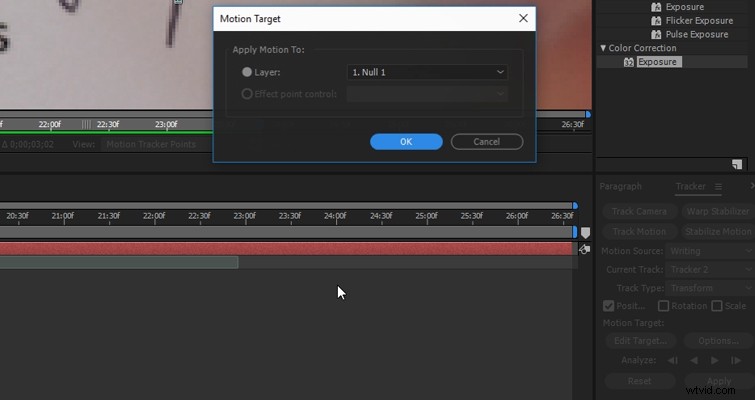
When you have successfully tracked the movement, create a new null object, make sure that it’s the target, and hit apply.
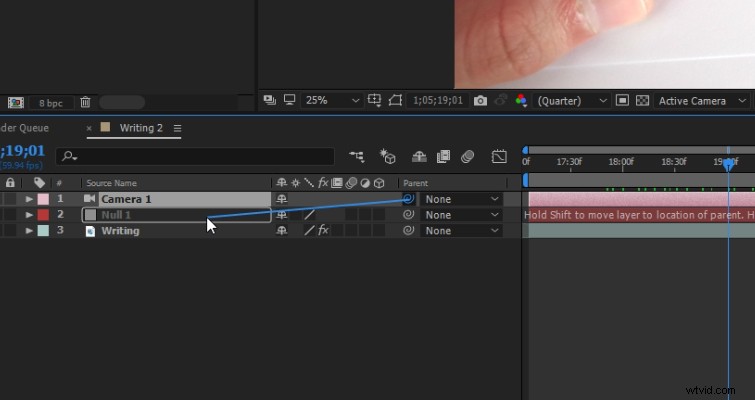
We are then going to add a new camera layer (the default setting is fine), and we’re going to parent the camera layer to the null object. To create the magic, we then turn our pen clip into a 3D layer by clicking this icon.
We now have the camera following the tip of the pen as if it were attached to the pen itself. However, we also have a video clip that jumps around the composition and shows a lot of negative space.
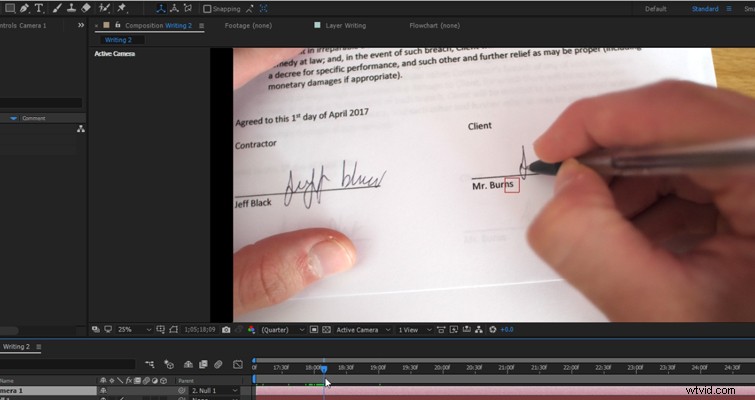
As I said, it is better to film in 4k if you can because we can simply change the composition to 1080p and crop out the negative space. If you don’t have the option of shooting in 4K, try to frame your shot with a bit of open space, so you can increase the scale of the clip without losing too much of the pen.
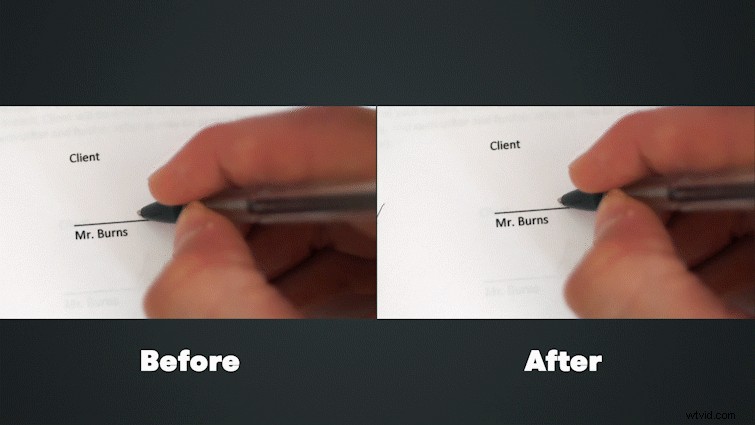
There we go. A simple but very cool technique.