
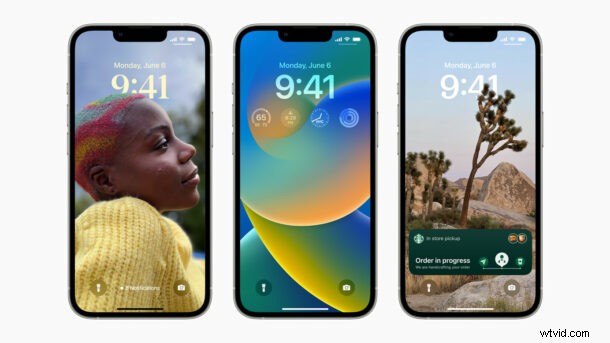
Apple has unveiled iOS 16 for iPhone, featuring a new customizable lock screen, updates to iCloud Shared Photo Library, the ability to recall and edit sent iMessages, Mail scheduling, and more.
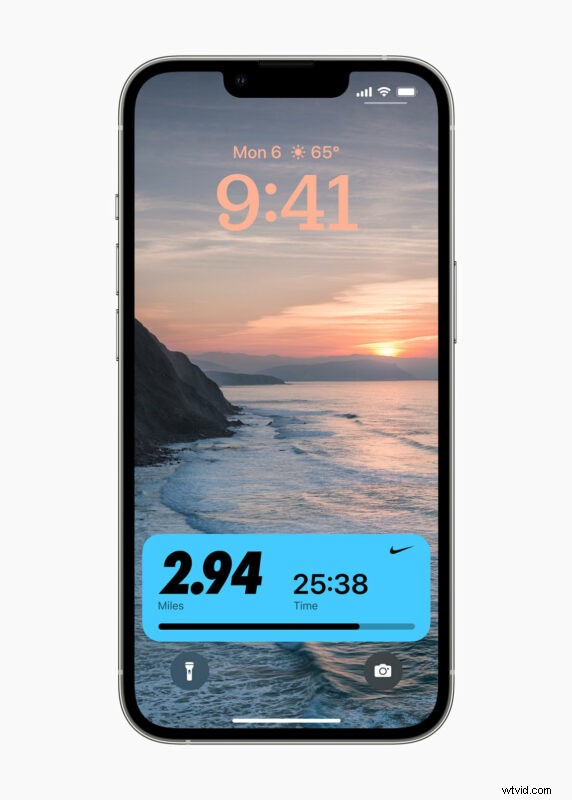
The biggest obvious change to iOS 16 for iPhone users is the ability to customize the lock screen with widgets similar to Apple Watch, allowing users to see things like weather, battery life, calendar events, alarms, and more, right from the lock screen of iPhone. Users can also change the color and typeface of the clock and date on the iPhone lock screen.
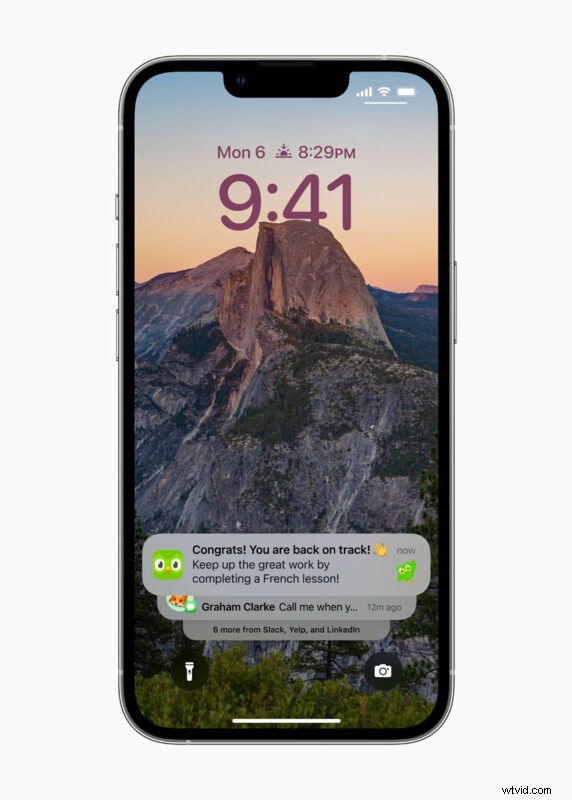
Notifications have been redesigned in iOS 16, again, this time being moved to the bottom of the screen where you can flip through them, keeping the attention of the lock screen on the users wallpaper or customized lock screen appearance.
Additionally, users can now tie a Focus to a custom lock screen, allowing users to switch their lock screen along with their Focus mode.
Messages app receives some new features as well, including the ability to edit or recall recently sent messages. You’ll also be able to recover recently deleted messages, and mark messages as unread.
There are also updates to Live Text which allow it to work with videos, and the Visual Look Up feature now lets users cut a part of an image from a photo and then paste it into an app like Messages.
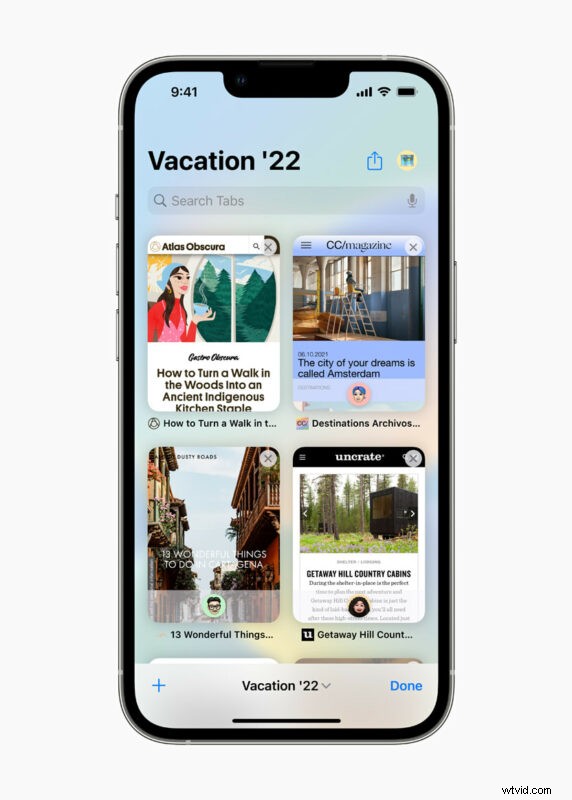
Safari gains an ability to share tab groups with others along with some other improvements, a feature that also is included in MacOS Ventura and iPadOS 16.
Finally, many of the built-in apps also get minor features or changes, including to Health app, Fitness app, Home app, Siri, Dictation, Apple News,
iOS 16 will be available to developers right away as a beta, and a public beta will be released next month.
The final version of iOS 16 will be available in the fall.